Mouse Pads For Laptops

Enhance your workspace with mouse pads for laptops designed to support smooth and precise navigation. Whether you're working from home, in the office, or on the go, a quality mouse pad can help create a comfortable and efficient computing experience. Explore a wide selection of styles and sizes to find the perfect fit for your laptop setup. Discover options that complement your personal style while helping you make the most of every click and scroll.

Filters

$11.99

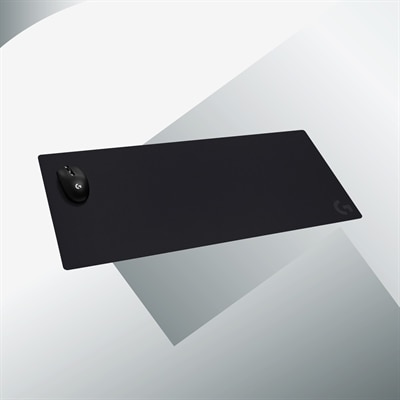
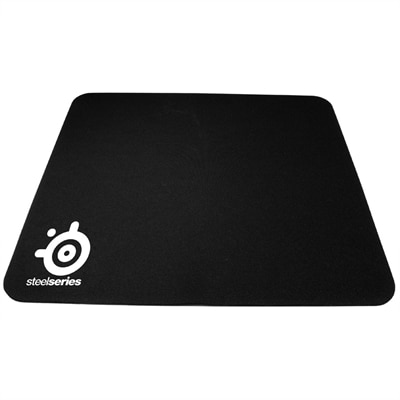
A cloth gaming mouse pad with smooth glide, non-slip rubber backing, and universal mouse compatibility.
$11.99
$10.99

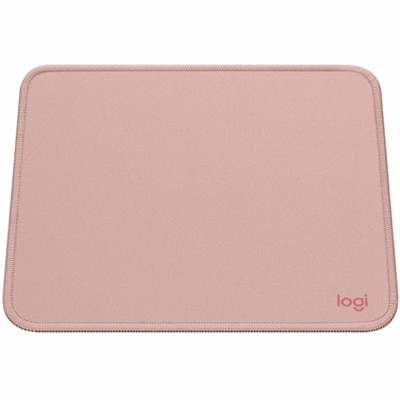
A dark rose mouse pad with a smooth recycled-polyester surface, spill-resistant coating, and anti-slip rubber base.

$10.99
$22.99

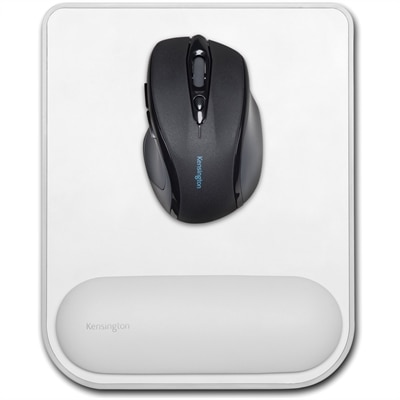
A faux leather, gel-cushioned mouse pad offering ergonomic wrist support, non-skid stability, and precise tracking.

$22.99
$39.99

A black cloth gaming mouse pad with a non-slip rubber base and precision-tuned surface for accurate tracking.

$39.99

Mouse Pads For Laptops

Mouse pads for laptops provide a consistent surface for an external mouse, whether the computer travels between meeting rooms, sits on a kitchen table, or anchors a dedicated workspace. A portable laptop mouse pad typically combines a slim profile, manageable dimensions, and an anti-skid base that helps keep it in place during everyday movement. The benefit is especially noticeable on surfaces where a mouse may track inconsistently, such as glossy tables, or where seams and wood grain interrupt a smooth glide. A defined mousing area also creates a comfortable place for precise movements when editing a spreadsheet, adjusting a photo, or navigating a crowded screen. For travel, fit involves more than matching the pad to the size of the laptop: the surface needs enough room for normal mouse movements while fitting comfortably in a carrying case or accessory compartment. A thin, flexible pad can slip into a document section, while a compact rigid pad needs a pocket that accommodates its full shape without bending. Rounded corners and low-profile edges can make packing easier and reduce the chance of catching on a zipper or sleeve lining. On a small café table, a compact rectangular surface leaves space for a drink and a notebook; at a hotel desk, a slightly wider pad can provide more freedom for longer cursor movements. Thickness affects the experience as well. A lightly cushioned pad softens contact with a hard tabletop, while a thinner surface keeps the mouse closer to desk height. The underside matters just as much as the top: a textured rubber or similar nonslip backing helps resist shifting on a clean, dry surface. Portability, reliable tracking, and a stable base are useful qualities for laptop users who want a familiar feel without carrying a bulky desk accessory. A pad that lies flat after unpacking also makes it easier to settle into a temporary workspace, especially when the next task calls for steady pointing rather than quick touchpad gestures.

Materials give laptop mouse pads distinct textures, levels of flexibility, and care requirements. Cloth surfaces generally offer a softer feel with some resistance under the mouse, which can suit everyday office work and controlled cursor movements. A tightly woven fabric may feel smoother than a more textured weave, although the experience also depends on the mouse feet, sensor, and sensitivity settings. Hard surfaces, including certain plastics and metals, tend to feel firmer and can allow a quicker glide. Their rigidity can be useful when moving between desks, but it also means the pad will not fold into a small pocket. No surface is universally compatible with every mouse sensor, so compatibility information matters, particularly with clear, reflective, or unusually textured materials. Edge construction influences both comfort and durability. Stitched borders can help protect fabric edges from fraying, while a smooth, low edge may feel less noticeable beneath the forearm. A raised border that feels fine during brief browsing can become distracting during several hours of detailed work. Cushioned wrist rests introduce another consideration: they occupy extra space and add height, and comfort depends on how that height relates to the desk, chair, and mouse. They are not a substitute for a relaxed posture or room to move the arm naturally. Routine care helps preserve the feel of the surface and the grip underneath. Dust, crumbs, and oils can collect over time, making a mouse glide unevenly or allowing the base to slip. Cleaning methods depend on the material and construction, so the care directions take priority over a one-size-fits-all approach. Some surfaces tolerate a gentle wipe with a lightly damp cloth, while others need different treatment. Excess moisture, harsh cleaners, and heat can damage coatings, adhesives, or cushioning. Allowing a cleaned pad to dry completely before packing it helps keep moisture away from the laptop and other accessories. For flexible pads, storing them flat or rolling them only when their construction permits helps limit creases that could interrupt tracking later.

Intended use often determines the most practical balance between portability and surface area. A student carrying a laptop between a library table and a shared apartment desk may appreciate a lightweight pad that packs flat beside a notebook. A frequent traveler may value a wipeable surface that is easy to maintain after moving through different workspaces. Someone working from home may prefer more room for broad arm movements, especially with a lower mouse sensitivity setting. For a permanent desk arrangement, Large Mouse Pads offer a related format with more coverage, sometimes extending beneath both the keyboard and mouse. That extra area can create a consistent surface across a desk, though it takes up more room and is less convenient to carry than a compact laptop pad. Gaming, creative work, and routine browsing can place different demands on the same accessory. Fast, sweeping movements benefit from sufficient clear space, while photo retouching or detailed document work can make an even texture and predictable stopping feel more important. A mouse pad cannot improve a sensor beyond its capabilities, but a suitable surface can reduce interruptions caused by an uneven tabletop. Desk layout remains part of the fit: the pad needs room beside the laptop without forcing the mouse arm outward or crowding a charging cable. For shared spaces, understated colors and simple textures can blend into changing surroundings, while a distinctive pattern can make a personal workspace feel more settled. A mouse pad can also be a thoughtful, practical gift for a college student, a remote worker, or someone setting up a first home office, particularly when its dimensions suit an existing bag or desk. The most useful qualities remain tangible: enough room to move comfortably, a surface that works well with the mouse, edges that withstand regular handling, and a base that stays put through the day.

FAQs:

Add the products you would like to compare, and quickly determine which is best for your needs.

Add the products you would like to compare, and quickly determine which is best for your needs.