$44.79
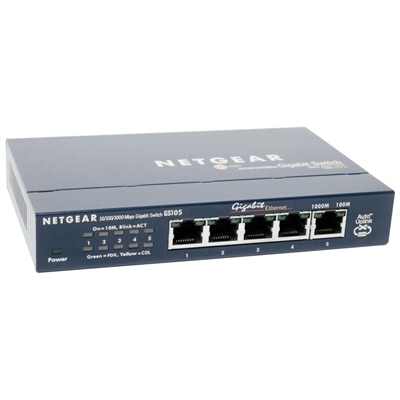
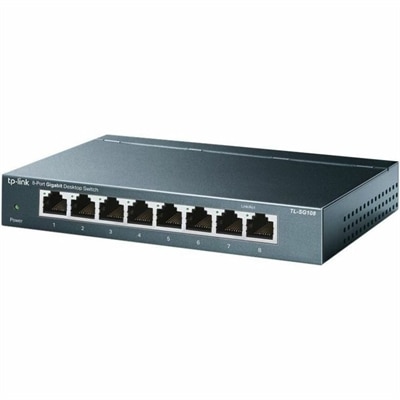
An 8-port Gigabit desktop switch with metal casing, fanless operation, plug-and-play setup, QoS, and energy savings.
Enhance your connectivity and streamline your digital workspace with network expansion devices designed to support growing technology needs. Whether you're optimizing a home office, upgrading a business network, or simply looking to improve data transfer capabilities, these solutions help ensure seamless communication between devices. Explore a wide selection of network expansion devices to find the right fit for your setup and experience improved performance across your connected environment.
An 8-port Gigabit desktop switch with metal casing, fanless operation, plug-and-play setup, QoS, and energy savings.
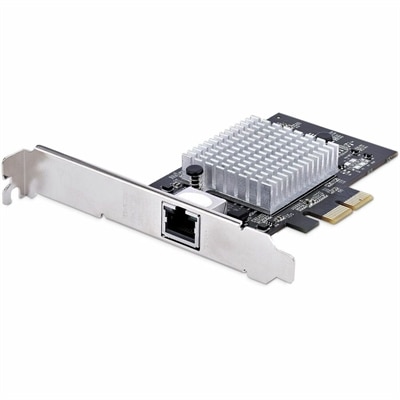
A single-port 10GbE PCIe network adapter supporting six speeds, jumbo frames, VLAN tagging, and Windows/Linux compatibility.
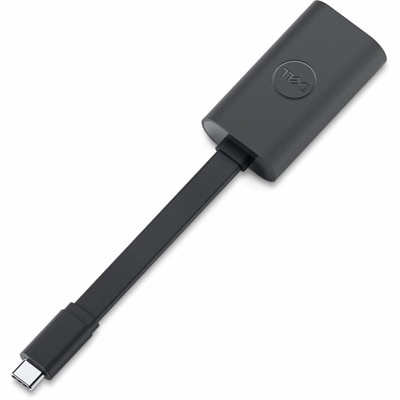
A compact USB-C to Ethernet adapter supporting transfer speeds up to 2.5Gbps anywhere.
Network expansion devices help extend coverage, add connection capacity and bring more computers, printers, displays and other compatible equipment onto an existing setup. They are useful in homes, home offices, classrooms, studios, small businesses and workspaces where the original connection points no longer match the way a space is used. A network switch adds wired Ethernet ports, allowing several nearby devices to connect through one central point rather than competing for a limited number of ports. This can be especially helpful at a desk where a computer, printer, monitor with network capabilities and other accessories share a single area. Wireless access points broadcast a Wi-Fi signal to improve coverage in rooms that sit far from the primary wireless source, while repeaters and extenders can help carry a signal across longer distances or around obstacles such as thick walls, floors and built-in cabinetry. Expansion interface cards, including wired and wireless network interface cards, add or update connection capabilities inside a compatible desktop or other computer. Together, these device types can support a cleaner, more adaptable setup without requiring every computer or accessory to be positioned close to the original connection point. When reviewing options, begin by identifying whether the goal is to expand a wired connection, improve wireless reach or add a new connection type to a computer. Count the devices that need access today, then allow room for future additions such as another workstation, a printer, a smart display or a home office accessory. For wired expansion, check the number and type of available Ethernet ports, along with the supported data speed. For wireless coverage, consider the size and shape of the area, the number of floors, wall materials and the location of the primary wireless source. An extender may suit a modest coverage gap, while an access point can be a better fit when consistent coverage is needed across a larger or busier space. Placement matters: a device tucked behind furniture or placed at the far edge of an existing signal may not perform as well as one positioned in an open, elevated location with a strong connection back to the main equipment.
Different users may have different reasons for choosing network expansion devices. A remote worker might use a wired switch to keep a desk organized and provide dependable connections for a computer, printer and other office equipment. A family may use an extender or access point to reduce weak-signal areas in an upstairs bedroom, finished basement or outdoor-adjacent room, making it easier to work, stream, attend classes or connect with friends as the weather changes and more time is spent indoors. Small offices can use additional wired ports to connect workstations in a shared room, while classrooms, creative spaces and community organizations may benefit from broader wireless coverage for multiple users moving through the same area. A network switch with management features can provide more visibility and control for someone who needs to organize connected devices, monitor activity or separate traffic by use; shoppers comparing this type of option can explore Managed Network Switches for additional context. Compatibility is just as important as capacity. Check operating system support for interface cards, cable requirements for wired devices, wireless standards for access points and extenders, and power needs for equipment that may be installed away from a desk. It is also worth considering the physical design: a compact device may blend into a home office, while a model with clearly labeled ports and indicator lights can make setup and troubleshooting less frustrating. Security features, firmware support and straightforward configuration tools are valuable for any household or organization, particularly when several people rely on the connection throughout the day. A practical installation often starts with a simple sketch of the space, marking the primary connection, areas with weak coverage and the devices that need wired access. From there, the right expansion device can turn a cramped arrangement into a more flexible one, helping each computer and accessory stay connected as routines evolve through the warmer and cooler parts of the year.
Add the products you would like to compare, and quickly determine which is best for your needs.