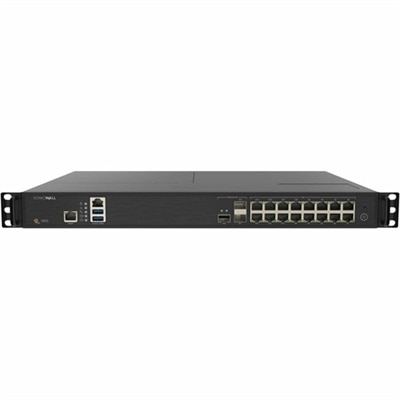
Network Security Firewalls
In today's digital landscape, safeguarding your network is paramount, and network security firewalls play a crucial role in protecting sensitive data from unauthorized access. These essential tools serve as a robust barrier between your internal network and potential threats, helping to ensure that your information remains secure. Whether you're managing a small business or overseeing a large enterprise, investing in reliable network security firewalls can enhance your cybersecurity strategy. Explore our selection to find the right solution tailored to meet your specific needs, providing peace of mind and robust protection for your digital infrastructure.
This product is not available
Check out the following recommendations.




Network Security Firewalls
Network security firewalls help control the connections between a computer and the networks it uses, creating a protective boundary for everyday online activity. A firewall evaluates incoming and outgoing traffic against configured rules, allowing permitted connections and blocking those that do not meet its requirements. Those decisions can account for source and destination addresses, ports, protocols, and, with some software, the application requesting access. Stateful inspection adds context by tracking active connections, helping the firewall recognize traffic that belongs to an established session rather than treating every packet as an unrelated event. For people shopping for protection for laptops and desktops, software firewalls bring these controls directly to the computer, where they can remain active as the device moves between supported network environments. Picture a laptop that starts the morning on a kitchen counter, spends the afternoon in a shared workspace, and comes home for an evening video call. Each setting presents different connection needs, and appropriately configured firewall profiles can help keep access consistent without requiring the owner to rebuild every rule at each stop. A restrictive inbound policy typically blocks unsolicited connections unless an exception permits them, while outbound controls, when available, can limit which applications communicate externally. That distinction matters: blocking an unexpected inbound request is different from deciding whether a newly installed application should reach the internet. Firewalls are one layer of protection, not a guarantee that every permitted connection is harmless. They do not replace operating system updates, strong account security, backups, or protection against malicious software. Encrypted traffic can also limit what a firewall can inspect unless additional supported inspection capabilities are enabled. When comparing Secure Firewalls, the most useful starting point is the kind of computer being protected, the connections it needs, and the level of control its owner can comfortably maintain.
Choosing firewall software starts with compatibility, but the details extend well beyond whether an application will install. Supported operating system versions, processor requirements, memory use, and ongoing update availability all affect how comfortably the software fits into daily computer use. A lightweight laptop used for writing and browsing has a different workload from a desktop handling design applications, large downloads, and frequent video meetings. Security software should leave enough system resources for those tasks, and any advertised performance figures deserve attention to the conditions under which they were measured. Feature descriptions are equally important. Application-based rules can make permissions easier to understand, while connection logs can help explain why a legitimate program cannot connect. Clear notifications matter more than a long list of technical settings if the person using the computer needs to make occasional access decisions without specialist help. For a more experienced user, customizable inbound and outbound rules, profile switching, and useful diagnostic information may justify a more configurable option. Some operating systems already include a firewall, so an additional purchase should address a specific need rather than simply duplicate an existing feature. Compatibility with existing security applications and remote-access tools also deserves a close look; overlapping controls can create confusing alerts or interrupt otherwise legitimate activity. Licensing is another practical consideration. The number of covered computers, subscription length, renewal terms, included technical support, and access to feature or security updates can change the long-term value of a purchase. A household with several laptops may need different coverage from a person protecting one desktop. For a small organization, centralized policy management may be useful if it is included and supported, but it should not be assumed from a general firewall description. The right fit is software whose permissions, maintenance requirements, and coverage remain understandable after the initial installation, when the computer is back to ordinary work.
Firewall protection is relevant to a wide range of laptop and desktop users, from students carrying coursework between locations to independent professionals working with client documents. In a home office, a computer may need to connect to a shared printer while keeping unrelated inbound access restricted. On a public connection, that same computer generally has less reason to make local sharing features available. Software that supports distinct network profiles can accommodate those differences, provided the profiles are selected and configured correctly. Creative professionals may place particular value on application-level permissions because their work often involves editing tools, plug-ins, collaboration applications, and background update utilities. Gamers may need carefully scoped exceptions for certain multiplayer features, rather than disabling protection whenever a connection problem appears. For households sharing a desktop, straightforward controls can reduce the temptation to dismiss every prompt simply to get back to a lesson, a movie, or a conversation. A familiar moment illustrates the balance: an online meeting is about to begin, the microphone is ready, and an unfamiliar connection alert appears over the invitation. Clear identification of the requesting application and an understandable explanation of the requested access make that interruption easier to handle responsibly. Good firewall software supports those everyday decisions without implying that every alert signals an attack or that every familiar-looking application should automatically receive unrestricted access. It is also important to distinguish firewall functions from related features. Website filtering, parental controls, malicious-file detection, and encrypted connection services may accompany a security package, but they are separate capabilities and should be verified individually. Buyers selecting protection for someone else’s computer should confirm compatibility, existing coverage, and who will manage updates before purchasing a license. Once installed, firewall software works best with rules that reflect actual use: only necessary exceptions, permissions reviewed when applications change, and updates applied throughout the supported life of the product. That makes usability a meaningful purchase consideration alongside technical capability, especially for a computer expected to move smoothly between work, study, and personal time.
FAQs:
When selecting a network security firewall for a home office, consider features such as deep packet inspection, intrusion prevention, VPN support, and easy-to-use management interfaces. Parental controls and content filtering may also be beneficial for families. Compatibility with your existing devices and the ability to receive automatic security updates are important for ongoing protection.
Yes, a network security firewall is designed to manage and protect multiple devices connected to your network. It acts as a central point of control, filtering traffic and applying security policies across all connected desktops, laptops, smartphones, and other smart devices.
An enterprise security firewall offers advanced features such as application control, detailed analytics, support for large-scale VPNs, and high throughput capabilities. These firewalls are designed to handle the complex security needs of larger organizations, providing comprehensive protection and scalability beyond what standard consumer-grade firewalls offer.
Many modern network security firewalls are built to integrate seamlessly with cloud services. This allows for centralized management, streamlined updates, and the ability to extend security policies to cloud-based applications and remote users, making them ideal for businesses with distributed teams or hybrid work environments.
A dedicated internet security appliance provides specialized hardware that is optimized for network protection, often resulting in better performance and reliability. These appliances typically offer enhanced security features, easier management, and the ability to handle higher traffic loads, making them suitable for both home and business use.