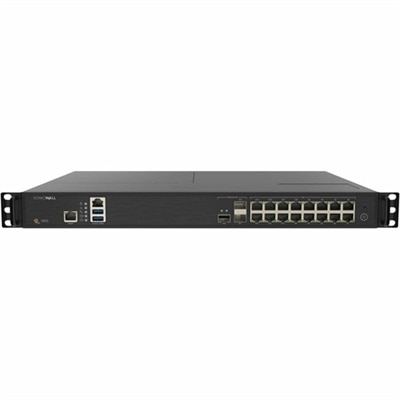
Network Threat Protection
In today's digital age, safeguarding your network is more critical than ever. Network threat protection plays a pivotal role in defending sensitive data and maintaining seamless connectivity. With cyber threats evolving rapidly, investing in robust security solutions is essential for businesses and individuals alike. Explore a range of advanced options designed to shield your network from potential vulnerabilities, ensuring peace of mind and uninterrupted performance. Stay ahead of the curve by prioritizing network threat protection and fortifying your digital environment against emerging risks.
This product is not available
Check out the following recommendations.




Network Threat Protection
Network threat protection is a category of security software and related protective features that monitor incoming and outgoing connections for signs of malicious activity. Its purpose is to help prevent unauthorized access, interrupt certain exploit attempts, and limit communication with destinations associated with cyberattacks. For laptops and desktops, this protection can add a useful layer alongside operating system updates, account security, and malware detection. A device can encounter unwanted traffic during ordinary activities, from browsing research for a class to joining a video meeting or downloading a document for work. Depending on the software, protective capabilities may include a firewall, intrusion prevention, port scan detection, malicious IP address blocking, and inspection of traffic patterns. A firewall applies rules to connections, while an intrusion prevention system examines supported traffic for known attack signatures or behavior that suggests an attempt to exploit a vulnerability. Port scan detection identifies activity that probes connection points on a device, often as a way to discover exposed services. Such probing is not always malicious, but repeated or unexpected attempts can warrant an alert or a temporary block. Stateful inspection tracks active connections so that software can evaluate a packet in the context of an existing session rather than as an isolated piece of data. Threat intelligence updates can refresh lists of suspicious destinations and recognizable attack patterns as threats change. These functions are related, but they are not interchangeable, and not every security application includes all of them. For a shopper comparing protective software, the meaningful distinction is how clearly the included features match everyday device use. A shared family desktop, a laptop carried between home and campus, and a computer used for confidential client work may each benefit from different settings, reporting options, and levels of administrative control. Protection is most useful when its scope is understandable and its operation fits the way the computer is actually used.
The practical fit of network threat protection software depends on compatibility, performance, and the kinds of connections a computer makes throughout the day. Supported operating systems and versions matter, as do memory requirements, processor demands, and compatibility with existing security applications. Installing multiple tools with overlapping inspection or firewall functions can sometimes cause conflicts, duplicate alerts, or interfere with legitimate connections. A well-matched setup supports routine activities without making each browser session or application update an exercise in troubleshooting. Someone working from a kitchen table may move from a secure work connection to a shared printer, then open a video call while files synchronize in the background. A student may switch between a residence hall connection, a library hotspot, and home Wi-Fi during the same week. In those situations, useful capabilities can include recognizing different connection profiles, applying stricter rules on unfamiliar connections, and making exceptions understandable when trusted applications need access. Software in the Network Protection Software category may combine several of these capabilities, although feature descriptions and system requirements determine the actual coverage. Application-level controls can help restrict which programs communicate externally, while destination blocking may interrupt contact with an address linked to harmful activity. Packet inspection can examine supported traffic for suspicious patterns, but visibility into encrypted content varies by implementation and configuration. Encryption does not make every connection trustworthy, and a security tool should not be assumed to read all encrypted traffic. Likewise, protection against denial-of-service activity has limits. Some applications can recognize or filter certain flood patterns that reach a device, but software on a laptop cannot guarantee continued connectivity if an attack overwhelms the internet connection itself. These distinctions matter for realistic expectations: device-focused protection helps reduce particular risks, rather than making every online activity risk-free. Clear descriptions of supported functions, exclusions, and configuration options make it easier to distinguish broad security language from capabilities that address a specific need.
Day-to-day usability and ongoing maintenance are as important as the list of protective features. Security software needs current detection information and supported application updates to remain effective against changing threats, while the computer itself still needs operating system and browser updates. Automatic threat feed updates can reduce manual upkeep, but their frequency and any dependence on an internet connection vary. For users who travel or occasionally work offline, it is useful to distinguish protection that runs locally from checks that require access to cloud-based intelligence. Notification design also shapes the experience. A clear alert identifies the affected application or connection, explains what action was taken, and offers enough context to distinguish an expected block from a problem that needs attention. For a parent managing a shared homework computer, simple status information may be more useful than a dense stream of technical events. For a freelancer handling contracts or an employee using an approved work laptop, event records and controls aligned with workplace requirements may carry greater importance. Privacy deserves similar attention because some tools submit suspicious files, connection details, or diagnostic information for analysis. The types of information collected, retention practices, and available controls help define whether the software suits personal or professional use. Long-term suitability also depends on continued operating system support, accessible help, and settings that remain manageable as devices and applications change. Temporary IP blocking, for example, can interrupt repeated unwanted contact, but it does not permanently identify the person behind an attack, and an address may later belong to a different user. A blocked connection is therefore a security event to interpret, not proof that every associated activity was harmful. Network threat protection works best as one part of a broader approach that includes strong, unique passwords, multifactor authentication, reliable backups, and caution with unexpected messages. For everyday laptop and desktop users, its value lies in adding informed control over connections while keeping routine tasks practical, from submitting an assignment and checking personal accounts to collaborating on documents and staying in touch with family.
FAQs:
When choosing network threat protection products for your home office, consider solutions that offer real-time threat detection, automatic software updates, user-friendly management dashboards, and compatibility with all your connected devices. Additional features like firewall integration, intrusion prevention systems (IPS), and endpoint security can provide comprehensive coverage, helping you maintain productivity and safeguard sensitive information.
Network threat protection solutions are valuable for a wide range of users, including remote workers, students, families, and small business owners. Anyone who connects devices such as laptops, desktops, or monitors to the internet can benefit from these products, as they help prevent unauthorized access, malware infections, and other cyber threats.
Yes, network threat protection is often designed to complement existing antivirus software. While antivirus programs focus on detecting and removing malware from individual devices, network threat protection offers an additional layer of security by monitoring network traffic, blocking suspicious activity, and securing all devices connected to your network.
Absolutely. Many network threat protection solutions are designed to support households with multiple devices, providing centralized management and protection for laptops, desktops, tablets, and smart home accessories. These solutions often include parental controls and customizable settings to ensure a safe online environment for all family members.
Accessories such as secure Wi-Fi routers, privacy screens, and hardware-based security keys can enhance your network threat protection by adding physical barriers and authentication measures. These tools work in tandem with software solutions to create a more comprehensive defense against unauthorized access and cyber threats.