Next Generation GPUs
Explore the cutting-edge world of next generation GPUs, where innovation meets unparalleled performance. As technology advances at lightning speed, these graphics processing units redefine the boundaries of visual computing, offering exceptional capabilities for gaming enthusiasts, creative professionals, and tech aficionados alike. Dive into the future of graphics technology and discover how next generation GPUs can elevate your digital experience to new heights. Whether you're looking to enhance your gaming rig or supercharge your design workstation, find the perfect GPU that suits your needs and unlocks endless possibilities.
This product is not available
Check out the following recommendations.
Related Products
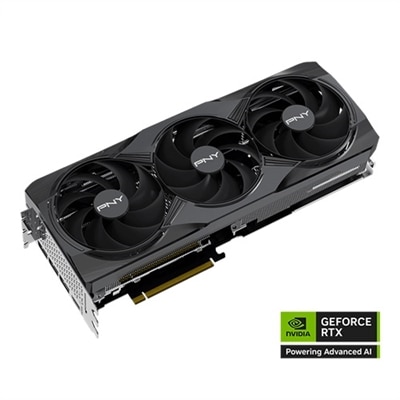
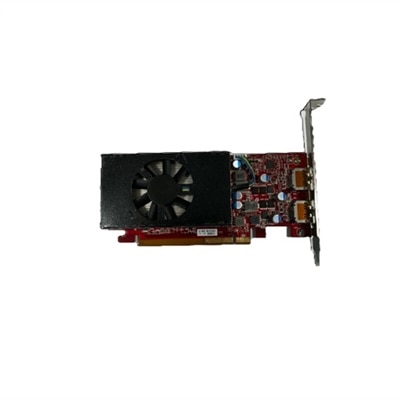
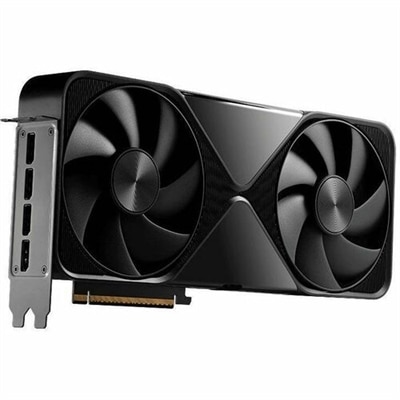
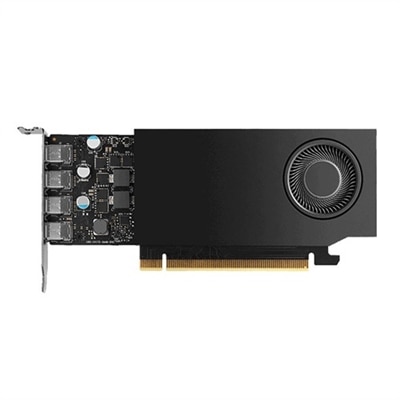
Next Generation GPUs
Next-generation GPUs represent the continuing evolution of graphics processing technology, bringing faster image rendering, more realistic lighting, improved efficiency and broader support for demanding applications. In a laptop or desktop, the GPU works alongside the processor and system memory to create the images displayed on a monitor, from detailed game environments and smooth video playback to complex 3D scenes and creative projects. Newer graphics architectures typically focus on several improvements at once: higher performance at common resolutions, more capable ray tracing, better frame-generation or image-upscaling features, stronger video encoding and decoding, and more efficient use of power. These advances can make a visible difference in fast-moving games, where a responsive image helps the action feel immediate, as well as in creative software, where timelines, previews and effects benefit from accelerated graphics. They can also support everyday visual work, including high-resolution photo editing, multi-monitor productivity and color-rich content creation. Because graphics technology develops in cycles, the phrase “next generation” may refer to officially announced hardware, products expected in a future release window or current-generation options that introduce newer features compared with an older computer. Release dates, specifications and availability can change as manufacturers adjust development and production plans, so it is helpful to evaluate confirmed product information rather than relying on speculation about distant launch schedules. Shoppers comparing NVIDIA GPUs and other graphics options can use this page to consider available performance tiers while keeping their own display, software and computing needs at the center of the decision.
The right GPU depends on how it will be used and how the rest of the computer is configured. A casual player who enjoys independent games, competitive titles or popular releases at a standard resolution may value a balanced graphics option that delivers consistent frame rates without adding unnecessary power demand. Someone building a system for visually intensive games, 3D design or high-resolution video work may benefit from more graphics memory, greater processing capacity and hardware support for advanced lighting effects. Memory, often listed as VRAM, matters when a game or application loads large textures, detailed models or high-resolution video; having more of it can help reduce slowdowns as projects become more complex. Resolution also shapes the decision. A GPU that is well matched to a 1080p monitor may not provide the same experience on a 4K display, while an ultrawide monitor can place its own demands on graphics performance. Features such as ray tracing, variable refresh support, upscaling and frame generation can improve image quality or smoothness, but results vary by game, application and settings. It is equally important to check compatibility. Desktop shoppers should confirm that the graphics card fits inside the case, that the power supply has the required capacity and connectors, and that the motherboard and cooling setup can support the installation. Laptop shoppers should look beyond the GPU name alone, since performance can differ according to the computer’s cooling design, processor, memory, screen resolution and power profile. Driver support and application compatibility deserve attention as well, particularly for creative tools, simulation programs and specialized workflows.
A next-generation GPU can be a meaningful upgrade for a home office, gaming setup, school workspace or creative station, and it may be a thoughtful gift for someone who spends long evenings exploring virtual worlds, editing footage or learning 3D design. The most satisfying upgrade is usually the one that fits a person’s habits rather than the one with the highest specification on a page. A student working on animation may appreciate a capable laptop with a bright display and dependable graphics acceleration, while a family gamer may prefer a desktop that leaves room for future memory or monitor upgrades. A creator who records gameplay or produces videos may place greater value on efficient encoding, quiet cooling and several display outputs than on peak frame rates alone. Monitors, keyboards, mice, headsets and other accessories can complete the experience, helping a new graphics system feel like a cohesive workspace rather than an isolated component. Before choosing, compare the intended applications, target resolution, desired visual settings, available space, noise preferences and expected years of use. During the cooler months, a well-ventilated computer can remain comfortable during longer sessions, but room temperature and airflow should still be considered throughout the year. Keeping software updated, allowing adequate ventilation and selecting a power supply with appropriate headroom can help maintain reliable performance. Whether the goal is smoother gaming, faster creative previews, clearer multi-display work or a more capable everyday computer, understanding these practical details makes it easier to choose a current GPU that feels ready for the next generation of graphics experiences.
FAQs:
Upgrading to a next generation GPU offers significant improvements in performance, including faster rendering, enhanced ray tracing, and advanced AI-driven features. These advancements enable smoother gameplay, quicker content creation, and the ability to handle more complex tasks, making them ideal for gamers, creators, and professionals alike.
Next generation graphics cards are especially beneficial for gamers seeking high frame rates and lifelike visuals, creators working with demanding software for video editing or 3D modeling, and professionals who require reliable performance for multitasking and data visualization. Students and tech enthusiasts also gain from the increased capabilities and future-ready features.
AI-driven features in modern GPUs, such as intelligent upscaling and automated image enhancement, help deliver smoother graphics, improved image quality, and more efficient workflows. These technologies allow for real-time adjustments and optimizations, resulting in a more immersive and productive experience across gaming, creative, and professional applications.
When selecting a GPU for creative work, it's important to consider factors such as VRAM capacity, compatibility with your preferred software, support for high-resolution displays, and the ability to handle intensive rendering or video editing tasks. Choosing a GPU with robust parallel processing capabilities can significantly speed up creative workflows.
Yes, next generation GPUs are well-suited for multi-monitor setups, offering support for multiple high-resolution displays. This is particularly useful for users who require expanded desktop space for multitasking, creative projects, or immersive gaming experiences, ensuring smooth performance and vibrant visuals across all connected screens.


