$2699.99
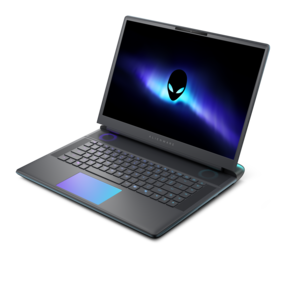
A streamlined gaming laptop delivering powerful performance with NVIDIA GeForce RTX 50 Series graphics.
NVIDIA gaming notebooks deliver an immersive experience for gamers seeking smooth visuals and responsive gameplay. Designed to meet the demands of modern titles, these laptops combine advanced graphics technology with portable convenience. Whether setting up a dedicated gaming space or playing on the go, NVIDIA gaming notebooks provide the performance and versatility needed for extended sessions. Explore options that suit a variety of play styles and preferences, all engineered to elevate your gaming adventures.
A streamlined gaming laptop delivering powerful performance with NVIDIA GeForce RTX 50 Series graphics.
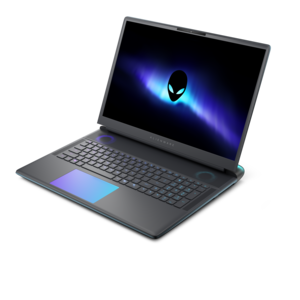
A flagship 16-inch gaming laptop engineered with innovative performance for passionate gamers.
A flagship gaming laptop engineered with innovative performance for passionate gamers.
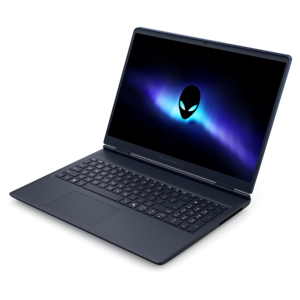
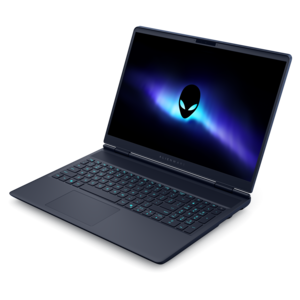
A streamlined gaming laptop delivering essential performance with up to NVIDIA GeForce RTX 50 Series graphics.
Gaming notebooks combine the core capabilities of a gaming desktop with an integrated display, keyboard, and battery in a portable computer. A dedicated graphics processor handles much of the work involved in rendering detailed environments, animating characters, and producing the frames that make movement look fluid. That capability suits everything from fast multiplayer matches to sprawling single-player adventures, while also supporting creative applications that can use graphics acceleration. The experience depends on the whole system rather than the graphics processor alone: processor performance, memory capacity, cooling, display resolution, and power settings all contribute to how a game looks and feels. Even notebooks with the same graphics processor can perform differently because their power limits and thermal designs differ. For a broader view of portable systems built around this type of graphics hardware, Laptops With NVIDIA Graphics Cards includes options relevant to gaming and other graphics-intensive activities. Features vary by graphics generation and application support, but supported hardware can enable ray-traced lighting, AI-assisted image reconstruction, frame generation, and latency-reduction technologies. Ray tracing can give reflections, shadows, and lighting a more lifelike appearance, such as light glancing off a rain-soaked street or shadows stretching across a dim corridor. AI-assisted reconstruction can improve performance by rendering at a lower resolution and rebuilding the image for the display, while frame generation can increase displayed frame rates in compatible games. These features are not interchangeable, and their results depend on the game, selected settings, and underlying frame rate. Competitive players often prioritize consistent performance and responsive controls; players who spend evenings exploring richly detailed worlds may place greater emphasis on resolution, color, and visual effects. A gaming notebook can also suit a college student who plays between assignments, a frequent traveler who wants a familiar setup away from home, or a creator who edits video after a gaming session. Each use puts a slightly different emphasis on portability, screen quality, and sustained performance.
The display and physical design have an immediate effect on everyday comfort. A higher refresh rate allows the screen to show more updates each second, making quick camera movements and scrolling appear smoother when the system produces enough frames. Higher resolution reveals finer detail, although it also increases the graphics workload at native settings. Screen size is a practical consideration as much as a visual one: a larger panel provides more room for game interfaces and editing timelines, while a smaller chassis is easier to carry across campus or fit onto a shallow desk. Brightness, reflection handling, viewing angles, and color reproduction matter when the same notebook moves between a softly lit bedroom and a bright shared workspace. Keyboard layout deserves similar attention. Well-spaced keys, a comfortable palm rest, and clearly readable legends can make long sessions less tiring, while customizable lighting, where included, can help distinguish frequently used controls. Chassis materials may include metal, reinforced plastic, or combinations of both. Metal can provide a firm, rigid feel, while a well-designed plastic enclosure can keep weight manageable; material alone does not determine durability. Hinge construction, panel rigidity, and careful handling also matter, especially for a computer that travels daily. The fit inside a backpack should account for the notebook’s actual dimensions rather than screen size alone, with enough space for padding and the power adapter. Cooling openings need unobstructed airflow, so a hard, stable surface is more suitable for demanding play than a blanket or couch cushion. Fan noise and surface warmth generally increase under heavier workloads, and a thin design may make different compromises than a larger chassis. Battery life also changes substantially with the task. Gaming on battery typically reduces unplugged runtime and may limit performance compared with operation using the appropriate power adapter. For someone carrying a notebook all day before settling into an evening match, the combined weight of the computer and charger is often more meaningful than the notebook’s weight by itself.
Beyond graphics and construction, the supporting specifications determine how comfortably a gaming notebook fits into a daily routine. System memory helps keep games and background applications running together, particularly when voice chat, a browser, or recording software stays open during play. Graphics memory serves a different purpose, holding assets such as textures and frame data; its capacity becomes especially relevant with demanding visual settings and higher resolutions. Solid-state drive capacity affects how many large games, recordings, and creative projects can remain installed without frequent rearranging. Expansion options vary, so memory and drive upgradeability should never be assumed from the notebook’s size or appearance. Connections are another practical detail. An external monitor can create a more spacious home setup, a mouse can provide familiar control, and a headset can keep team conversations clear without filling the room with sound. The required ports, display-output capabilities, and accessory compatibility need to match that arrangement. A stable network connection matters for online play, although a faster graphics processor cannot compensate for connection interruptions or high network latency. For creative work, graphics acceleration can shorten certain rendering, effects, and export tasks, but the benefit depends on the software and the workload. Everyday care helps preserve both the physical condition and usability of the notebook. Carrying it in a padded compartment protects against ordinary bumps, keeping food and drinks away reduces avoidable accidents, and opening the lid from near the center limits uneven pressure on the hinges. With the computer powered off and unplugged, a soft microfiber cloth is appropriate for routine exterior cleaning; follow the manufacturer’s directions for screen cleaning and vent maintenance rather than applying household cleaners directly. Operating-system updates and compatible graphics drivers can address security, stability, and game-support issues. As a gift for a gamer, student, or creative hobbyist, a notebook is most useful when it matches the recipient’s actual games, workspace, and carrying habits. A system that feels comfortable on the desk, travels securely, and supports the intended software offers value through regular use, whether that means a short lunchtime match or a quiet weekend spent building an elaborate virtual world.
Add the products you would like to compare, and quickly determine which is best for your needs.