$1330.00
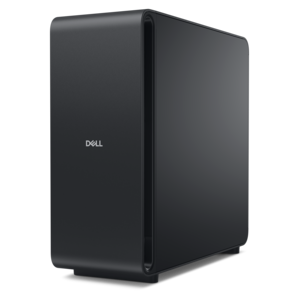
A reliable workstation desktop delivering excellent performance with professional graphics for demanding productivity and creative workloads.
NVIDIA workstations are designed to meet the demanding needs of professionals across various industries, offering exceptional performance and reliability. These powerful machines are equipped with advanced graphics capabilities, making them ideal for tasks ranging from 3D rendering and video editing to complex simulations and data analysis. With NVIDIA workstations, users can experience unparalleled efficiency and productivity, ensuring they stay ahead in their respective fields. Explore our selection to find the perfect workstation that aligns with your professional requirements and unlock new levels of creativity and innovation.
A reliable workstation desktop delivering excellent performance with professional graphics for demanding productivity and creative workloads.
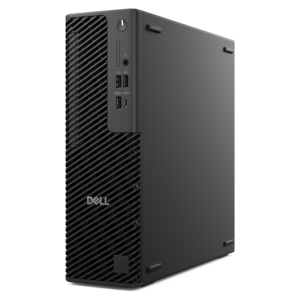
A slim desktop delivering exceptionally fast CPU and GPU performance for demanding professional workloads.
A powerful desktop featuring advanced graphics and expansive upgradeability for creative workloads, gaming, and demanding tasks.
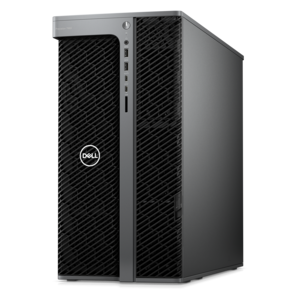
A workstation with Xeon processing, dual 300W graphics, 56TB storage, 2TB memory, and Windows 11 Pro.
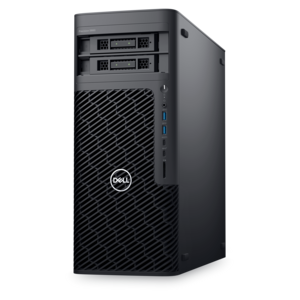
A scalable tower workstation with professional graphics and up to a 56-core Intel Xeon processor.
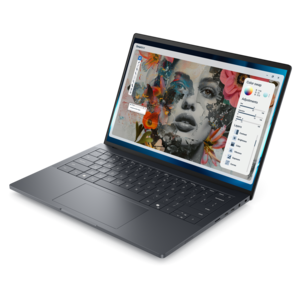
An elegant workstation delivering exceptional performance with advanced on-device AI for demanding professional workflows.
A high-performance desktop powered by the NVIDIA Grace Blackwell Ultra Desktop Superchip with MaxCool technology.
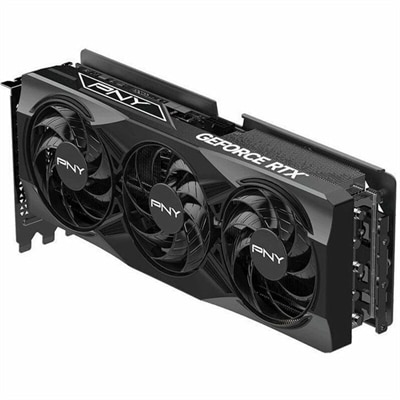
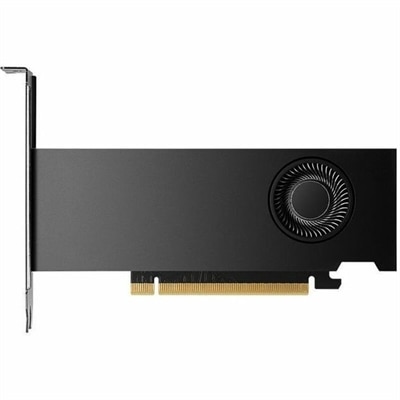
NVIDIA workstations are built for demanding professional workloads that require more than everyday computing power. They combine high-performance processors, professional graphics, generous memory, fast solid-state storage, and carefully balanced cooling to help applications remain responsive when files, models, and visual scenes become complex. A workstation may be used for computer-aided design, engineering simulation, architecture, product development, scientific visualization, video production, 3D animation, data science, or local artificial intelligence development. Unlike a general-purpose home computer, a workstation is selected with a particular workflow in mind. The right configuration can make it easier to rotate a detailed assembly, render a realistic environment, analyze a large dataset, or test a model without constantly moving work to another system. Explore related graphics options through NVIDIA GPUs when comparing the visual and compute capabilities that support these applications. Professional graphics hardware is especially valuable for workloads that depend on GPU acceleration, including real-time viewport work, ray-traced rendering, scientific calculations, machine learning, and specialized software used by designers and engineers. For teams that rely on certified applications, it is also worth checking software compatibility and driver support before choosing a configuration. These details can influence stability just as much as raw specifications, particularly when a workstation is expected to remain productive through long rendering sessions or repeated engineering simulations.
Choosing between a workstation laptop and a desktop begins with where the work happens. A mobile workstation suits engineers visiting project sites, architects moving between studios, consultants who travel to clients, and creators who need a consistent professional setup away from a primary office. Look for a high-resolution display with comfortable viewing angles, a durable chassis, a keyboard suited to extended sessions, and enough ports for external displays, storage devices, specialized peripherals, or presentation equipment. Battery life matters for travel, but demanding GPU workloads can draw substantial power, so a mobile workstation is often most effective when it can be connected to AC power during intensive work. A desktop workstation is a strong fit for a fixed studio, lab, classroom, or home office where expansion, sustained performance, and a larger display setup take priority. Tower configurations generally provide more room for memory, graphics upgrades, storage, and additional expansion cards, while compact systems can preserve desk space in a smaller workspace. Consider the dimensions of the desk, available power, acoustic preferences, and the number of monitors the user expects to connect. A dual-monitor setup can make a noticeable difference when one screen holds a design canvas or code editor while the other shows reference material, measurements, timelines, or system controls. An adjustable monitor stand, comfortable input devices, and a reliable docking solution can complete the workspace without taking attention away from the work itself. For someone beginning a new role in architecture, engineering, media production, or research, a workstation can be a thoughtful practical gift when its specifications match the applications they already use. Professional tools are personal choices, however, so confirming software requirements, preferred screen size, and portability needs is more useful than choosing solely by appearance.
Performance specifications should be read as a complete system rather than as isolated numbers. Graphics memory is important for detailed models, high-resolution textures, large datasets, and AI workloads that need to keep more information close to the GPU. System memory supports multitasking and helps applications work with large assemblies, complex scenes, and multiple data sources at once; users handling simulation, analytics, or content creation may benefit from more capacity than someone focused on lighter design tasks. Processor cores and clock speeds influence modeling, compilation, simulation, and other operations that depend heavily on the CPU, while fast solid-state storage can shorten application launches and reduce delays when opening substantial project files. It is also wise to consider thermal design and sustained performance, since a system that performs well for a short burst may behave differently during a long render or extended calculation. Connectivity can be just as important in a professional environment. Review the available USB connections, display outputs, wireless capabilities, wired networking, audio support, and compatibility with docks or specialized equipment. Security features, warranty coverage, service options, and the ability to upgrade memory or storage may matter when the workstation supports client work or represents a significant business investment. During the cooler months, a well-organized workstation can become the dependable center of a home office or studio: a bright display on the desk, project files opening quickly, and enough graphics headroom to move from an early concept to a polished result without changing systems. Whether it is used by a student preparing technical coursework, a professional producing client-ready visualizations, or a research team developing models locally, the best NVIDIA workstation is the one that aligns its graphics capability, memory, software support, portability, and workspace needs with the work ahead.
Add the products you would like to compare, and quickly determine which is best for your needs.