$699.99
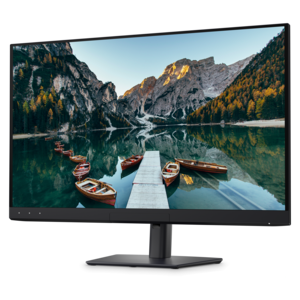
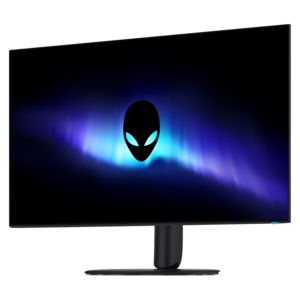
A 4K OLED gaming monitor delivering vibrant colors, sharp text, immersive HDR, and deep black levels.
OLED monitors are revolutionizing the way we experience visual content, offering unparalleled clarity and vibrant colors that elevate any viewing experience. Ideal for gaming, professional design work, or everyday use, these monitors provide exceptional performance and sleek designs that fit seamlessly into any setup. Explore our diverse range of OLED monitors to find the perfect match for your needs, whether you're seeking superior image quality, faster response times, or a more immersive display.
A 4K OLED gaming monitor delivering vibrant colors, sharp text, immersive HDR, and deep black levels.
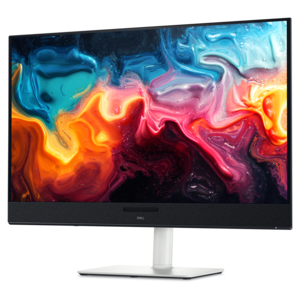
A color-critical 4K QD-OLED monitor with DisplayHDR True Black 500, anti-glare coating, and built-in colorimeter.
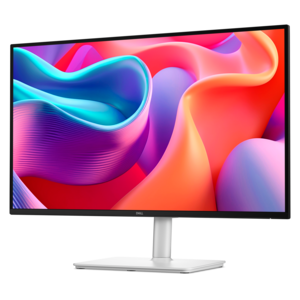
A 4K QD-OLED monitor with AI-enhanced 3D Spatial Audio for captivating entertainment.
OLED monitors bring a distinctive sense of depth to games, movies, photographs, and everyday desktop content because each pixel produces its own light. Unlike a display that relies on a backlight, an OLED screen can turn individual pixels off, placing deep black beside a bright highlight without illuminating the surrounding area. That difference is easy to appreciate in a nighttime cityscape, where lit windows stand out against dark buildings, or in a space scene, where small stars remain distinct against a black sky. Fine shadow detail still depends on the source material, display settings, and room lighting, but the underlying contrast gives images a particularly dimensional appearance. OLED monitors also respond quickly to changes in pixel color, helping reduce the trailing that can follow moving objects on slower displays. For someone tracking a fast-moving opponent or watching a camera pan across a playing field, that responsiveness can make motion look cleaner. Refresh rate matters separately: a higher refresh rate allows more frequent image updates, provided the connected computer and content can support them. Screen size, resolution, and shape further influence the experience. A moderately sized flat screen can suit a desk shared with notebooks and a laptop, while a larger display creates more room for timelines, image previews, and side-by-side windows. An ultrawide format can stretch a racing cockpit across the desk or keep several work areas visible, although some games and videos may show borders rather than fill the entire screen. Curved panels can make the edges of a wide display feel more naturally positioned around a centered viewer, while flat panels may be preferable for shared viewing or work involving straight lines. These differences make OLED monitors relevant to a range of setups, from a dedicated gaming station to a multipurpose workspace that shifts from spreadsheets during the day to movies in the evening.
The right fit involves more than the diagonal measurement printed in a specification list. Desk depth determines how comfortably the entire image sits within view, and the stand’s footprint affects where a keyboard, speakers, and other accessories can go. Height adjustment, tilt, and swivel help position the screen without forcing a hunched posture or an upward gaze. For a monitor arm, the mounting pattern, display weight, and arm capacity need to match; clearance behind the desk also matters when cables and moving joints are involved. OLED monitor housings and stands may combine plastics and metals, but panel thinness alone does not indicate durability or stability. A secure base, accessible controls, and a finish that suits the room can matter just as much in daily use. Glossy screens can give images a crisp, clear appearance, yet may reflect a nearby window or lamp. Matte or antireflective treatments can soften reflections, though their effect on perceived clarity varies. A bright room and a dim evening setup can therefore make the same display look noticeably different. Resolution deserves similar attention. More pixels can provide finer image detail and additional workspace, but comfortable text size may require operating-system scaling. Some OLED pixel layouts can produce visible color fringing around small text, particularly at lower pixel densities, so extensive reading and document work introduce different priorities than gaming or video viewing. Color-sensitive work benefits from attention to color gamut, accuracy, calibration options, and the applications being used rather than vividness alone. High dynamic range can add impact to supported content, but results depend on the monitor’s capabilities and the quality of that content. Brightness may also change with the amount of white or other bright content on screen, making a small highlight behave differently from a full white document. Connections complete the practical picture: the computer’s outputs, cable capabilities, resolution, and refresh rate must work together. USB-C video input, laptop charging, USB hubs, and audio connections are useful conveniences when supported, but their presence and capabilities vary by monitor.
Everyday habits help protect an OLED monitor and keep its image looking consistent over time. Organic light-emitting materials age with use, and repeated, prolonged display of fixed elements can contribute to uneven wear or permanent image retention, commonly called burn-in. A taskbar left in the same position through long workdays, a persistent game interface, or an unchanged dashboard presents a different usage pattern from a mix of videos, games, and applications. Built-in protections such as pixel shifting, screen dimming, and panel maintenance cycles can help manage that risk, although they do not eliminate it. Following the manufacturer’s maintenance instructions, allowing recommended care cycles to complete, and setting the screen to sleep when unattended are sensible habits. Moderate brightness appropriate to the room can also be more comfortable than running the display at its brightest setting throughout the day. For cleaning, a clean, soft microfiber cloth and gentle pressure are important; liquids should never be sprayed directly onto the panel, and any cleaner should be approved for that screen’s coating. Moving the monitor calls for equal care, with support at the points specified by the manufacturer rather than pressure on the thin panel. Intended use remains central to long-term satisfaction. Competitive players may put motion clarity and refresh rate first, while someone editing photographs may care more about consistent color and fine detail. A film enthusiast may value dark-scene contrast, and a person splitting time between office tasks and entertainment may prioritize text comfort, adjustable positioning, and easy input switching. An OLED monitor can also be a thoughtful gift for a college student, creative hobbyist, or longtime PC gamer when desk space, computer compatibility, and viewing preferences are known. Related display browsing can include Sharp Monitors, with individual specifications providing the basis for comparison. Across any display selection, the most satisfying setup is one that balances the character of the picture with the realities of the desk, the room, and the activities that fill a typical day.
OLED monitors offer exceptional color accuracy, true blacks, and a wide color gamut, making them ideal for creative professionals such as photographers, graphic designers, and video editors. The self-emissive pixels in OLED panels allow for precise color representation and high contrast, ensuring that images and videos appear as intended during editing and review.
A dell oled gaming monitor provides ultra-fast response times, low input lag, and vibrant, lifelike colors, all of which contribute to a more immersive gaming experience. The deep blacks and high contrast ratios help reveal details in dark scenes, while the smooth motion handling is perfect for fast-paced games.
Yes, many OLED monitors, including those from Dell, are equipped with anti-reflective coatings and high peak brightness levels. This makes them well-suited for use in environments with ample natural or artificial light, as they can maintain clear and vivid visuals even in challenging lighting conditions.
OLED monitors are known for their comfortable viewing experience due to their flicker-free technology, high contrast, and wide viewing angles. These features can help reduce eye strain during extended periods of use, making them a great choice for professionals and students who spend hours in front of the screen.
OLED ultrawide monitors provide a panoramic workspace that is perfect for multitasking. Their wide aspect ratio allows users to have multiple windows open side by side, while the OLED technology ensures consistent color and clarity across the entire screen. This setup is ideal for professionals who need to manage several applications simultaneously or for anyone seeking a more immersive entertainment experience.
Add the products you would like to compare, and quickly determine which is best for your needs.