$615.99
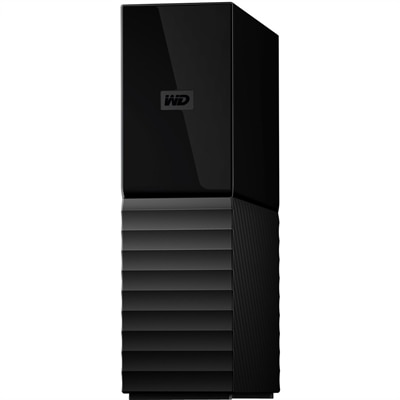
A black desktop external hard drive with 256-bit AES encryption and Windows or Mac backup compatibility.
Password protected external hard drives offer an extra layer of security for your important files, making them an ideal choice for both personal and professional use. Designed to help safeguard sensitive data, these drives provide peace of mind whether you're storing work documents, personal photos, or confidential information. Explore a wide selection of password protected external hard drives to find the right solution for secure and convenient data storage.
A black desktop external hard drive with 256-bit AES encryption and Windows or Mac backup compatibility.
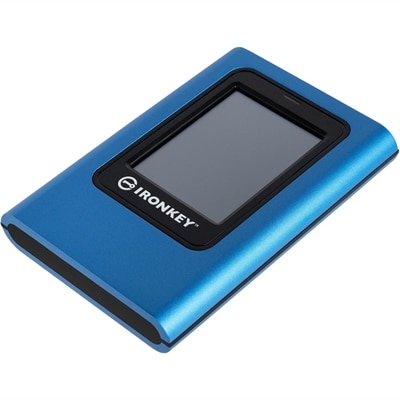
A hardware-encrypted portable SSD with touchscreen, XTS-AES 256-bit protection, FIPS 197 certification, and dual-password access.
Password-protected external hard drives provide a practical way to keep important files together while adding an extra layer of privacy when the drive is disconnected from a computer. They can be useful for personal documents, financial records, scanned paperwork, family photos, creative projects, schoolwork, and other files that should not be freely accessible if a drive is misplaced. Unlike files kept only on a computer, an external drive can be stored separately, moved between compatible computers, or placed in a secure location for added protection. When choosing among password-protected external hard drives, consider capacity first. Photos and office documents generally require less room than high-resolution video, large design projects, music libraries, or complete computer backups, so choosing enough capacity for today’s files plus future growth can help avoid an early replacement. Physical size and weight also matter for anyone who carries a drive between home, work, school, or a studio. A compact portable model is convenient for travel, while a larger desktop-style option may be well suited to a permanent workspace. Connection type is another important detail. Confirm that the included cable and interface are compatible with the computer or docking station you plan to use, and look for transfer performance that matches the size of the files being moved. A fast connection can make a noticeable difference when copying a large photo collection or restoring a computer after a drive failure. Durability is worth considering as well, especially for a drive that will spend time in a backpack. A sturdy enclosure, protective carrying case, and careful handling can reduce the chance of damage, although no external drive should be treated as indestructible. For broader backup planning, an External Hard Drives For System Backup can help provide additional capacity for regularly saved copies of important files.
Password protection can work in several ways, so it is useful to understand what a listed drive supports before making a purchase. Some models include built-in security features that require a password before the contents can be opened, while others rely on encryption configured through the computer’s operating system or a trusted third-party utility. Encryption is especially important because it protects the contents even if someone removes the drive and connects it to another computer. A password prompt by itself may control access through software, but full-drive encryption is designed to make the underlying files unreadable without the correct credentials. Check whether the drive is intended for a PC, a Mac, or both, and confirm whether it needs to be reformatted before use. Formatting can erase existing files, so any drive that already contains important information should be copied to another location before security settings are changed. File-system compatibility also affects how easily the drive can be used across different computers. A format designed for one operating system may provide full read-and-write access there but limited access elsewhere; a cross-platform format may be more convenient for households or workplaces using more than one system. Follow the setup instructions carefully, create a password that is long and difficult to guess, and avoid using a familiar name, address, birthday, or repeated password from another account. A password manager can make it easier to keep track of a unique credential. During setup, many encryption tools provide a recovery key or recovery file. Save that information separately from the protected drive, such as in a trusted password manager or another secure location. Without the password or recovery information, encrypted files may be impossible to retrieve, even for the owner. Keep in mind that password protection does not replace routine backups, antivirus protection, operating system updates, or sensible handling of suspicious files. It protects access to the drive’s contents, not every computer it is connected to.
These drives can suit remote workers carrying confidential documents, students moving assignments between devices, photographers organizing a growing image library, families preserving years of photos, and small business owners who need a convenient way to keep copies of essential records. They can also make a thoughtful practical gift for someone setting up a home office, building a creative workspace, or preparing a new computer, particularly when privacy and dependable file access are priorities. A password-protected drive can be used for a local copy of irreplaceable files, a travel collection of media, or a separate backup kept away from the primary computer. For stronger protection against accidental deletion, hardware failure, theft, or household mishaps, maintain more than one copy and keep at least one copy in a different physical location. It is also wise to connect the drive periodically so scheduled backups can complete, then disconnect it when it is not needed; leaving every backup connected all the time can expose it to the same damage or malware that affects the computer. Before placing files on the drive, organize folders with clear names and remove unnecessary duplicates so the available capacity is used efficiently. Eject the drive properly after each session, keep passwords and recovery details private, and avoid sharing a single password when separate user accounts or encrypted folders are available. During cooler months, a portable drive can be especially convenient for bringing work, school files, or family media between indoor spaces, but it should remain protected from moisture, extreme temperatures, pressure, and drops. With suitable capacity, compatible connections, dependable encryption, and a carefully managed password, a password-protected external hard drive can offer a straightforward way to keep valuable digital files close at hand without leaving them openly accessible.
Add the products you would like to compare, and quickly determine which is best for your needs.