$1339.99
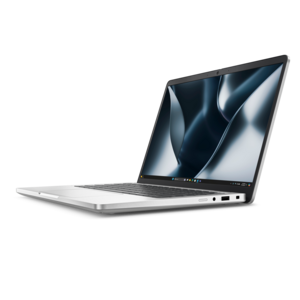
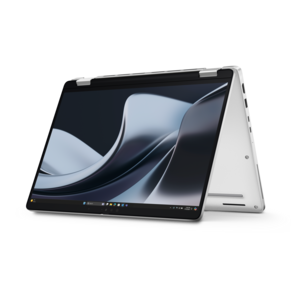
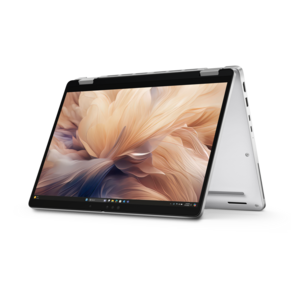
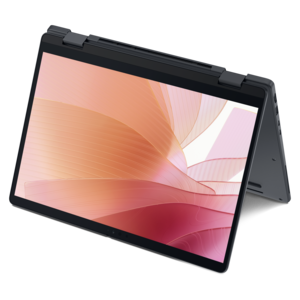
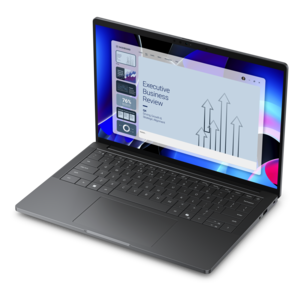
A versatile 2-in-1 laptop with AI experiences, all-day battery life, and seamless multitasking.
Family laptops are designed to keep everyone connected, productive, and entertained at home or on the go. With options that cater to a variety of needs, these versatile devices make it easy for parents to work, kids to learn, and the whole family to enjoy movies, games, and more. Explore a range of family laptops that combine reliability and convenience, making them a great choice for shared use in any household.
A versatile 2-in-1 laptop with AI experiences, all-day battery life, and seamless multitasking.
A versatile 2-in-1 laptop with Intel Core processors, DDR5 memory, and multiple modes for creative work.
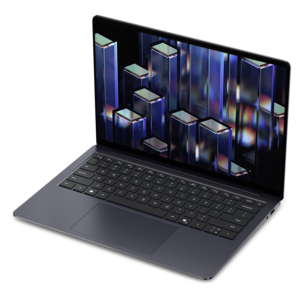
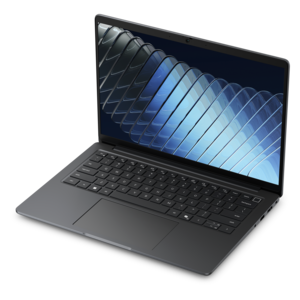
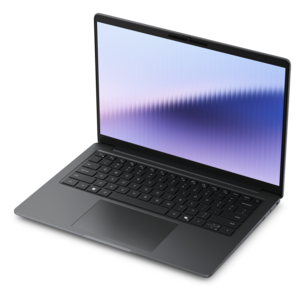
A sleek laptop with a stylish design, delivering powerful performance for modern multitasking.
A durable, serviceable laptop or 2-in-1 designed specifically for demanding education environments.
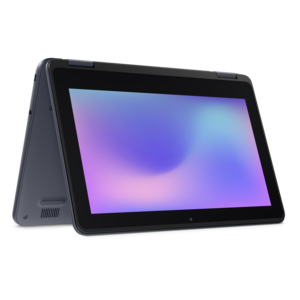
A durable, serviceable laptop or 2-in-1 designed specifically for K-12 learning environments.
A sleek, portable laptop with an expansive 16:10 display for reliable productivity anywhere.
A secure, scalable commercial AI laptop with a durable aluminum body and spacious display for productive work.
A professional laptop delivering powerful on-device AI, impressive unplugged performance, and groundbreaking battery life.
A secure, scalable commercial AI PC in a sleek, durable aluminum body for on-the-go multitasking.
A secure, scalable commercial AI laptop featuring a sleek, durable aluminum body and productivity-focused display.
A sleek, durable aluminum commercial AI PC delivering outstanding security, scalability and versatile on-the-go multitasking.
A durable, lightweight business laptop offering reliable productivity with commercial-grade security and manageability.
A powerful work laptop in an ultra-thin, durable chassis for productivity wherever you go.
Family laptops bring homework, household tasks, entertainment, and everyday communication together in a computer that can move wherever the day unfolds. A well-rounded family laptop combines responsive performance, a comfortable screen and keyboard, practical battery life, and a sturdy design, with support for separate user accounts to keep each person’s work organized. In a busy home, that might mean a student finishing a presentation at the kitchen table, an adult managing appointments after dinner, and everyone gathering around a favorite movie on the weekend. The most useful features depend on how often those activities overlap. A modern midrange processor and 16GB of memory provide a practical foundation for everyday multitasking, such as keeping research tabs open while editing a document and joining a video call. Lighter browsing and writing can require less memory, while complex creative projects and demanding games may need more capable hardware. A solid-state drive helps applications open promptly and gives family members room for schoolwork, photos, and downloaded files; the capacity that makes sense depends on how much stays on the computer rather than in online accounts. Screen size shapes the experience just as much as performance. A 15-inch or 16-inch display offers comfortable space for reading assignments, comparing documents side by side, or watching a show with someone seated nearby. A smaller laptop is easier to tuck into a backpack or move between rooms, though its display can feel more cramped during lengthy projects. Readable text, useful brightness adjustment, and viewing angles that keep the picture clear from either side matter when several people share the screen. Family laptops do not need to excel at every possible task. They need to feel comfortable and dependable during the activities that happen most often, whether that is practicing spelling, preparing a household spreadsheet, or catching up with relatives across the country.
Daily handling makes construction, fit, and care especially important in a shared laptop. Plastic enclosures can keep weight manageable, while metal enclosures can offer a firmer feel; neither material alone establishes how well a computer will tolerate years of use. Hinge stability, the rigidity of the keyboard area, and how securely the lid closes all contribute to the experience of carrying and opening it repeatedly. A sturdy design is valuable, but an ordinary laptop should not be assumed to withstand drops or spilled drinks. A padded sleeve, a clear place to set the computer down, and charging cables routed away from walking paths help protect a device that travels from a bedroom desk to the dining table. Comfort also varies among family members. Younger students may find a lighter computer easier to carry, while adults working through longer typing sessions may appreciate well-spaced keys and a palm rest with enough room to settle their hands naturally. A responsive touchpad supports everyday navigation, and a touchscreen can make drawing, tapping through activities, or enlarging a photo feel more direct. Convertible designs with supported tablet and stand positions suit different ways of interacting, although their weight still matters when held rather than placed on a surface. Battery life is another everyday consideration rather than a single fixed promise: screen brightness, video calls, games, and background applications all affect how long a charge lasts. Ports deserve attention when a shared laptop connects to classroom equipment, a mouse, headphones, or an external display, since connector shape alone does not establish every supported function. Care can remain simple and consistent. Shutting down before cleaning, following the manufacturer’s care directions, using an appropriate soft cloth, and keeping liquids away from openings help preserve the finish and controls. During use, a hard, flat surface keeps ventilation openings clearer than a blanket or cushion, helping the computer manage heat through a long homework session or an evening of streaming.
Sharing a family laptop works best when the experience feels personal without making the computer difficult for the next person to use. Separate user accounts can keep documents, browser preferences, and everyday settings distinct, reducing the chance that a school assignment becomes mixed in with household paperwork. Where the operating system supports them, child accounts and parental controls can help adults manage app permissions, content access, and screen time, though those tools complement rather than replace supervision and conversations about online habits. Giving children standard accounts instead of administrator access can also limit unintended changes to important settings. Strong passwords, automatic security updates, and regular backups help protect a computer used by several people, particularly when it holds family photographs or projects that would be difficult to recreate. For remote lessons and conversations with relatives, camera quality, microphone clarity, and speakers that make voices easy to understand may matter more than features intended for demanding creative work. Headphones can make a shared room easier to navigate when one person has a lesson and another needs quiet. Households that enjoy photo editing, music projects, or games may benefit from additional memory, stronger graphics capabilities, or more drive capacity, with software requirements providing a useful reference for those activities. A laptop can also be a thoughtful graduation or back-to-school gift when its size, accessibility features, and capabilities match the recipient’s routine, rather than simply offering the longest list of specifications. For families whose computer stays in one dedicated spot, Family Desktop Computers offer another format to consider, particularly when a larger separate monitor and a permanent keyboard setup suit the room. A family laptop serves a different rhythm: it can sit beside a cookbook, join a study session, or travel along for a visit. The right combination of portability, everyday performance, comfortable controls, and thoughtful account setup makes that flexibility useful to everyone who shares it.
Add the products you would like to compare, and quickly determine which is best for your needs.