Photo Editing Software
Elevate your creative projects with photo editing software designed to help you transform images with ease and precision. Whether you're a professional photographer, graphic designer, or hobbyist, discover solutions that cater to every skill level and workflow. Explore a wide selection of photo editing software compatible with various devices, making it simple to enhance, organize, and share your favorite moments. Find the right tools to bring your creative vision to life and achieve stunning results with every edit.
This product is not available
Check out the following recommendations.




Photo Editing Software
Photo editing software helps turn camera files, phone snapshots, and scanned photographs into finished images for sharing, printing, publishing, or keeping in a personal collection. Its purpose can be as simple as straightening a tilted horizon or as involved as combining several exposures into a carefully balanced landscape. The right fit depends on the photographs being edited, the level of control needed, and the way images move from capture to finished work. For everyday pictures, useful capabilities include cropping, exposure correction, white balance adjustments, and straightforward tools for removing small distractions. A photograph taken beside a window, for example, may need brighter shadows on a face without losing the soft detail in the curtains behind it. More advanced photo editing software may support RAW processing, which works with the image data recorded by a compatible camera and generally provides more adjustment flexibility than an already processed JPEG. That flexibility can help recover some highlight detail, refine color, and reduce visible noise, although no editor can reliably restore information that was never captured. Layer-based editing serves a different purpose: it allows separate image elements, text, and adjustments to be combined and revised independently. This makes it useful for detailed retouching, creative composites, and photographs destined for layouts or promotional graphics. Library management features add another dimension, helping photographers sort, rate, tag, and locate images without opening every file individually. Someone returning from a weeklong road trip may value quick comparisons and consistent adjustments across hundreds of frames, while a portrait photographer may spend more time refining a handful of selected images. Beginners, photography students, family archivists, content creators, and experienced professionals can all use photo editors, but their priorities differ. Clear controls and dependable automatic adjustments suit occasional touch-ups; precise masks, flexible color tools, and repeatable workflows matter more when each image needs close attention. The strongest match is therefore not necessarily the application with the longest feature list, but one whose capabilities suit the intended work.
Editing quality depends on how well the software handles both broad corrections and small, selective changes. Global adjustments affect the whole photograph, while local adjustments target a particular area, such as a shaded doorway, a bright sky, or a subject’s eyes. Masks help define those areas, and edge refinement becomes especially important around loose hair, branches, glass, and other fine details. Non-destructive editing preserves the original image while recording adjustments separately or applying them through reversible tools, making it easier to revisit a photograph without starting over. For portraits, subtle control over skin texture and color can produce a more natural result than heavy smoothing. For landscapes, lens corrections may reduce distortion and darkened corners, while noise reduction can improve images captured in dim light. Sharpening serves a separate role by increasing edge contrast; it does not correct missed focus, and excessive settings can introduce harsh outlines. Software with batch processing can apply a consistent starting point to related images, although changes in lighting often require individual refinement. Artificial intelligence features may assist with subject selection, distraction removal, or other repetitive tasks, but their usefulness depends on the image and the quality of the result. Generative tools can invent or replace visual content rather than simply adjust captured details, a distinction that matters for documentary photographs, accurate merchandise images, and other work where authenticity is essential. Close inspection remains valuable around repeating patterns, lettering, hands, and reflections. File compatibility also influences suitability. Support for a camera’s particular RAW format, layered documents, transparent backgrounds, and common export formats helps determine where an editor fits into an existing workflow. JPEG is widely used for sharing finished photographs, PNG supports transparency for graphics, and TIFF can suit workflows that call for high-quality image exchange. Export controls for dimensions, compression, color profiles, and metadata help prepare a photograph for its destination, whether that is a small website image, a portfolio submission, or a large family print.
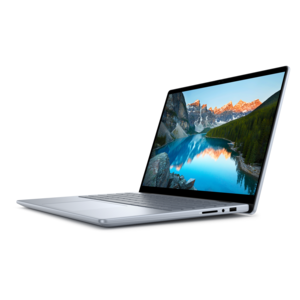
A comfortable editing experience also depends on the relationship between software, computer, and working habits. Operating system compatibility, supported versions, memory requirements, available disk space, and graphics acceleration can all affect installation and performance. High-resolution files, large panoramas, and documents with many layers generally demand more computing resources than simple crops and color corrections. A laptop can suit photographers who review images while traveling, while a desktop setup with a larger monitor can provide more room for detailed comparisons and tool panels. Display quality matters because an overly bright or poorly adjusted screen can make a photograph look different from its printed result. Color management features and a calibrated display help improve consistency, although paper, ink, viewing light, and printing conditions also influence the finished appearance. For workflows that combine still photographs with moving images on a compatible computer, Photo And Video Editing Software For Mac brings those related editing needs into focus. Beyond device compatibility, practical considerations include whether an application works offline, whether certain features require an account or internet connection, and how files move between devices. Cloud-connected workflows can make projects accessible in different locations, but upload times, privacy preferences, and access requirements deserve attention, particularly with client portraits or personal family photographs. Long-term usefulness rests partly on maintenance: software updates, ongoing camera support, accessible project files, and dependable export options can help an editing workflow remain useful as equipment changes. Keeping original photographs and separate backup copies protects against accidental deletion or unwanted changes; a catalog or synchronized library should not automatically be treated as a complete backup. Software intended as a gift also needs to match the recipient’s computer, experience, and interests, with attention to license transfer and account requirements. A hobbyist preserving faded family pictures may appreciate restoration and organization tools, while a student building a portfolio may need layers, masks, and flexible output controls. Across these uses, photo editing software provides a workspace for making deliberate choices about light, color, detail, and presentation while keeping the finished photograph suited to its purpose.
FAQs:
As a beginner, look for photo editing software that offers an intuitive interface, guided tutorials, and essential tools like cropping, color correction, and filters. Layer support, one-click enhancements, and built-in presets can also help you achieve professional-looking results while learning the basics.
Many popular photo editing software options are available for both Windows and Mac platforms, but it’s important to check compatibility before purchasing. Some programs are designed specifically for one operating system, while others offer cross-platform licenses to ensure a seamless experience regardless of your device.
You can use photo editing software on both laptops and desktops. Laptop photo editors often appreciate the portability and convenience of editing on the go, while desktops—especially high-performance models—may offer faster processing and a larger workspace for complex projects.
Most photo editing software supports a wide range of file formats, including JPEG, PNG, TIFF, and RAW files from various camera manufacturers. Advanced programs may also allow you to work with layered files, vector graphics, and export in multiple formats for web, print, or social media.
Creative professionals often seek photo editing software with advanced features such as non-destructive editing, precise color grading, batch processing, and support for plug-ins or third-party extensions. Integration with drawing tablets and support for high-resolution displays can further enhance the editing experience for professionals.