$159.99
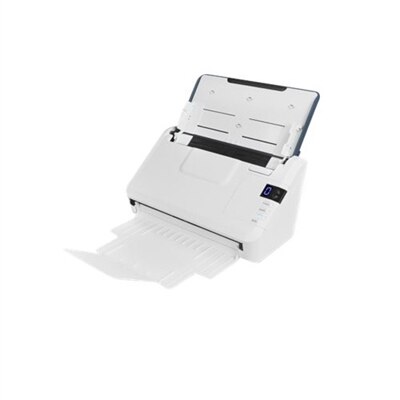
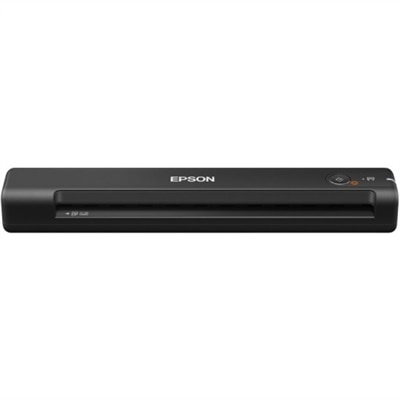
A lightweight sheetfed scanner with 600 dpi optical resolution, USB power, OCR, and Windows/Mac compatibility.
A lightweight sheetfed scanner with 600 dpi optical resolution, USB power, OCR, and Windows/Mac compatibility.
Portable document scanners for Mac bring paper records into a digital workspace without taking over the desk. These compact computer accessories turn receipts, letters, forms, and other loose pages into files that can be organized, searched, and shared through compatible software. Their appeal is practical: a narrow scanner can sit beside a laptop during an afternoon of paperwork, then slip into a drawer or travel bag when the work is finished. For someone managing household records, that might mean keeping a repair invoice within reach long after the paper copy has disappeared into a folder. For an independent professional, it might mean capturing signed paperwork before leaving a client’s office. The most useful features depend on the documents being scanned and how often paper passes through your hands. Single-sheet scanners accept one page at a time and suit occasional letters, receipts, and short forms. Models with an automatic document feeder can process a stack of supported sheets, making them more convenient for longer agreements, expense reports, or recurring administrative work. Duplex scanning captures both sides of a page in one pass, helping preserve information printed on the reverse without manually flipping each sheet. These distinctions matter more than a small difference in advertised speed when choosing a scanner for everyday use. Compatibility also goes beyond having a cable that fits. A suitable scanner needs documented support for the operating system version on your computer, along with any drivers or scanning applications required for its advertised features. Support can differ between older and newer computers, and software requirements may change over time. Clear compatibility information helps distinguish a scanner that simply connects from one that supports the searchable files, image adjustments, and destination options you expect. For a small home office, a shared workspace, or a routine that moves between locations, the right balance is usually a manageable size, reliable paper handling, and software that fits naturally into existing habits.
Portability involves more than weight. A slim scanner may be easy to pack, but its working footprint includes room for paper to enter and exit, plus any extended feeder or output tray. That extra clearance becomes noticeable on a crowded kitchen table or a shallow desk beside a window. USB-powered models can reduce the number of power adapters in a bag, provided the computer connection supplies the power the scanner requires. Battery-powered options offer more flexibility away from an outlet, although charging requirements and rated battery capacity still affect how much work can be completed between charges. Wireless connectivity can simplify placement and reduce cable clutter, but wireless does not automatically mean cordless or independent of a local network. Some models require an external power source, and connection methods vary. Direct wireless connections, network-based scanning, and mobile-device support are separate capabilities worth comparing in the specifications. A scanner that works with a Mac does not necessarily support a tablet or phone through the same application. Paper handling deserves equally close attention. Standard office pages, narrow receipts, heavier cards, and unusually long documents may fall under different size and thickness limits. Dedicated card support should be confirmed rather than assumed, especially for rigid or embossed identification cards. Thin, curled, or fragile originals may require a supported carrier sheet or a different scanning method. For ordinary printed text, a resolution around 300 dots per inch is often a practical starting point, balancing legibility with file size. Higher resolution can help with small details, but it also increases processing time and creates larger files. Advertised speeds are most useful when considered alongside the stated resolution, color mode, and whether the measurement counts pages or individual page sides. A fast scanner still depends on careful feeding and usable results. Features such as automatic cropping, deskewing, blank-page removal, and double-feed detection, where available, can reduce cleanup and help keep a longer document in order. Their value becomes apparent when a stack of forms needs to become one readable file rather than a collection of tilted, inconsistently sized pages.
Software often determines how useful those scanned pages remain months later. Optical character recognition, commonly called OCR, identifies printed text within a scanned image; compatible software can use that text to create searchable PDFs or export content into editable formats. Those are different outcomes, and not every included application provides both. A searchable PDF can make it easier to locate a receipt by a vendor name or find a reference number in a long document, while editable output may still need proofreading and formatting corrections. Faded printing, handwriting, creases, and complex layouts can affect recognition accuracy. Included software, optional subscriptions, and operating system support all contribute to the overall purchase cost, particularly when advanced export or destination features are important. Local saving is useful for keeping files in familiar folders, while supported cloud destinations can make documents accessible across compatible devices. Sensitive financial, medical, or client records call for attention to where files are stored, how accounts are secured, and whether an application uploads documents for processing. These practical differences help match portable document scanners to the people using them. Students may appreciate a compact way to capture loose handouts, traveling professionals may need receipt scanning between appointments, and households may use one to organize insurance correspondence, warranties, and school forms. As a gift for a graduate, a new business owner, or someone setting up a home office, a portable scanner is most thoughtful when it matches their computer and the paperwork they actually handle. Someone sorting envelopes after dinner has different needs from someone processing a weekly stack of signed forms. Photo collections present another set of priorities, including gentle handling and reproduction quality; Wireless Photo Scanners For Mac offers a related category to explore when photographic prints are the main focus. For document scanning, lasting usefulness comes from a simpler routine: readable files, dependable organization, and fewer loose pages waiting for attention. Digital copies can make records easier to retrieve, though originals should still be retained whenever legal, financial, or institutional requirements call for them.
Add the products you would like to compare, and quickly determine which is best for your needs.