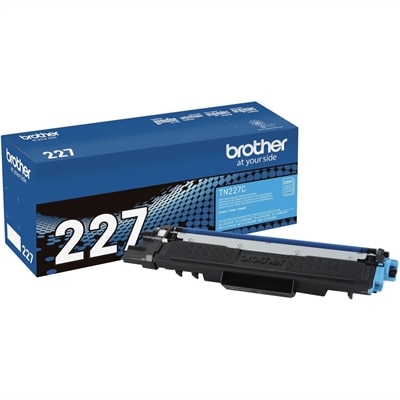
$131.00
A high-yield cyan toner cartridge delivering crisp laser output for up to 2,300 pages.
Printer parts are essential for maintaining the performance and reliability of your printing equipment, whether at home, in the office, or in a business setting. Explore a wide selection of printer parts designed to help you keep your devices running smoothly and efficiently. From replacement components to upgrade options, finding the right printer parts ensures your machines stay operational and productive. Discover solutions that support seamless printing and extend the lifespan of your equipment.
A high-yield cyan toner cartridge delivering crisp laser output for up to 2,300 pages.
A 110–120-volt replacement fuser maintains reliable performance and consistent print quality across compatible printers.
Printer parts help restore reliable performance when a printer begins showing signs of wear, feeding paper unevenly, leaving streaks, or producing pages that look noticeably different from the original file. Whether the printer supports everyday documents, classroom materials, shipping labels, photographs, or small-business paperwork, each internal and external component has a specific role in the printing process. A printhead applies tiny drops of ink to the page in an inkjet printer, while a fuser assembly uses heat and pressure to bond toner permanently to paper in a laser printer. Pickup rollers grip sheets from the input tray and move them into the printing path, and feed rollers help maintain consistent paper movement as each page travels through the machine. A carriage belt can move the printhead across its track, while a transfer belt carries the image layer toward the paper inside certain laser printers. Imaging units and drum units create or transfer the electrostatic image that receives toner, and a maintenance box or waste-ink tank collects excess ink produced during cleaning cycles. Paper trays, separation pads, gears, belts, and other support components also contribute to smooth operation, even though they may not be visible from outside the printer. Replacing the right part can help address recurring paper jams, blank areas, smudged text, faded sections, uneven color, and repeated multi-sheet feeding without replacing the entire machine. For households, these components can keep a shared printer ready for homework, recipes, return labels, and important forms. In a home office, they can help preserve a familiar setup that already fits neatly beside a laptop or monitor. Small businesses, studios, schools, and community organizations may also use replacement parts to keep regular printing tasks moving through busy periods when a dependable paper path matters.
Selecting a printer part begins with confirming compatibility. Check the printer’s manufacturer information, model details, part number, and service documentation before placing an order, since components that look similar may differ in size, connection type, mounting position, or operating requirements. It is also helpful to identify the symptom before choosing a replacement. A printer that picks up several sheets at once may need attention around its pickup roller, separation mechanism, or paper tray rather than its imaging system. Repeated jams near the output area can point to worn rollers, a damaged guide, or a fuser issue, while vertical lines, uneven density, ghost images, or recurring marks may indicate a drum, imaging unit, transfer belt, or related image-forming component. Faded or incomplete ink coverage can involve the printhead, an ink-delivery path, or a maintenance box that is nearing capacity. Parts that handle heat, toner, belts, or electrical connections often require careful installation and cooling time, so review the printer’s service instructions and allow the machine to cool before opening areas near a fuser assembly. Keep paper paths free of torn scraps and dust, use paper that matches the printer’s recommended weight and finish, and avoid forcing a jammed sheet because a small tear can leave fragments behind. A clean, dry workspace and a container for removed fasteners can make the process less stressful; many people discover that setting aside a few minutes to photograph cable placement and component orientation is useful during reassembly. For a family printer tucked into a hallway cabinet, a replacement roller may be the difference between a quick label print and a trail of crumpled sheets across the floor. In a busy workroom, a fresh imaging component or fuser kit can help maintain legible reports and consistent pages through long print runs. Anyone buying a printer part as a practical gift for a student, remote worker, photographer, or small-business owner should prioritize verified compatibility and the recipient’s actual printer model over appearance or convenience.
The best printer part is one that matches the machine, addresses the underlying problem, and supports the way the printer is used from day to day. Consider the expected print volume, the type of paper handled, whether the printer uses ink or toner, and how accessible the component is during installation. A high-use office printer may benefit from keeping commonly worn feed components available before a sudden failure interrupts invoices or shipping paperwork. A household printer used less often may need attention to dried ink, cleaning cycles, paper storage, and maintenance capacity before more extensive parts are considered. When a printer is used for images or color-heavy pages, consistent printhead alignment and a clean image path can be especially important; when it is used mainly for text, crisp edges, even toner coverage, and dependable paper feeding may take priority. Parts should be stored in their original protective packaging until needed, kept away from moisture and extreme temperatures, and handled by the edges when the service instructions recommend avoiding contact with sensitive surfaces. After installation, run the printer’s built-in alignment, cleaning, calibration, or test-page routine as appropriate, then inspect several pages rather than judging performance from a single sheet. Connecting a mobile device to a compatible printer can also make it easier to print travel documents, school forms, recipes, or photos from a phone; explore related options through iPhone Printers. With the correct replacement component and a little attention to the paper path, a familiar printer can remain a useful part of a home workspace, study area, or office as routines shift from warmer days into the cooler months.
Add the products you would like to compare, and quickly determine which is best for your needs.