Printers Compatible With Windows 11
Printers compatible with Windows 11 offer seamless integration with the latest operating system, making it easy to handle all your printing needs. Whether setting up a home office or upgrading your workspace, choosing a printer designed to work efficiently with Windows 11 ensures straightforward connectivity and reliable performance. Browse a wide range of options to find the perfect match for your setup and enjoy hassle-free printing from your Windows 11 devices.
This product is not available
Check out the following recommendations.




Printers Compatible With Windows 11
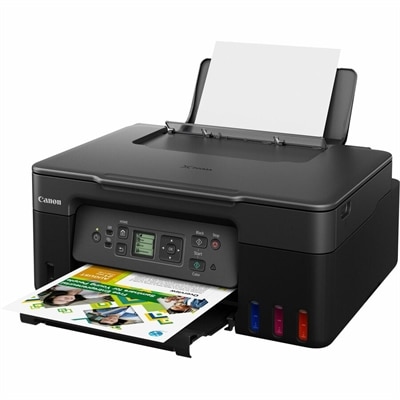
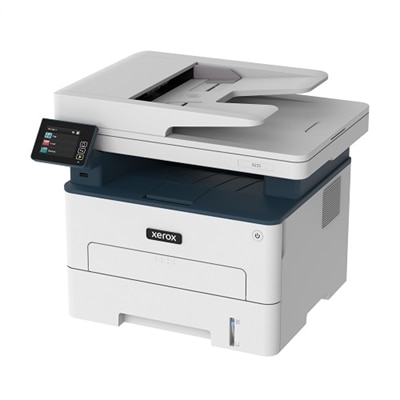
Printers compatible with Windows 11 support everyday printing from a Windows 11 computer through built-in operating system support, compatible manufacturer software, or a supported driver. Many modern printers offer straightforward setup, but compatibility depends on the exact printer model, connection method, and computer architecture—not simply how recently the printer was made. A printer that produces documents through a basic driver may need additional software for scanning, ink-level reporting, maintenance tools, or advanced finishing settings. Explicit Windows 11 support in the manufacturer’s specifications provides a stronger basis for choosing than a general description such as “wireless printer.” For a home office, dependable document printing might mean crisp black text for contracts, readable tables in a monthly report, and two-sided output that keeps a stack of meeting notes manageable. For a household, the same device might handle school assignments, return labels, recipes, and occasional color projects. Inkjet printers use liquid ink and can suit mixed documents and images, while laser printers use toner and are often well suited to frequent text-heavy printing. Neither technology alone establishes operating system compatibility; that comes from the printer’s supported software and printing protocols. All-in-one printers add scanning and copying, making them useful when signed paperwork needs to become a digital file or a handwritten worksheet needs a second copy. Print-only devices can be a simpler fit when those extra functions would go unused. Older printers may also work with Windows 11 if compatible drivers or built-in support remain accessible, although previous operation with another version of Windows does not guarantee every feature will carry over. The most useful compatibility information distinguishes basic printing from the full set of functions a household or small office expects to use. That distinction matters especially when a printer will serve as both a daily document device and an occasional scanner for receipts, forms, or family records.
Connection options shape how naturally a Windows 11-compatible printer fits into a room and a routine. A USB connection can suit a desktop workstation where the printer stays within cable reach, while Wi-Fi allows more flexibility in placement and can let several household computers share one device. Wireless capability alone does not confirm Windows 11 support, and a printer’s supported Wi-Fi bands need to match the connection available where it will be used. Computer architecture also matters. Windows 11 runs on both x64-based and Arm-based PCs, and a traditional printer driver written for one architecture may not work on the other. For an Arm-based laptop, explicit manufacturer support or compatibility through the operating system’s built-in printing support deserves particular attention. Standards-based printing can reduce dependence on a separate driver, but advanced options and scanning software still require their own compatibility checks. Similarly, a mobile printing feature does not establish that a printer supports every function from a Windows computer. In homes where people use different operating systems, Printers For Mac And Windows offers a related category for shared-device needs, though each operating system may have different software requirements. Beyond the connection, paper handling has a noticeable effect on daily convenience. Automatic two-sided printing helps keep longer documents compact, and an automatic document feeder can make a multipage scanning task less repetitive than placing each sheet on the glass. Two-sided scanning is a separate capability from two-sided printing, so those features should not be treated as interchangeable. A flatbed scanner is useful for a fragile letter, a photo, or a page from a bound notebook that cannot pass through a feeder. Paper capacity matters when a printer regularly handles packets rather than single pages, while support for envelopes, labels, heavier paper, and photo media depends on the specified sizes, weights, and feed paths. A neatly printed shipping label or invitation starts with media that the printer is designed to handle, not just a compatible computer connection.
Physical fit, output quality, and routine care help determine whether a printer remains pleasant to use after the first few documents. The closed dimensions tell only part of the story: input trays, output extensions, scanner lids, and rear paper feeds can require extra clearance. On a shallow desk, an extended tray may project into the working area; inside a cabinet, a raised scanner lid or an open access panel may need more room than expected. A stable surface, ventilation clearance consistent with the manufacturer’s directions, and easy access to paper and consumables make everyday use less awkward. Many printers have molded plastic housings around internal mechanisms, but casing appearance alone says little about durability. Recommended monthly print volume is more relevant to sustained use than a maximum duty-cycle figure, which describes an upper limit rather than a comfortable ongoing workload. Someone printing a few forms each month has different needs from a remote worker producing long documents every weekday. Print-speed ratings also need context because color output, two-sided printing, high-quality settings, and complex pages can change actual results. For text, clean letter edges and legible small type matter more than a resolution number in isolation; for photographs, ink type, paper choice, and color handling all influence the finished image. Paper should stay dry, flat, and protected from dust, with tray guides adjusted to the sheet size rather than squeezing the stack. Inkjet printheads may need attention after extended periods without use, while laser printers have their own consumable and maintenance requirements. Following the device’s cleaning instructions helps protect rollers, scanner glass, and other working surfaces without introducing unsuitable liquids or abrasive materials. Ease of operation matters just as much: readable controls, accessible trays, and understandable status messages can make a shared household printer more approachable. For a college student, a home-based professional, or a family organizing a busy week, the strongest fit is a printer whose Windows 11 support, document capabilities, physical footprint, and care requirements align with the work it will actually do.
FAQs:
When selecting a printer for Windows 11, consider features such as wireless connectivity, compatibility with mobile printing apps, automatic duplex printing, and easy driver installation. All-in-one capabilities like scanning and copying can enhance versatility, while energy efficiency and low maintenance requirements help keep long-term costs down.
Yes, many Dell printers are designed to work seamlessly with Windows 11, offering reliable performance and straightforward setup. Look for models that specifically list Windows 11 compatibility in their specifications to ensure optimal functionality and support.
Printers compatible with Windows 11 are ideal for a wide range of users, including students, remote workers, educators, families, and creative professionals. Their compatibility ensures smooth operation for printing documents, photos, school projects, and more across various environments.
All-in-one printers offer the convenience of printing, scanning, and copying from a single device, making them a practical choice for home offices and busy households. When paired with Windows 11, these printers often provide enhanced connectivity and streamlined workflows, improving productivity and efficiency.
Some older printers may still work with Windows 11 if updated drivers are available from the manufacturer. However, for the best experience and full compatibility with new features, it is recommended to choose a modern printer that is officially supported for Windows 11.