Printers With Fax
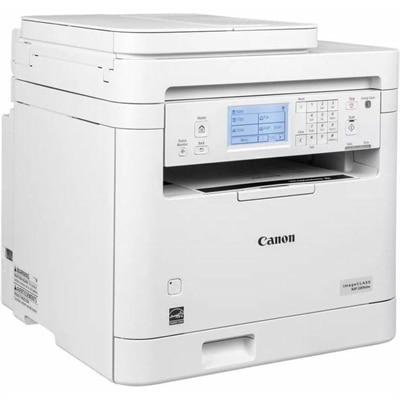
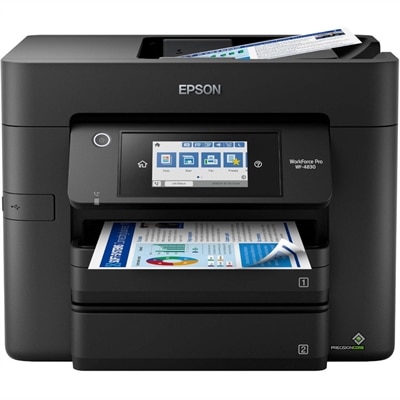
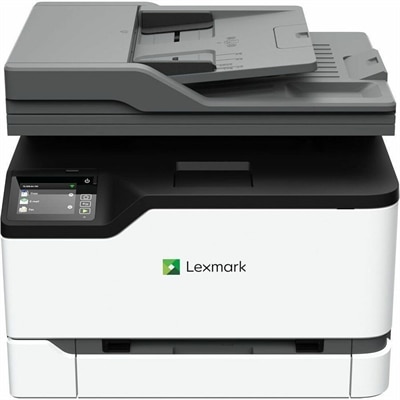
Printers with fax offer a versatile solution for home offices and businesses seeking efficient document management. Combining printing, scanning, copying, and faxing capabilities in one device streamlines workflow and saves valuable space. Explore a range of printers with fax to find the ideal model that meets your productivity needs, enhances connectivity, and supports seamless communication.
This product is not available
Check out the following recommendations.




Printers With Fax
Printers with fax combine everyday printing with the ability to send and receive documents through a compatible telephone connection, making them useful in home offices, small businesses, and shared workspaces where paperwork still moves between digital files and physical pages. Many are all-in-one printers that also scan and copy, so a single machine can handle a signed authorization form, a stack of invoices, and a fresh copy of tomorrow’s appointment schedule. That versatility matters when desk space is limited and keeping separate devices within reach would crowd out the work itself. A printer with built-in fax can be especially practical for independent professionals, administrative staff, and households that occasionally exchange forms with organizations that accept faxed documents. The important distinction is that not every multifunction printer includes fax hardware: printing, copying, and scanning alone do not guarantee the ability to send a fax. Some models instead offer mobile fax features through an app or service, which may involve separate terms, subscriptions, or limits on receiving documents. For traditional faxing, look for an explicitly listed fax function and the required telephone-line connection. Wi-Fi support generally refers to printing and other connected features; it does not, by itself, replace the telephone connection needed by a conventional fax modem. If your phone service runs over an internet connection, confirm compatibility with both the printer manufacturer and your phone provider, since fax performance can vary with the service and adapter used. Getting those details right is more useful than choosing by the number of features on the box. A well-matched printer fits the way documents actually pass across your desk, whether that means sending a few signed pages each month or regularly receiving orders and returning completed forms. For shoppers comparing broader everyday printing options alongside fax-capable models, Desktop Printers provide another place to consider the size and capabilities that suit a personal workspace.
Print technology is one of the biggest purchase considerations because fax capability is only part of what these machines do. An inkjet printer with fax can suit a household or home office that prints a mixture of text, color charts, school materials, and occasional photographs. Photo quality depends on the model, ink, settings, and paper, but inkjet technology is often a practical starting point when varied color output matters. A monochrome laser printer with fax is worth considering when most pages are text: correspondence, shipping paperwork, reference documents, or multipage forms. Laser models typically produce crisp lettering and can be a good fit for steady document printing, while color laser options add color output for presentations and business materials. Compare actual specifications rather than assuming that every laser printer is faster or every inkjet costs less to run. Purchase price tells only part of the story. Replacement ink or toner, cartridge yield, and any separately replaced drums or maintenance components all affect ownership costs. Published page yields are useful for comparison, although real-world results vary with page coverage and printing habits. Infrequent users should also consider that inkjet printheads may need cleaning after periods of inactivity, consuming ink in the process. For a printer that serves several people, paper capacity and the manufacturer’s recommended monthly print volume can be more revealing than a headline speed rating. The recommended volume is a better workload reference than the maximum duty cycle, which should not be treated as a comfortable monthly target. Automatic two-sided printing can reduce paper use for longer documents, but it is separate from two-sided scanning or faxing. Check each capability individually. Physical fit deserves the same attention: measure the available surface with room for open trays, the raised scanner lid, cables, and access to consumables. A compact-looking machine can need considerably more space once the output tray is extended and someone is standing beside it to copy a page.
Document-handling features make the biggest difference when a printer with fax becomes part of a regular routine. An automatic document feeder lets you load several loose pages for scanning, copying, or faxing instead of placing each sheet on the scanner glass. Picture a signed packet ready to send before the afternoon pickup: feeding the pages together is far less distracting than lifting the lid repeatedly while keeping the originals in order. Feeder capacity matters for longer packets, and supported paper sizes matter if legal-size forms are common in your work. For double-sided originals, look specifically for duplex scanning and confirm whether it supports the fax workflow you need; some feeders scan both sides automatically, while others require manual intervention. A flatbed scanner remains useful for bound pages, small originals, and delicate documents that should not pass through rollers. Fax-specific conveniences can include stored contacts, transmission reports, adjustable resolution, and memory for incoming pages when printing is temporarily unavailable, though availability and memory capacity vary by model. A transmission report can help you track whether a fax was successfully transmitted, but it does not confirm that the intended person has read it. If the printer shares a telephone line with voice calls or an answering machine, review the supported receiving modes and setup requirements before choosing. For everyday printing, USB offers a direct connection to a compatible computer, while Wi-Fi and mobile printing support can make the device easier to use from different spots around the office. Confirm operating-system compatibility and whether desired features require an account, app, or subscription. Shared spaces also call for attention to where received pages land: sensitive paperwork should not sit unattended in an open output tray. Fax capability alone does not make a device or workflow compliant with privacy requirements. The most useful choice balances these practical details with readable controls, accessible paper paths, and manageable running costs. That balance helps a printer feel like a dependable part of the workspace rather than another task to troubleshoot when a document needs to go out.
FAQs:
Printers with fax capabilities provide a versatile solution for home offices by combining printing, scanning, copying, and faxing in one device. This integration saves space, streamlines document management, and ensures secure, direct transmission of sensitive documents without relying solely on email or cloud services.
Fax machines are still widely used by professionals in fields such as healthcare, law, real estate, and finance, where secure and immediate document transmission is required. They are also popular with small businesses and home offices for sending contracts, medical records, and official forms.
Modern facsimile machines often feature wireless connectivity, mobile printing, and cloud integration. This allows users to send and receive faxes directly from their computers or mobile devices, making it easier to manage documents digitally while still benefiting from traditional fax capabilities.
For shared workspaces, consider printers with high-capacity paper trays, automatic document feeders, duplex printing, and robust security features. These enhance productivity and ensure smooth operation when multiple users need to print, scan, or fax documents simultaneously.
Yes, printers with fax functions make thoughtful gifts for students, recent graduates, or professionals starting a new job or business. They offer the convenience of handling various document tasks in one device, supporting productivity and organization for a range of personal and professional needs.