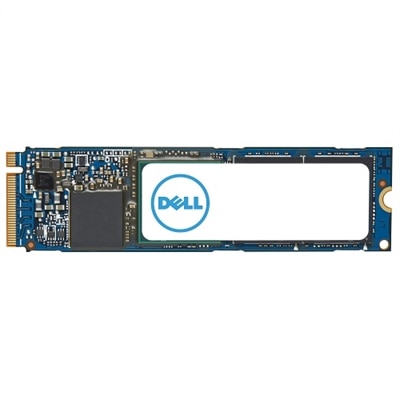
Professional SSD Drives
Professional SSD drives deliver the speed, reliability, and efficiency that modern workplaces demand. Designed for intensive workloads and seamless multitasking, these storage solutions help boost productivity across a wide range of professional environments. Whether upgrading your current system or building a new workstation, professional SSD drives provide the performance foundation needed to keep your business running smoothly. Explore options that support your workflow and ensure quick access to important files and applications.
This product is not available
Check out the following recommendations.
Related Products
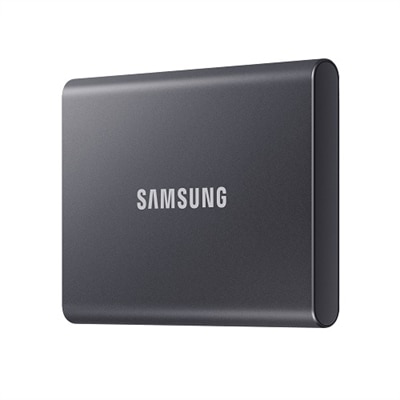
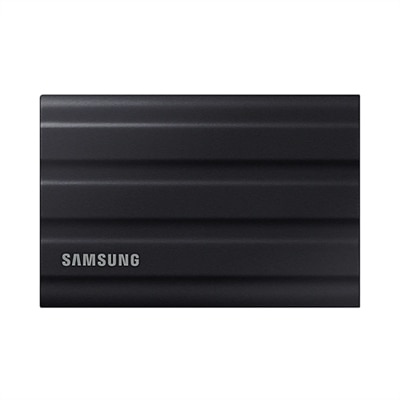
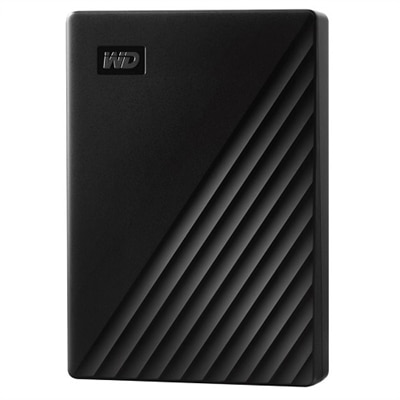
Professional SSD Drives
Professional SSD drives are designed for people who need fast, dependable access to large files and demanding applications. Unlike traditional hard disk drives, solid-state drives use flash memory and have no spinning platters or moving read/write heads, which helps them deliver responsive performance, quieter operation and greater resistance to everyday movement. Professionals working with high-resolution video, complex design files, large software projects, scientific datasets or virtual machines can benefit from shorter load times and smoother file transfers. A fast SSD can make a noticeable difference when opening a large project, moving a folder of raw footage or switching between multiple applications. For a video editor, that may mean scrubbing through high-bitrate footage with fewer interruptions. For an architect or engineer, it can help large models and rendering assets open more quickly. For a photographer, it provides a practical workspace for high-resolution image libraries while traveling between a studio, client location and home office. Professional SSD drives are also useful for creators who work with 4K or 8K content, musicians handling multitrack sessions, developers compiling code and analysts processing large collections of files. When comparing options, begin with the drive’s intended role: an internal SSD can serve as a primary workspace inside a compatible laptop or desktop, while an external SSD provides a convenient way to expand capacity and move projects between compatible computers. Confirm the available connection before purchasing, since performance depends on the drive, the cable, the port and the host computer. USB 3.2, USB4 and Thunderbolt connections can offer different bandwidth levels, while internal NVMe drives commonly use PCIe interfaces for especially quick access. A fast drive connected to a slower port may not reach its advertised potential, so checking the specifications of the computer is an important step.
Capacity is another central consideration. A compact drive may be sufficient for office documents, application files and a modest collection of photos, while professional video, 3D design and audio production often call for considerably more room. Leave working space available rather than filling a drive to its limit, since a little headroom can support consistent performance and make project organization easier. Sequential read and write speeds describe how quickly large, continuous files can move, which is valuable when transferring video libraries or creating system images. Random read and write performance is more relevant when opening many smaller files or running applications that access information in scattered locations. Endurance also deserves attention for workloads that involve frequent writing and rewriting. Specifications such as total bytes written, or TBW, can help indicate how much writing a drive is designed to handle over its rated life, although real-world results vary with workload and operating conditions. Thermal management matters as well. Sustained transfers and intensive rendering can generate heat, and a drive with an aluminum enclosure, thermal pad or heatsink may help maintain steadier performance during extended sessions. External users should consider a rugged design, a protective case and resistance to shock, dust or moisture when work takes place on the road. Internal-drive buyers should verify form factor, including common M.2 dimensions, interface compatibility and available mounting hardware. A professional SSD is not automatically the right choice for every computer, so reviewing the system manual and comparing the drive’s requirements with the computer’s available slots and ports can prevent installation surprises. For organizations evaluating high-capacity, continuously accessed options, Enterprise SAS SSD Drives may be worth exploring as a separate category with different interface and deployment considerations.
Security, portability and workflow habits can shape the right choice just as much as speed. Professionals handling client material, confidential designs or unpublished creative work should look for features such as hardware-based encryption, secure erase support and compatibility with the security tools used by their organization. A portable SSD can be a practical companion for a traveling photographer, freelance editor, consultant or student entering a demanding creative program, especially when a lightweight drive can replace carrying multiple bulky devices. It may also be a thoughtful gift for a photographer preparing for a field assignment, a gamer with a growing PC library or a designer who needs a dedicated workspace for personal projects, although compatibility should be confirmed before purchase. Keep an external drive in a padded sleeve, avoid disconnecting it while files are transferring and use the computer’s safe eject function when available. Regular backups remain essential because a faster drive does not protect against accidental deletion, loss, theft or unexpected hardware failure. A simple approach is to keep active work on the SSD, a second copy on another device and an additional copy in a separate location or approved online service. For internal drives, check whether the computer supports cloning or migration tools before replacing an existing drive, and make sure important files are backed up before installation. Consider the complete workflow rather than focusing only on the highest advertised speed: capacity, endurance, sustained performance, portability, security, warranty coverage and the computer’s interface all contribute to long-term value. During the cooler months and the busy stretch of project deadlines, a dependable SSD can help keep large creative files, technical applications and everyday professional work close at hand, organized and ready when the next task begins.
FAQs:
Professional SSD drives offer significantly faster data access and transfer speeds compared to traditional hard drives, which can greatly improve productivity in demanding work environments. They also provide enhanced durability, reduced risk of mechanical failure, and better energy efficiency, making them ideal for professionals who need reliable and consistent performance.
Professional SSD drives are commonly used by graphic designers, video editors, engineers, architects, software developers, and business professionals who regularly work with large files, complex applications, or need to multitask efficiently. These users rely on the speed and reliability of SSDs to streamline their processes and meet tight deadlines.
Many professional SSD drives include advanced features such as hardware-based encryption, error correction, and wear-leveling technology. These features help safeguard sensitive data, prevent data corruption, and extend the lifespan of the drive, making them a dependable choice for storing critical business or creative files.
Yes, professional SSD drives are often used to upgrade older laptops and desktops, breathing new life into aging systems. Upgrading to an SSD can result in noticeably faster boot times, quicker application launches, and a smoother overall user experience, making it a popular choice for both personal and professional setups.
Absolutely. For organizations with advanced storage requirements or specialized applications, enterprise-level SSD options provide enhanced scalability, endurance, and performance. These solutions are designed to handle intensive workloads and can be explored further on our Enterprise SAS SSD Drives page.