$59.99
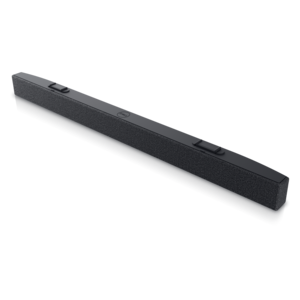
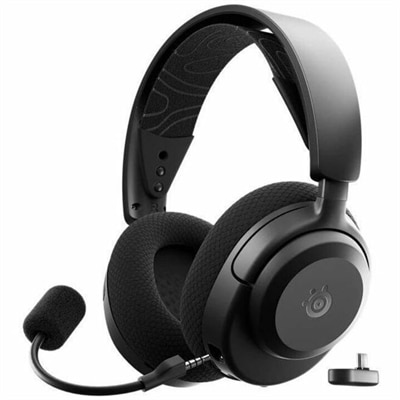
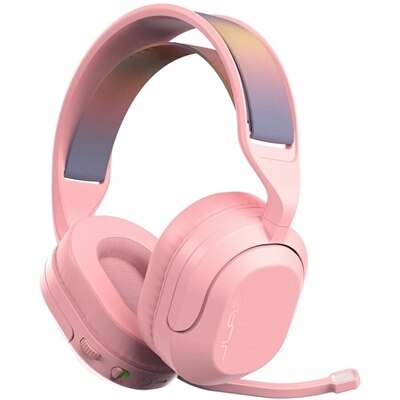
A wireless gaming headset with 50mm drivers, Bluetooth, USB-C connectivity, flip-to-mute mic, and Cloud Foam comfort.
Elevate your gaming experience with a diverse selection of PS5 accessories designed to enhance every aspect of your play. Whether you're looking to improve your comfort, boost performance, or simply personalize your setup, our range of high-quality accessories offers something for every gamer. Discover options that cater to both casual players and competitive enthusiasts, ensuring you have the tools needed to fully immerse yourself in the world of PlayStation 5 gaming. From controllers and charging stations to immersive audio solutions and protective gear, find everything you need to make the most out of your PS5 adventures.
A wireless gaming headset with 50mm drivers, Bluetooth, USB-C connectivity, flip-to-mute mic, and Cloud Foam comfort.
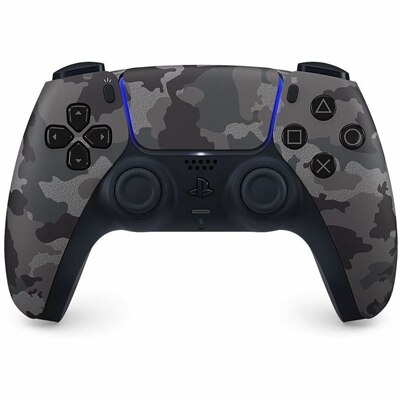
A grey camouflage wireless controller with haptic feedback, adaptive triggers, and a built-in microphone for gaming.
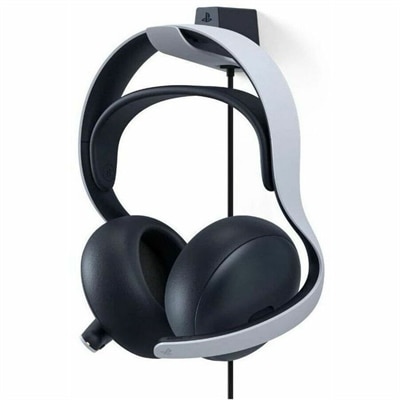
A white wireless gaming headset with planar magnetic drivers, Bluetooth, noise rejection, and 30-hour battery life.
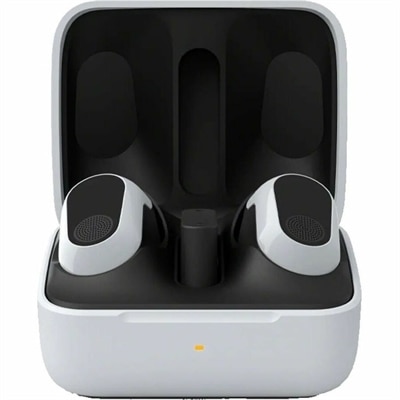
A white wireless gaming earbud set with active noise cancellation, spatial audio, and 12-hour battery life.
PS5 accessories support the everyday details of console gaming, from the feel of a controller during a close match to the clarity of a teammate’s voice and the convenience of keeping equipment charged between sessions. Common accessory categories include compatible controllers, charging docks, gaming headsets, cables, stands, protective cases, and media remotes. Each serves a different purpose, so a comfortable setup for a living room may look different from one built around a monitor at a desk. For someone who plays mostly solo adventures, comfortable controls and immersive audio may matter most; for a household that enjoys local multiplayer, additional controllers and an organized charging area can make shared play easier. Controller shape, weight, grip texture, and button placement all influence how an accessory feels after more than a few minutes. Textured surfaces can provide a more secure hold, while smooth housings are generally easier to wipe clean. Adjustable controls, where supported, can help accommodate different preferences, although extra buttons and settings are useful only when they suit the player’s habits. Compatibility deserves close attention: a controller that connects to a console does not necessarily support every game or feature, and accessories intended for an earlier console generation may have limitations with newer games. Charging docks also need to match the controller’s charging interface and power requirements. A stable base, clearly visible charging indicators, and enough room to lift a controller without bumping nearby equipment are practical details in a busy entertainment area. For players who move between a couch and a desk, cable length and connection type affect convenience as much as appearance. A charging cable should reach comfortably without stretching across a walkway, and its connector should fit securely without pressure from furniture. Together, these details help distinguish accessories that simply occupy space from those that fit naturally into a player’s routine, whether that means a short evening session, a weekend tournament with friends, or a few rounds shared with family.
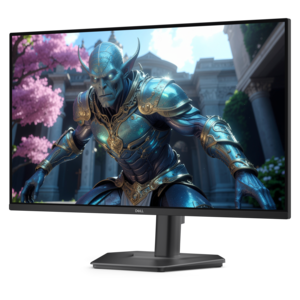
Audio accessories shape both the atmosphere of a game and the way players communicate. A compatible gaming headset can bring dialogue closer, make subtle environmental sounds easier to notice, and keep game audio from filling a shared room. Positional audio depends on the game, console settings, and accessory support rather than on a feature label alone. For multiplayer sessions, microphone placement, voice clarity, and an accessible mute control are especially useful when conversation shifts between teammates and people nearby. A flexible microphone boom can help position the microphone near the mouth without placing it directly in the path of every breath. Headset fit is just as important as sound: headband adjustment, earcup depth, overall weight, and clamping pressure determine whether a headset stays comfortable during extended play. Players who wear glasses may prefer cushions that do not press the frames firmly against the sides of the head. Fabric-covered cushions can feel breathable, while smooth synthetic coverings are often easier to wipe down; either material benefits from regular care and time to dry after cleaning. Replaceable cushions, when supported, can extend the useful life of a headset as contact surfaces wear. Wired connections avoid headset battery management, while wireless options offer more freedom to move, provided the connection method is supported by the console. Standard Bluetooth audio compatibility should not be assumed. A wireless headset may require a compatible USB transmitter, and that transmitter needs an accessible port with adequate clearance. Cables with reinforced connector housings and sensible strain relief can better tolerate routine handling, but even sturdy cables last longer when unplugged by the connector rather than pulled by the cord. A headset stand or designated resting place keeps earcups off crowded surfaces and reduces the chance of a cable catching under a chair. At a desk, the surrounding display setup matters too. Monitor resolution, refresh rate, and supported video inputs need to work together with the console and cable; the highest advertised setting is not automatically available in every game. These considerations are especially relevant for players dividing their time between fast competitive matches, cinematic adventures, and voice chat with friends.
Beyond controls and sound, PS5 accessories can help keep a gaming area orderly, protect equipment during everyday handling, and make a shared screen easier to use. Compatible media remotes offer a familiar layout for navigating supported entertainment apps and controlling playback, particularly in households where not everyone wants to use a game controller to pause a movie. Console stands and mounting accessories need to fit the exact console version and its intended orientation. A secure fit should never come at the expense of ventilation: air openings need to remain unobstructed, and placement should follow the console manufacturer’s recommendations. Decorative covers likewise need to match the correct housing rather than merely resemble its shape. For protective cases, useful construction details include a structured exterior, soft interior contact surfaces, secure closures, and compartments that keep loose cables from rubbing against controls. A case designed for a controller should leave room around sticks and triggers instead of pressing them down when closed. Players who carry accessories between rooms or bring them to a friend’s home may appreciate a compact case with a handle and a separate cable pocket, while equipment that stays in one place may benefit more from a tidy dock or stand. Durability often comes down to these ordinary touchpoints: hinges that open smoothly, connectors that seat securely, grips that remain comfortable, and surfaces that tolerate appropriate cleaning. A soft, dry cloth is suitable for routine dust removal on many accessories, but cleaning methods should always follow the manufacturer’s directions, especially around charging contacts, microphones, and fabric cushions. Liquids should not be sprayed directly onto electronic equipment. As gifts for birthdays, graduations, or housewarmings, gaming accessories are most useful when matched to the recipient’s console version, preferred games, and existing equipment. Someone who regularly hosts cooperative sessions may value another compatible controller, while a player in a shared apartment may appreciate comfortable personal audio. Households with more than one console platform can also explore Xbox Series Accessories, keeping platform compatibility in mind rather than assuming similar-looking connections guarantee interchangeable features. The most satisfying accessory choices support the way a person actually plays, with comfortable materials, dependable fit, manageable upkeep, and a clear purpose in the room.
Add the products you would like to compare, and quickly determine which is best for your needs.