$174.99
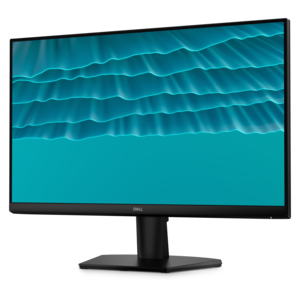
A Full HD monitor with 144Hz refresh rate, built-in speakers, and TÜV 4-star eye comfort certification.
Compare monitors by refresh rate to find a display that fits your gaming, work, or everyday needs. Refresh rate, measured in Hz, indicates how often the screen updates each second; higher rates can make motion look smoother. Consider screen size, resolution, and your PC’s performance alongside refresh rate when choosing a monitor.
A Full HD monitor with 144Hz refresh rate, built-in speakers, and TÜV 4-star eye comfort certification.
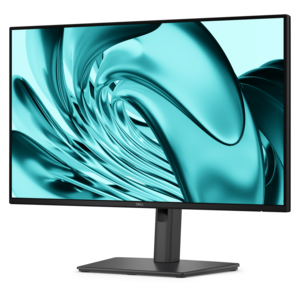
A smooth 144Hz monitor with 1ms MPRT and TÜV 3-star eye-comfort certification for everyday tasks.
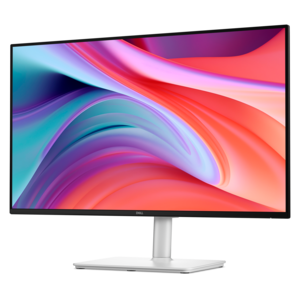
A Full HD productivity monitor with extensive connectivity, high refresh rate, and TÜV-certified four-star eye comfort.
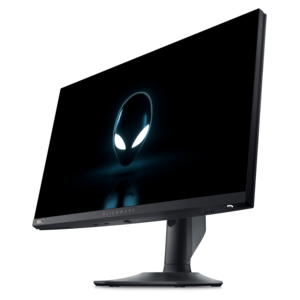
A high-performance IPS gaming monitor delivering ultra-smooth 500Hz refresh rates with AMD FreeSync Premium.
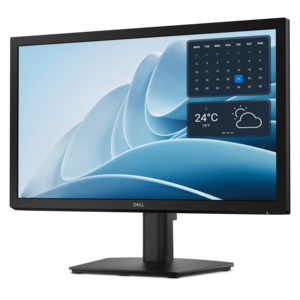
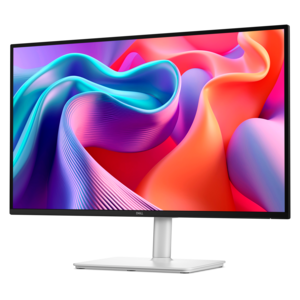
A productivity monitor offering 100Hz refresh and eye comfort solutions that reduce blue light emissions.
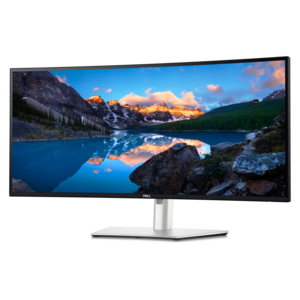
A curved Thunderbolt™ hub monitor with 120Hz refresh rate and 5-Star Eye Comfort certification.
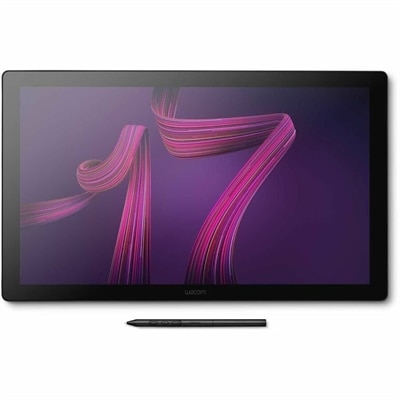
A professional 4K touchscreen pen display with 120Hz refresh, multi-touch control, customizable ExpressKeys, and pressure-sensitive stylus.
A monitor’s refresh rate is the number of times its screen updates the image each second, measured in hertz (Hz). A 60 Hz monitor refreshes 60 times per second, while a 144 Hz monitor refreshes 144 times per second. Higher refresh rates can make movement look smoother and help a display show newly rendered frames sooner, particularly during fast scrolling, gaming, and other motion-heavy tasks. A 60 Hz display suits everyday office work, web browsing, and basic video playback. Monitors in the 120 Hz to 144 Hz range offer noticeably smoother scrolling and a responsive experience for general gaming, while 240 Hz, 360 Hz, and higher refresh rates are especially relevant to competitive play. These distinctions become tangible when a player tracks an opponent across the screen, a student scrolls through a lengthy research document, or a designer moves windows between applications. Refresh rate is different from frame rate: the monitor determines how often the screen can update, while the computer or console determines how many new frames it produces. A high-refresh-rate monitor delivers its fullest motion benefit when the connected device can supply frames at a comparable pace, although variable refresh rate can help when performance fluctuates. Refresh rate is also separate from pixel response time, which describes how quickly pixels change from one color to another. Both affect the appearance of moving objects, and neither specification alone describes the entire experience. At 60 Hz, a refresh interval lasts approximately 16.7 milliseconds; at 144 Hz, it lasts about 6.9 milliseconds; at 240 Hz, it lasts about 4.2 milliseconds. Those shorter intervals give the display more frequent opportunities to present updated information, but overall responsiveness still depends on the application, graphics hardware, display processing, and input devices. For someone splitting time between spreadsheets and evening games, a higher-refresh-rate screen can serve both purposes without making refresh rate the only feature that matters.
Refresh rate monitors come in a variety of screen sizes, resolutions, and panel types, so motion performance belongs alongside image clarity and workspace fit. A higher resolution can reveal finer text and more detail, but rendering more pixels also places greater demands on the graphics processor. A system that produces high frame rates at Full HD may run more slowly at a higher resolution with the same visual settings. Screen size changes that balance, too: a large display can make timelines, maps, and multiple windows easier to arrange, while pixel density influences how crisp those elements appear at a normal viewing distance. A compact desk may suit a smaller screen, whereas a deeper workstation can accommodate a larger display without forcing the viewer too close. Flat screens offer a familiar surface for documents and shared viewing; curved screens can bring the edges of a wide display into a more comfortable viewing position for a person seated near the center. For players who prioritize fast motion, gaming monitors with high refresh rate make refresh performance a central part of the setup. Panel behavior remains important: viewing angles, contrast, color consistency, and transitions between dark and light areas can all affect the picture. Very aggressive response-time settings may introduce bright trails or inverse ghosting rather than improve motion clarity. Variable refresh rate can reduce tearing and stuttering by coordinating screen updates with incoming frames, provided the display and connected device support compatible functionality. Connection capabilities matter as well. The monitor input, computer output, cable, and any adapter must support the intended combination of resolution and refresh rate. A connector’s shape alone does not establish its bandwidth. Console users also benefit from checking supported display modes, since an exceptionally high maximum refresh rate does not mean every connected device can use it. For movies and streamed video, higher refresh rates do not automatically create additional detail or new frames; the source material and playback behavior remain part of the experience.
The physical design of a monitor affects daily comfort just as much as its performance specifications. Sturdy housings, stable stands, and well-supported adjustment mechanisms help a display stay steady when a desk moves or a keyboard is used energetically. Height adjustment, tilt, swivel, and pivot can make the screen easier to position for different tasks, from reading long documents in portrait orientation to keeping the display centered during a game. A compatible monitor arm can free desk space, but mounting pattern, display weight, arm capacity, and desk construction all need to match. Thin bezels can make adjacent displays feel less separated, while cable routing helps keep the work surface clear without pulling on connections. Matte screen finishes soften visible reflections, although placement relative to windows and overhead lights still matters. Brightness should suit the room rather than remain at its highest setting, and comfortable text sizing can be more useful than moving closer to read small characters. Higher refresh rates may make motion feel easier to follow for some people, but they are not a guaranteed remedy for eye strain; glare, viewing distance, brightness, and time spent looking at the screen also influence comfort. Care helps preserve both the finish and the electronics. A clean, soft microfiber cloth is appropriate for gentle dust removal, with any additional cleaning method guided by the display’s care instructions. Liquid should not be sprayed directly onto the panel, and excessive pressure can damage the surface. Keeping ventilation openings clear and avoiding tension on cables supports dependable everyday use. As a gift, a refresh rate monitor can suit a college student building a study space, a remote worker upgrading a home desk, or a gamer refining a setup. The most useful match reflects the recipient’s computer capabilities, available space, preferred activities, and comfort needs, bringing smoother motion together with a screen that feels right throughout the day.
Add the products you would like to compare, and quickly determine which is best for your needs.