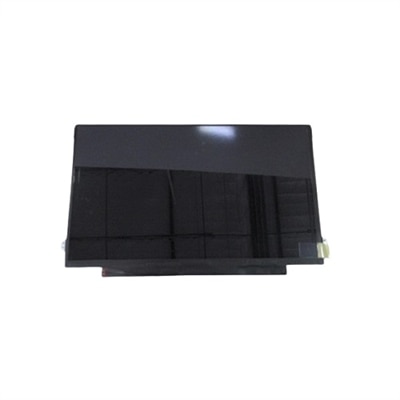
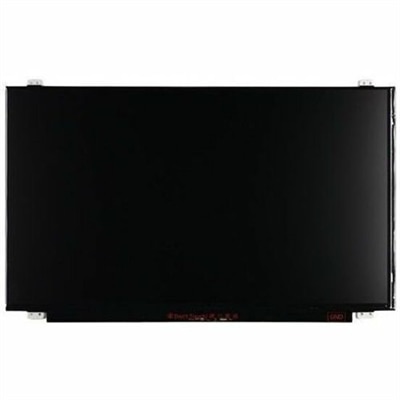
Replacement Laptop Screens
Find the perfect fit for your device with a wide selection of replacement laptop screens designed to restore your laptop’s display quality and functionality. Whether you’re dealing with a cracked screen, dead pixels, or display issues, replacement laptop screens offer an effective solution to get your laptop back in top shape. Explore options that match various models and specifications, making it easy to find the right screen for your needs. Enjoy a seamless shopping experience as you browse through reliable choices tailored to help you extend the life of your laptop.
This product is not available
Check out the following recommendations.




Replacement Laptop Screens
Replacement laptop screens provide a practical way to restore a laptop when the display is cracked, flickering, dim, discolored or no longer showing an image clearly. A damaged screen can turn an otherwise dependable computer into a frustrating work surface: text becomes difficult to read, a web camera area may be obscured, and bright lines or dark patches can make everyday tasks feel like looking through a scratched window. Choosing a compatible replacement can help extend the useful life of a laptop for remote work, schoolwork, travel, creative projects, streaming and general home use. These screens may also be useful for repair professionals, small offices maintaining shared equipment, families helping a student get back to class or anyone who prefers repairing a familiar laptop instead of replacing the entire computer. Before selecting a replacement, identify the exact laptop model and, when possible, check the model number printed on the back of the original display panel or its barcode label. Laptop screens that look nearly identical from the outside can use different mounting points, cable connections, resolutions or power requirements. Matching the screen size is only the first step; resolution, aspect ratio, connector position, connector pin count and panel type also matter. Common connector configurations include 30-pin and 40-pin designs, but the correct choice depends on the laptop and the original panel. A replacement intended for a touch-enabled display may not be interchangeable with a non-touch version, and a panel designed for a narrow bezel may not fit a laptop built with a thicker frame. Confirming these details before purchase can prevent the inconvenience of receiving a screen that fits the opening but does not communicate properly with the computer. For a clearer comparison, review the listed specifications alongside the information from the original panel, laptop documentation or a qualified repair professional.
Replacement laptop screens are available in several configurations, including the display panel alone and more complete assemblies that may include a bezel, hinges, camera area or other surrounding parts. A panel-only option can be suitable when the frame and supporting components remain in good condition, while a more complete assembly may be helpful when the bezel is broken, the hinges are damaged or the existing screen is firmly secured with adhesive. Consider the reason for the replacement as well as the condition of the laptop around it. A cracked display with an intact lid may call for a different solution than a laptop that has been dropped and has a bent frame or loose hinge. Brightness, viewing angle, finish and resolution can influence the everyday experience, especially for people who read for long periods, work near windows or move between indoor and outdoor spaces. Glossy surfaces can produce noticeable reflections in bright rooms, while matte finishes may be easier to view beneath overhead lighting. Higher resolution can make text and images appear sharper, but the laptop must support the selected display and its connection requirements. It is also worth checking whether the replacement includes mounting tabs, brackets, adhesive strips or other installation materials, since these details vary. Handling the repair requires care because the bezel, ribbon cable and internal battery connection can be delicate. The laptop should be fully powered down, the charger disconnected and the internal battery unplugged before internal display cables are touched. Screen edges can be thin and fragile, and pulling directly on wires or forcing clips can damage parts that were not originally broken. Some modern laptops use clips or adhesive rather than easily visible screws, so a repair may be best handled by someone familiar with compact electronics or by a qualified technician. Keeping the old panel nearby during installation can make it easier to compare cable placement, mounting points and labels. For laptops that also need worn or unresponsive keys replaced, shoppers can explore Replacement Laptop Keyboards as another way to restore a frequently used computer.
A replacement screen can make sense when the laptop still performs well, starts reliably and meets the user’s needs apart from display damage. This is often the case with a computer used for writing, accounting, browsing, video calls or coursework, where a damaged panel is the main obstacle to continued use. It may also be a practical choice for a household member who relies on a familiar setup, a traveler carrying a lightweight computer or a small business keeping essential equipment in service. During the cooler months, when more work, studying and entertainment take place indoors, a clear display can make a comfortable difference at a kitchen table, home office or shared desk. Buyers should compare the screen’s specifications with the original component rather than relying only on general descriptions such as “fits a 15-inch laptop.” Verify diagonal size, resolution, connector style and pin count, display technology, touch capability, mounting arrangement and compatibility with the exact model family. It is helpful to review return terms, warranty coverage and seller support, particularly when the laptop has several closely related configurations. Packaging should protect the panel from bending and pressure, and the replacement should be inspected for cracks, marks or uneven lighting before the device is fully reassembled. If the laptop has suffered liquid exposure, impact to the lid or damage near the hinge, a broader assessment may be needed before investing in a screen. With the correct match and careful handling, a replacement laptop screen can bring back the crisp lines of a document, the natural color of a photo and the easy visibility that makes a dependable laptop feel useful again.
FAQs:
When selecting a replacement laptop screen, consider factors such as resolution, brightness, refresh rate, and whether you need touchscreen capability. It's also important to match the screen's connector type and finish, such as matte or glossy, to your preferences and laptop model for the best visual experience.
Anyone experiencing visual issues like dead pixels, cracks, or fading displays can benefit from a replacement screen. Students, remote workers, creative professionals, and frequent travelers often find that a new screen enhances productivity and extends the life of their device.
Yes, if your original laptop screen had touchscreen functionality, your replacement screen must also support touch to maintain this feature. Installing a non-touchscreen replacement on a device designed for touch will disable touch capabilities.
Absolutely. Upgrading to a new screen can restore vibrant colors, sharper images, and consistent brightness. This is especially noticeable when streaming videos, working on visual projects, or using your laptop in bright environments.
For expert tips and a curated selection of high-quality options, visit the Best Screens For Laptops page. You'll find helpful information to guide your decision based on your specific needs and laptop model.