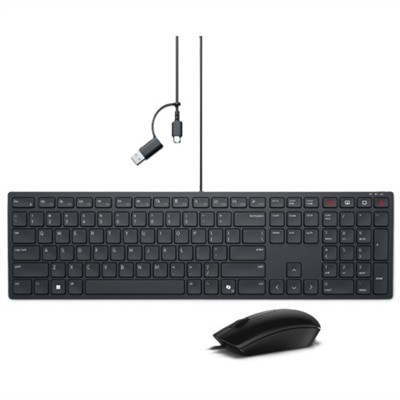
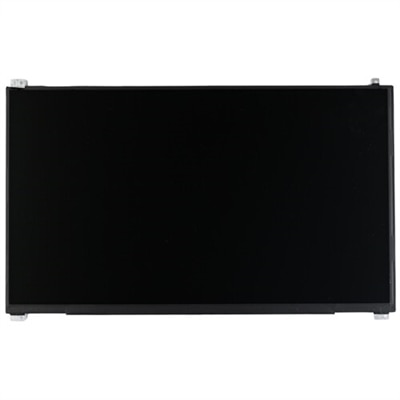
Replacement Laptop Keyboards
Explore a wide array of replacement laptop keyboards designed to breathe new life into your trusty device. Whether you're dealing with a few unresponsive keys or seeking an upgrade to enhance your typing experience, finding the right keyboard is crucial for maintaining productivity and comfort. Our selection caters to various models and preferences, ensuring that you can find the perfect fit for your laptop. Dive into our collection and discover high-quality options that combine functionality with durability, making it easier than ever to restore your laptop's performance.
This product is not available
Check out the following recommendations.




Replacement Laptop Keyboards
Replacement laptop keyboards are model-specific components that restore the built-in typing surface when keys become worn, damaged, or unresponsive. Unlike an external keyboard, a replacement fits into the laptop’s chassis and connects to its internal electronics, preserving the compact setup that makes a portable computer useful at a kitchen table, in a lecture hall, or between meetings. A dependable typing surface matters during everyday tasks: entering a password without repeated keystrokes, taking notes at the pace of a conversation, or working through a spreadsheet with consistent feedback under each fingertip. Most laptop keyboards use low-profile plastic keycaps supported by compact mechanisms, often with scissor-style hinges and an underlying membrane that registers each press. The feel depends on key travel, resistance, spacing, and the structure beneath the keys, not simply the appearance of the keycaps. Surface texture and clearly printed or illuminated legends also affect everyday comfort, especially for people who glance down frequently while typing. Over time, frequently used keys can develop a polished finish, lettering can fade, and small hinges can break after an impact or an attempt to lift a keycap. A complete keyboard assembly may be appropriate when several keys have mechanical damage, while an isolated missing keycap may call for a different repair if its supporting mechanism remains intact. Symptoms such as repeated characters or missed input can also have software or connection-related causes, so a replacement keyboard is not automatically the answer to every typing problem. For students, remote workers, writers, and households sharing a laptop, the practical goal is a familiar, reliable typing experience without changing the computer’s everyday role. Intended use helps define which details matter most: a numeric keypad for frequent number entry, readable legends for shared workspaces, or compatible backlighting for typing in a dim room. These features should match what the laptop was designed to support rather than serve as assumed upgrades.
Fit is the most important distinction among replacement laptop keyboards because similar-looking laptops can use different internal parts. Screen size, chassis color, and the general outline of the keyboard are not enough to establish compatibility. The exact laptop model, hardware revision where applicable, and keyboard part number provide a stronger basis for matching the replacement to the original assembly. Mounting tabs, screw positions, ribbon-cable placement, connector dimensions, and the shape of the surrounding frame all matter. Even two keyboards with identical key spacing may differ in the position or length of a cable hidden underneath. Some replacements consist of the keyboard itself; others are integrated into a larger palm-rest or upper-cover assembly. That distinction affects both fit and the extent of the work needed to install the part. A keyboard secured beneath other internal components is a different repair from one designed to lift out after its retaining hardware is released. Language layout deserves equally close attention. A US English layout typically follows the familiar QWERTY arrangement, but the shape of the Enter key, the length of the Shift keys, and the placement of symbols can vary across regional versions. Function-row markings, arrow-key arrangements, and numeric keypads also need to align with the original configuration. Backlit and non-backlit versions are not necessarily interchangeable: illumination may require a separate cable, an appropriate connector, and support from the laptop’s electronics. Similarly, integrated pointing controls or other model-dependent features need matching connections and compatible hardware. For someone accustomed to typing without looking down, small layout differences can interrupt an otherwise familiar rhythm. Matching the original design helps preserve that muscle memory while keeping the keyboard seated correctly within the case. Materials and construction matter within that compatible design, too. An intact backing plate, secure key mechanisms, and properly formed mounting points contribute to stable support, while a consistent keycap finish makes the typing surface feel uniform. Durability depends on both the assembly’s construction and how it is handled throughout installation and daily use.
Replacing a laptop keyboard generally involves shutting down the computer, disconnecting external power, isolating the battery according to the model’s service documentation, releasing the required retaining hardware, and disconnecting the keyboard’s delicate ribbon cable before fitting a compatible assembly. The exact access route varies considerably, so model-specific service instructions are more useful than a universal sequence. Some laptops have removable batteries, while others require internal access to disconnect battery power; keyboard retention may involve screws, clips, or fasteners that are not intended for straightforward removal. Ribbon-cable latches and thin plastic tabs can be damaged by force, making careful handling and suitable tools important to a successful repair. Professional installation may be appropriate when the keyboard is integrated into the upper case, access requires extensive disassembly, or the owner is uncomfortable working around internal components. Once installation is complete and the laptop is safely reassembled, checking letters, numbers, modifiers, navigation keys, function controls, and supported lighting helps confirm that the keyboard works as expected. The repair’s lasting value also depends on what caused the original problem. A liquid spill can affect components beyond the keyboard, and replacing the typing surface alone does not resolve hidden residue or corrosion elsewhere. For routine care, shutting down the laptop before cleaning, keeping liquids away from openings, and using a soft, lint-free cloth lightly dampened only as the manufacturer permits can help protect the surface. Applying cleaner directly to the keys or prying up keycaps without model-specific guidance risks additional damage. Keeping crumbs away from the typing area and avoiding pressure on the keys when packing a bag are simple habits that support continued use. Other signs of damage should be considered separately: a cracked display has different compatibility requirements, and Replacement Laptop Screens address the viewing surface rather than keyboard input. With the correct fit, appropriate installation, and sensible care, a replacement keyboard can help a familiar laptop remain useful for assignments, correspondence, creative projects, and the many small tasks that depend on comfortable, accurate typing.
FAQs:
To ensure compatibility, check your laptop’s exact model number, typically found on the bottom of your device or within your system settings. Match this model number with the specifications listed for the replacement keyboard. Dell laptop keyboard replacements are designed for specific series and models, so confirming this detail will help you select the correct part.
If only one or a few keys are damaged or missing, you may be able to use Dell keyboard replacement keys, which are available for many models. However, if multiple keys are unresponsive or the underlying mechanism is damaged, a full dell keyboard replacement is recommended for best results.
Many Dell laptops support backlit keyboards as an upgrade, but it depends on your specific model and whether the motherboard includes the necessary connector. Before purchasing, confirm your laptop’s compatibility with a backlit replacement to enjoy enhanced visibility in low-light environments.
Most Dell laptop keyboard replacement procedures require a small Phillips head screwdriver and a plastic pry tool or spudger to safely lift the keyboard or bezel. Some models may also benefit from having a pair of tweezers for handling small connectors. Always consult your device’s service manual for model-specific instructions.
When performed correctly, replacing your Dell laptop keyboard should not impact the touchpad or other built-in components. If you follow the recommended steps and reconnect all cables securely, your laptop’s other features will continue to function as expected.