Replacement Laptop Cases
Looking for the perfect solution to keep your laptop safe and stylish? Our collection of replacement laptop cases offers a diverse range of options designed to protect your device while enhancing its look. Whether you need something sleek and professional for the office or a more rugged design for travel, you'll find the ideal case to suit your needs. Explore our high-quality selection of replacement laptop cases and give your laptop the protection it deserves.
This product is not available
Check out the following recommendations.




Replacement Laptop Cases
Replacement laptop cases are the exterior housing parts that restore a computer’s physical enclosure when its original casing becomes cracked, bent, worn, or otherwise damaged. Unlike carrying bags or protective sleeves, these components become part of the laptop itself. Depending on the computer’s design, replacement casing may refer to a bottom base cover, a display back cover, an upper case with a palm rest, or a more complete housing assembly. Each serves a different purpose: the bottom cover encloses internal components and may incorporate ventilation openings and support feet, while the display back cover supports and protects the rear of the screen assembly. The palm rest forms the surface around the keyboard and touchpad, where hands rest through hours of typing. Replacing a damaged section can address sharp edges, gaps between panels, missing attachment points, or a lid that no longer sits correctly, provided the underlying structure and connected components remain sound. A split near a hinge, for example, may involve both the housing and the hinge mounting points, so the visible crack does not always reveal the full extent of the damage. For someone who uses a laptop for coursework, remote work, household tasks, or frequent travel, a correctly matched enclosure helps restore the physical fit needed for everyday use. It can also make an otherwise functional computer more comfortable to handle when a chipped corner catches on a sleeve or a damaged palm rest presses against a wrist. Cosmetic wear alone does not necessarily call for replacement, but broken clips, loose panels, and damaged screw mounts deserve closer attention because they affect how the housing holds together. Replacement laptop casing is therefore best understood as a repair component rather than a decorative accessory, with suitability determined by the exact computer and the section being replaced.
Fit is the central consideration for replacement laptop cases because similar-looking computers can use different chassis dimensions, mounting layouts, and internal clearances. Screen size alone is not enough to establish compatibility. The precise model, hardware revision where applicable, and identifying information for the original housing help distinguish a matching replacement from a panel that merely looks close. Even within a related family of laptops, port openings, ventilation patterns, hinge positions, screw locations, and keyboard layouts can vary. A suitable enclosure needs to accommodate those details without blocking airflow, pressing against internal parts, or forcing connectors out of alignment. Materials matter as well, although the original chassis design generally determines which material is appropriate. Molded plastic housings can be lightweight and shaped with integrated clips and reinforcing ribs; metal housings, including aluminum or magnesium alloy constructions, can offer rigidity in thin sections. Neither material is immune to damage: plastic can crack around stressed attachment points, while metal can dent or bend after an impact. Surface finishes also influence everyday feel and appearance, from textured panels that make fingerprints less noticeable to smooth palm rests that are easy to wipe clean. Matching the intended construction is more important than choosing a material simply because it sounds stronger. Details such as rubber feet, hinge brackets, shielding, adhesive strips, and threaded inserts may be separate from the main housing, and the scope of a replacement assembly can differ. An upper case may be a bare structural panel or include attached components, so the assembly description matters when assessing what the repair requires. A display back cover is likewise not the same thing as a replacement screen, and a bottom cover is not necessarily the entire lower chassis. These distinctions help clarify what a casing replacement can accomplish: it renews the relevant enclosure section, but does not automatically correct a damaged hinge, malfunctioning keyboard, broken display, or internal fault associated with the original impact.
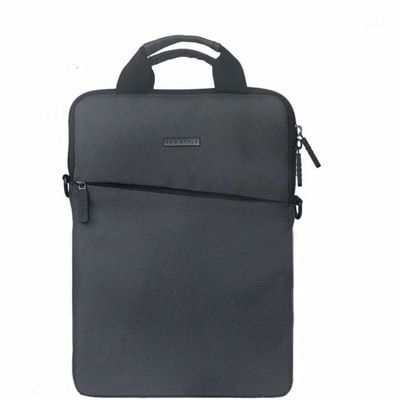
Intended use and repair complexity also shape the choice of replacement housing. A laptop carried between lecture halls may experience repeated bumps at its corners, while a computer opened and closed throughout a workday places regular demands on hinges and their mounting areas. Restoring the case can support continued use, but lasting results depend on resolving the cause of the damage rather than covering it with a fresh panel. A bottom cover replacement is often less involved than an upper case replacement, though access methods, concealed fasteners, clips, and attached components differ by model. Replacing a palm rest or upper housing may require extensive disassembly and transfer of parts such as the keyboard, touchpad, system board, or display assembly. Display back cover work can involve delicate cables, antenna routing, and adhesives near the screen. These are model-specific repairs, not interchangeable procedures, and the manufacturer’s service documentation provides the relevant requirements for safe handling and reassembly. Professional repair may be appropriate when the work involves fragile connections, structural hinge damage, or unfamiliar internal components. A case that is bulging or separating without an obvious impact also warrants assessment before replacement, since a swollen battery can push outward against the housing; replacing the cover alone would not resolve that hazard. Once a sound enclosure is in place, everyday care helps preserve it. A soft, lint-free cloth and cleaning methods approved for the laptop’s finish help remove hand oils and dust without damaging coatings. Excess liquid, harsh solvents, and abrasive pads can harm surfaces or reach openings around the keyboard and ports. Carrying the computer with its lid closed, keeping heavy objects off it, and using it on a firm surface with unobstructed vents reduce avoidable strain. For commuting or travel, Business Laptop Cases offer a separate category of carrying protection to complement an intact laptop enclosure. A padded carrying case does not replace broken structural housing, but it can help cushion routine bumps after the repair. Together, accurate fit, appropriate installation, and thoughtful handling give replacement casing its practical value: a computer that closes properly, rests securely, and feels comfortable in daily use.
FAQs:
A replacement laptop case typically consists of several key components, such as the top cover, bottom base, palm rest, and sometimes the bezel or dell back panel. These parts are designed to fit specific laptop models, ensuring a secure and precise match for both protection and aesthetics.
Anyone who uses their laptop frequently—such as students, professionals, or travelers—can benefit from replacing a worn or damaged case. It is especially helpful for those who have experienced drops, cracked panels, or visible exterior damage, as a replacement can restore the device’s appearance and structural integrity.
Yes, it is often possible to replace individual parts of a laptop case, such as the palm rest, dell back panel, or top cover, rather than the entire case. This targeted approach can be more convenient and cost-effective, especially if only one section is damaged.
Replacing a damaged or worn laptop case can help extend the life of your device by protecting internal components from dust, moisture, and further impacts. It also helps maintain the laptop’s structural integrity, reducing the risk of future issues caused by exposed or vulnerable areas.
Absolutely. Installing a new dell laptop cover or body replacement can give an older laptop a refreshed appearance, making it look and feel like new. This is a great way to personalize your device or simply restore its original design after years of use.