Routers For Wireless Printers
Routers for wireless printers are essential for creating a seamless and efficient printing experience in both home and office environments. Whether you’re setting up a new workspace or upgrading your current setup, finding the right router ensures reliable connectivity and smooth performance for all your wireless printing needs. Explore a variety of options designed to support hassle-free connections between your devices and your wireless printer, making everyday tasks more convenient and productive.
This product is not available
Check out the following recommendations.




Routers For Wireless Printers
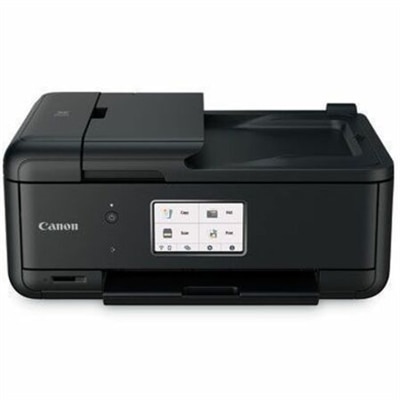
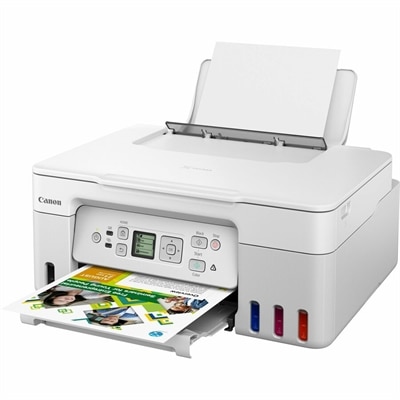
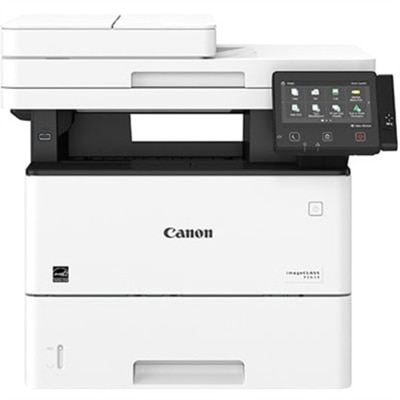
Wireless printing brings a useful kind of flexibility to a home office: the printer can sit where paper, ink, and finished documents belong, rather than taking up the space beside your laptop. A compact workstation might have a monitor, keyboard, and notebook on the desk, with the printer on a nearby cabinet ready for shipping labels, permission slips, or a last-minute meeting agenda. For that arrangement to work comfortably, the printer’s wireless capabilities need to match the connection available in the room and the computers that will send documents to it. Many wireless printers support 2.4 GHz Wi-Fi, while some also support 5 GHz; the supported bands are worth checking in the product specifications before purchasing. A printer does not necessarily need the fastest wireless connection to handle everyday documents. Reliable connectivity, compatible software, and dependable paper handling generally matter more than headline speed ratings. Built-in Wi-Fi also means a compatible printer can receive jobs without a direct USB connection to each computer, although the available features depend on its software and operating system support. For a household sharing one printer, that can make the difference between a useful everyday accessory and another device that requires someone to move cables around. Picture a student finishing an assignment at the kitchen table while someone else prepares return paperwork from a laptop upstairs: both benefit from a printer that fits their devices and routines. Local wireless printing generally requires compatible devices to communicate over the same home network, while remote printing depends on separate supported features and may require an internet connection. Wireless capability alone does not guarantee every printing method will work. Clear compatibility information is therefore more valuable than a long feature list, especially when the printer will serve several people with different computers, tablets, or phones.
Choosing a wireless printer also means looking beyond connectivity to the pages you actually produce. A household printing occasional forms has different needs from a home office turning out lengthy reports every week. Inkjet models can suit mixed document and color-image use, while laser models are often a practical fit for text-heavy workloads. Results and running costs vary by model, so compare replacement supplies, stated page yields, and recommended monthly print volumes rather than judging only by the initial purchase price. Automatic two-sided printing can reduce paper consumption and keep multipage documents manageable; an automatic document feeder can save considerable time when copying or scanning a stack of pages. These are separate features, and a printer that prints on both sides does not necessarily scan both sides automatically. Paper capacity deserves similar attention. A small tray may be perfectly comfortable for a few pages each week, but frequent refilling becomes noticeable during a busy afternoon of invoices, worksheets, and forms. Check supported paper sizes and media types if your routine includes envelopes, labels, heavier paper, or photographs. Physical dimensions matter just as much as the specification sheet suggests, but the closed footprint tells only part of the story. Leave room for extended trays, an open scanner lid, access to replacement supplies, and the clearance specified by the manufacturer. A shelf that looks generous when the printer is folded away can feel cramped once an output tray is holding twenty freshly printed pages. Noise is another everyday consideration, particularly in a shared workspace or a room used for video calls. Published sound information, where available, can help set expectations, though quiet modes may slow output. For occasional use, checking how the printer handles sleep and wake behavior is worthwhile, too. A printer should fit naturally into the working day, whether that means a quick boarding document before leaving home or a neatly organized packet prepared the evening before an appointment.
Computer compatibility should remain central to the purchase, particularly when a printer will be shared between a newer laptop and an older desktop. Confirm support for the operating system versions you use, along with any software needed for scanning, maintenance, or advanced print settings. Basic printing support does not always mean that every finishing option or scanning feature is available through the same interface. Shoppers comparing Wireless Printers For Mac Computers can use operating system compatibility as a starting point, then narrow their options by print volume, color requirements, and workspace size. Mobile printing support may also be useful for someone who regularly receives documents on a phone, but it is worth verifying whether that support is built in, requires an app, or depends on an online account. Consider privacy alongside convenience: a shared household printer may handle medical forms, financial paperwork, or other personal documents, so available access controls, supported security features, and ongoing software updates deserve attention. Placement matters for practical reasons as well. An accessible location with a dependable wireless signal makes it easier to collect pages promptly, load paper, and notice an empty tray before an important print job. For someone setting up a first apartment, returning to school, or creating a dedicated home workspace, a wireless printer can be a thoughtful gift when there is a clear need for printed documents. The most useful choice is usually the one that suits the recipient’s space and budget for replacement supplies, not simply the one with the most functions. A compact document printer may be welcome in a small study, while an all-in-one model can earn its place in a household that regularly scans signed forms and copies paperwork. Accessible controls, a readable display, and straightforward supply replacement can make ownership more comfortable for a wide range of users. Ultimately, a well-chosen printer supports ordinary tasks without dominating the room or the routine: crisp pages for a presentation, a scanned receipt saved before it disappears into a drawer, and the reassurance of having the right tools close at hand.
FAQs:
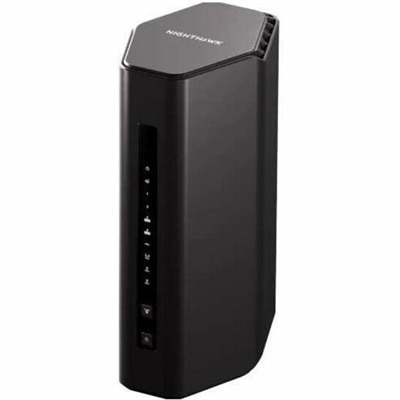
When choosing a router for wireless printers, look for dual-band or tri-band support, Wi-Fi 6 compatibility for faster speeds and better device management, and strong security protocols. A router with USB ports can be useful if you have a non-wireless printer that you want to share over your network. Mesh system compatibility is also beneficial for ensuring consistent coverage throughout your home or office.
Yes, you can connect an older printer without built-in Wi-Fi to your network by using a router with a USB port or by utilizing a wifi bridge to ethernet. This allows your wired printer to communicate with your wireless network, making it accessible to all devices connected to the same router.
To maintain a stable connection, place your wireless printer within the range of your router’s Wi-Fi signal and ensure there are minimal physical obstructions. Using a mesh Wi-Fi system or a router with strong signal strength helps eliminate dead zones and keeps your printer reliably connected.
Yes, many modern wireless routers come with user-friendly setup interfaces and step-by-step guides, making them the easiest wireless printer to set up and use. Some routers also support automatic device detection and configuration, simplifying the process even further for users of all experience levels.
Most wireless printers operate on the 2.4 GHz frequency band, which offers broader coverage and better compatibility with a variety of devices. When selecting a router, ensure it supports 2.4 GHz (in addition to 5 GHz if you need higher speeds for other devices) to guarantee seamless communication with your wireless printer.