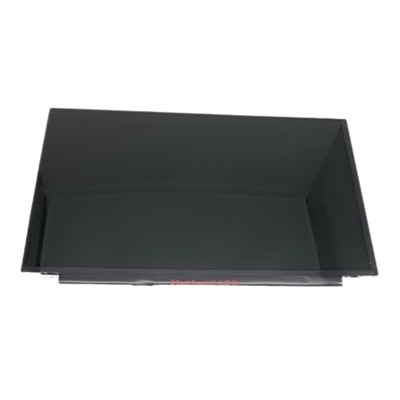
Screen Replacements
Restore clarity and performance to your devices with quality screen replacements designed for a wide range of electronics. Whether you’re dealing with cracks, display issues, or unresponsive touchscreens, finding the right replacement can help extend the life of your favorite gadgets. Explore a variety of screen replacements to get your devices looking and functioning like new, so you can stay connected and productive without missing a beat.
This product is not available
Check out the following recommendations.
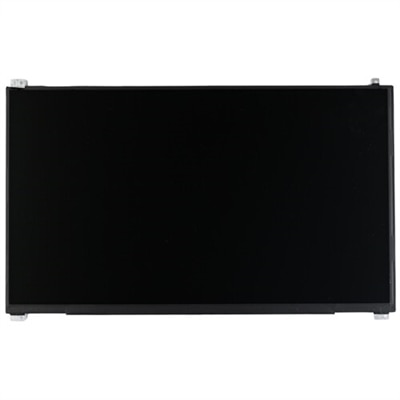
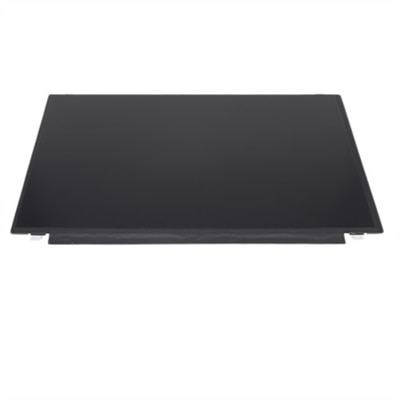

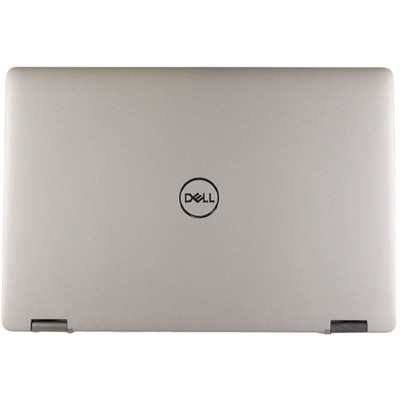
Screen Replacements
Screen replacements can refer to several practical repair needs, from fresh mesh for a window or door frame to a compatible display assembly for a laptop. The right choice begins with identifying what is being replaced and matching the replacement to the frame or device with care. For window and door screens, measure the existing frame rather than relying on a general size. Check the width and length of the opening, the condition of the channel around the edge, and the diameter of the spline that holds the mesh in place. Fiberglass mesh is often the easiest material for a straightforward home repair because it is flexible, simple to trim, and forgiving when tension needs to be adjusted. Aluminum mesh can provide a firmer feel, while heavier-duty options may be useful for areas that receive more contact from pets, children, or frequent foot traffic. A replacement screen kit may include mesh, spline, and a spline roller, while individual rolls are helpful when several frames need attention. A small flathead screwdriver or pick tool can help lift out the old spline, and a sharp utility knife or razor blade is useful for trimming excess mesh after it has been seated. Painter’s tape can hold a loose frame steady on a clean, flat surface. With the old material removed and the frame brushed clean, position the new mesh so it overlaps each edge, press the spline into the groove with the roller, and trim the excess only after the mesh is secure. Working gradually along opposite sides helps prevent wrinkles and keeps the finished screen neat. Many uncomplicated window screen repairs take approximately 15 to 30 minutes per frame, although larger frames, bent channels, brittle spline, or damaged corners may require additional time or replacement hardware. During the cooler months, replacing torn mesh can also help keep leaves and insects from collecting near open windows when a mild afternoon calls for fresh air.
For laptop display replacements, compatibility is even more precise. A screen that appears to fit may still use a different connector, mounting pattern, backlight type, refresh rate, resolution, or touch configuration. Before choosing a replacement, locate the laptop’s exact model number and review the original display specifications. Important details can include screen size, aspect ratio, panel technology, connector position, connector pin count, mounting tabs, bezel design, webcam placement, and whether the display uses a touch layer. A replacement intended for a non-touch configuration may not work correctly in a touch-equipped system, and a panel with the wrong connector or mounting points may require modifications that are not appropriate for a simple repair. Brightness, viewing angles, color coverage, and refresh rate also influence the everyday experience, especially for people who spend long hours writing, studying, editing images, reviewing spreadsheets, or watching video. The Replacement Laptop Screens available on this page can help shoppers compare compatible display options while keeping the original device in service. A damaged panel does not always indicate a problem with the entire laptop, but cracked glass, dark patches, flickering, lines across the image, or a display that remains black can have different causes. A loose display cable, graphics issue, or damaged hinge may need attention before a replacement screen is installed. For that reason, confirm the symptoms and model information first, and consult the device documentation when possible. Anyone performing a laptop display repair should work on a clean, well-lit surface, power the system down fully, disconnect external power, and handle delicate cables and glass edges carefully. If the repair requires removing the bezel, hinge covers, or internal battery connection, professional assistance may be the better choice.
These products can be useful for homeowners maintaining older frames, renters making a removable screen look presentable, property managers preparing several rooms, or computer users extending the practical life of a familiar laptop. A replacement screen can be a thoughtful gift for a student, remote worker, traveler, or family member who relies on a computer but would prefer to repair rather than replace it; however, the recipient’s exact device model should be confirmed before purchase. For window and door repairs, consider where the frame is used and how much wear it receives. A bedroom window may need only standard fiberglass mesh, while a ground-level entry screen may benefit from stronger material and a more durable spline. Examine whether the existing frame is square before ordering mesh, since a warped or cracked frame can prevent even a carefully installed screen from sitting properly. For laptop repairs, compare the original panel’s specifications with the replacement listing and retain small screws, brackets, and cable covers in a labeled container during installation. Taking a quick photograph before disconnecting a cable can make reassembly easier, particularly when several components look similar. Whether the goal is to restore a clear view through a window or return a laptop to comfortable everyday use, the best screen replacement is one that matches the application closely, supports the intended environment, and can be installed with the right tools and level of care.
FAQs:
Common signs include persistent dead pixels, noticeable flickering, color distortion, cracks, or areas of the screen that are dimmer than others. If you experience these issues, it might be time to consider a dell monitor screen replacement or dell laptop screen replacement to restore optimal display quality.
Depending on your device model, you may have the option to upgrade to a higher resolution or a different panel type, such as IPS for wider viewing angles and better color accuracy. Check your device’s compatibility to see if an upgraded dell monitor replacement screen or laptop screen is available.
Screen replacements are valuable for a wide range of users, including remote workers, students, gamers, creative professionals, and anyone who relies on their device for clear visuals and productivity. A new screen can enhance comfort, reduce eye strain, and improve overall user experience.
Professional installation is often recommended, especially for those unfamiliar with hardware repairs. Certified technicians can ensure your dell laptop screen repairs or monitor replacement are completed safely and correctly, preserving your device’s performance and longevity.
Yes, replacing a damaged or aging screen can significantly extend the usability and lifespan of your device. Combined with other maintenance, such as battery replacement, a new screen helps keep your laptop or monitor functioning like new for years to come.