Secure File Deletion Software
Secure file deletion software provides peace of mind by ensuring sensitive data is thoroughly removed from your devices. Whether you’re managing personal files or handling confidential business information, these solutions help protect your privacy and prevent unauthorized recovery of deleted data. Explore a range of secure file deletion software options designed to support data security and streamline your digital cleanup process.
This product is not available
Check out the following recommendations.

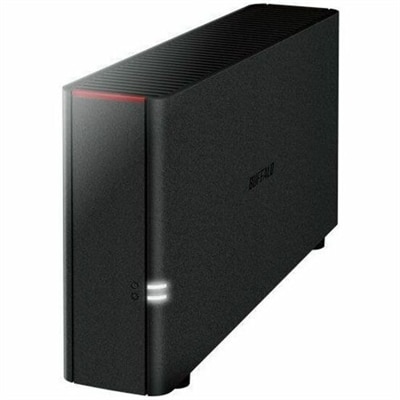
Secure File Deletion Software
Secure file deletion software, also called file shredding or data wiping software, is designed for situations in which moving a file to the Recycle Bin or Trash is not enough. Standard deletion usually removes the visible reference to a file while leaving much of its underlying data on a drive until that space is reused. Recovery tools may be able to reconstruct deleted documents, photographs, tax records, saved passwords, browser data or other private information. A secure deletion utility addresses this risk by overwriting the data associated with selected files, folders or unused disk space before removing access to it. When comparing options, look for software that supports the operating system on the computer, offers file-and-folder shredding, and clearly explains which storage types it can handle. Some tools add a convenient right-click option in File Explorer or Finder, while others provide a scheduled cleanup feature, command-line controls or a broader privacy dashboard. Pay attention to the deletion methods available rather than assuming that more overwrite passes always provide better protection. On modern drives, a reputable utility that is designed for the specific storage technology may be more appropriate than an older standard created for traditional magnetic hard drives. Solid-state drives and flash storage use wear-leveling and other internal processes that can prevent software from reaching every physical cell, so secure deletion may involve manufacturer-supported sanitation commands, full-drive encryption, or a combination of approaches. For a computer that is being recycled, resold or handed to another person, a complete drive wipe or factory reset with verified encryption removal is generally more suitable than shredding a few visible files. Users should also remember that deleting a local copy does not automatically remove duplicates stored in cloud services, external drives, email attachments, shared folders or backup software. Review synchronized locations and backup retention settings separately, and preserve anything that must be kept before beginning an irreversible operation. Good software should identify the target clearly, provide warnings before permanent deletion, and offer logs or completion notices when a business, school or household needs a record of what was processed.
These tools can be useful for many kinds of users. A household may use secure deletion software before passing an older laptop to a family member, clearing years of downloaded documents from a shared computer, or removing financial paperwork after confirming that required records have been retained. A remote worker may need to dispose of project files stored on a personal computer, while a small business can use a documented deletion process when an employee changes roles or a device leaves the office. Photographers, designers, students and anyone who works with confidential material may appreciate the ability to erase temporary exports, drafts and duplicate files without relying solely on the operating system’s standard trash folder. For laptops that may be lost, stolen or managed away from a workplace, software with device-level controls can complement local deletion practices; explore Remote Wipe Software For Laptops for a related approach to protecting information on a computer that is no longer physically accessible. Before choosing a solution, check whether it supports Windows, macOS or Linux, and confirm compatibility with the edition of the operating system and the type of drive installed. Consider whether you need one-time file shredding, free-space wiping, an entire-drive erase, scheduled privacy maintenance, multiple user profiles or centralized management for several computers. Ease of use matters because a complicated utility can encourage mistakes: a clear file preview, confirmation step, pause control and recovery guidance are practical advantages. Security-conscious buyers should review the developer’s documentation, update history and privacy practices, including whether the software collects file names or usage data. It is also wise to create a backup before any wipe operation, close open applications, disconnect removable drives that are not part of the task, and verify the destination of every selected item. Secure deletion is permanent by design, and no tool can restore a file after an effective wipe. During the cooler months, when people often organize home offices, replace aging computers or consolidate digital records, a thoughtful deletion routine can make those transitions less stressful. Pair secure deletion with strong account passwords, device encryption, current operating-system updates and careful control of cloud sharing so that sensitive information is protected throughout its entire lifecycle—from creation and storage to eventual removal.
FAQs:
When choosing secure file deletion software, look for features such as multi-pass overwriting, compliance with recognized standards like DoD 5220.22-M or NIST SP 800-88, compatibility with your operating system, and support for both HDD and SSD drives. Additional benefits may include scheduled deletion, integration with cloud storage, and an intuitive user interface.
Secure file deletion software is ideal for anyone who handles sensitive information, including business professionals, students, home users, and IT administrators. It is especially helpful when preparing a device for resale, donation, or recycling, as well as for those who regularly handle confidential documents.
Many secure file deletion solutions offer support for both SSDs and HDDs. However, it’s important to choose software that uses the appropriate methods for each drive type, such as supporting the TRIM command for SSDs to ensure effective data erasure without causing unnecessary wear.
Yes, most secure file deletion software can be used to erase data on external hard drives, USB flash drives, and memory cards. Always check the software’s compatibility list to ensure it supports the specific device you plan to wipe.
Many secure file deletion programs allow users to schedule automated deletion tasks, making it easier to maintain privacy and manage sensitive files without manual intervention. This is particularly useful for businesses and individuals who regularly handle confidential data.