Disk Cleanup Software For Windows
Maintain your PC’s performance and free up valuable storage space with disk cleanup software for Windows. Whether you’re looking to optimize your computer for everyday tasks or simply want to keep your system running smoothly, these solutions are designed to help you manage clutter and improve efficiency. Explore a range of options that make it easy to organize files, streamline operations, and enhance your overall Windows experience. Find the right disk cleanup software for Windows to support your productivity and keep your device in top shape.
This product is not available
Check out the following recommendations.



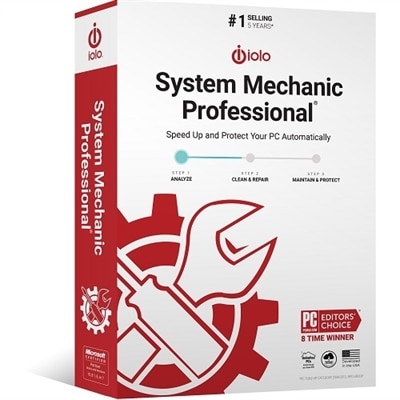
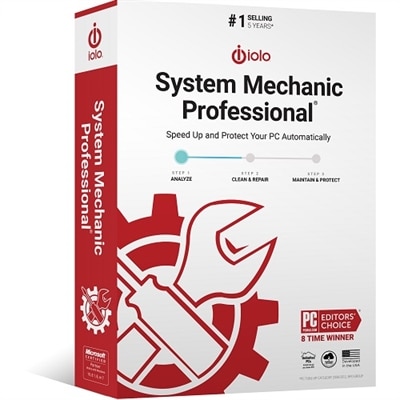
Disk Cleanup Software For Windows
Disk cleanup software for Windows can help make everyday computing feel more organized by identifying temporary files, cached data, old downloads, recycle bin contents, and other items that may no longer be useful. Over time, a laptop or desktop can collect remnants from application installations, browser sessions, system updates, compressed files, error reports, and interrupted tasks. Individually, these files may seem insignificant; together, they can consume a meaningful portion of available space. Cleanup tools provide a practical way to review this material in one place instead of searching through scattered folders by hand. Many options scan a selected drive, group files by category, show how much storage each category uses, and let you choose what to remove. The primary Windows drive is often the starting point because it typically contains the operating system, installed applications, and user profile data, but people with multiple internal or external drives may want to review each location separately. Built-in Windows features can also support routine maintenance. The Disk Cleanup utility can be opened by searching for “Disk Cleanup” from the Start menu or by pressing the Windows key and R, entering `cleanmgr`, and pressing Enter. After selecting a drive, the scan may present temporary internet files, thumbnails, downloaded program files, recycle bin items, and other categories. Selecting “Clean up system files” can reveal additional items such as older update packages, upgrade logs, or previous Windows installation files. Because some system files may support recovery or rollback, it is wise to read each category carefully before confirming deletion, especially after a recent operating system upgrade. Windows Storage Sense and related cleanup recommendations can provide another approach by automatically managing temporary files, emptying the recycle bin after a chosen period, identifying large or unused files, and reviewing cloud-synced content. The exact options vary by Windows version and device settings, so a careful review of the proposed cleanup remains important.
When comparing disk cleanup software for Windows, consider how clearly it explains its findings, how much control it gives over deletion, and whether it offers a preview before files are removed. A useful interface should distinguish disposable clutter from personal documents, photos, schoolwork, creative projects, saved game files, and application data that may still matter. Look for category-based scanning, selectable file groups, configurable exclusions, scheduled maintenance, duplicate-file detection, large-file analysis, browser privacy cleanup, and recovery or undo features where available. A cleanup tool should not promise to transform every slow computer into a new one; available storage is only one factor in performance, and sluggishness can also relate to memory, background applications, aging hardware, or software problems. Still, maintaining reasonable free space can make it easier to install updates, save large projects, download media, and work without constant low-storage warnings. Before running a deeper cleanup, back up important files and close applications that may be using temporary data. Review the Downloads folder manually, since it often contains a mixture of outdated installers and files that are still needed. Check the recycle bin rather than assuming it is safe to empty, and take extra care with previous Windows installation files or update-related categories because removing them may affect the ability to return to an earlier system state. People who share a family computer may appreciate software that supports separate profiles or clear permission prompts, while remote workers and students may prefer scheduled scans that run outside busy hours. Photographers, video editors, musicians, and gamers often benefit from large-file views because media libraries and project exports can fill a drive quickly. A cleanup utility can also be useful on a new laptop after transferring data from an older computer, when duplicate installers, temporary migration files, and forgotten setup packages may remain behind. For broader organization, pair a cleanup routine with File Management Software for Windows to sort folders, locate important documents, and develop a more consistent approach to storing and reviewing files.
These tools can suit a wide range of Windows users, from someone who simply wants fewer storage alerts to a household managing several laptops and desktops. A small-business owner may use cleanup software to keep work devices orderly between projects, while a student may use it to clear space before downloading course materials or installing required applications. Families can use scheduled scans as part of basic computer upkeep, provided that each person understands which files are safe to remove and which folders should remain untouched. Cleanup software may also complement a refreshed workspace that includes a monitor, keyboard, mouse, headset, webcam, or other accessories: when a computer is used for long stretches, a tidy digital environment can feel as helpful as an uncluttered desk. It can be a thoughtful practical gift for someone setting up a first home office, preparing a laptop for school, or trying to make an older computer more manageable, although the most suitable choice depends on the Windows version, storage configuration, technical comfort level, and need for automated features. Before choosing, review system requirements, supported Windows editions, licensing terms, renewal conditions, privacy statements, and whether the software performs local scans or sends file information elsewhere. Be cautious with utilities that use alarming warnings, aggressive notifications, or unclear one-click deletion prompts. A trustworthy option should describe what it found in plain language and allow the user to pause, inspect, or cancel a cleanup. Establishing a simple routine can be more effective than waiting until a drive is nearly full: review large files periodically, remove temporary material after major projects, keep personal files backed up, and let built-in Windows recommendations guide decisions when they are available. Used with reasonable care, disk cleanup software can help preserve usable space, reduce digital clutter, and make laptops and desktops easier to maintain through changing workloads and the cooler months ahead.
FAQs:
Anyone who uses a Windows computer can benefit from disk cleanup software, including students, professionals, families, and gamers. It helps keep devices running smoothly by removing unnecessary files and optimizing storage, making it easier to manage documents, photos, and applications.
The frequency depends on your usage habits, but many users find that running disk cleanup software once a month helps maintain optimal performance. If you frequently download large files or install new programs, you may benefit from more regular cleanups.
Yes, by removing temporary files, system cache, and other digital clutter, disk cleanup software can help your computer run faster and more efficiently. It frees up valuable storage space and can reduce lag when launching programs or accessing files.
Most disk cleanup software is designed with user-friendly interfaces and simple instructions, making it accessible even for those with limited technical experience. Many programs offer one-click cleanup options and clear explanations of each feature.
Yes, many users pair disk cleanup software with comprehensive maintenance tools such as PC Repair Software to address a wider range of system issues, including registry errors, driver updates, and security checks.