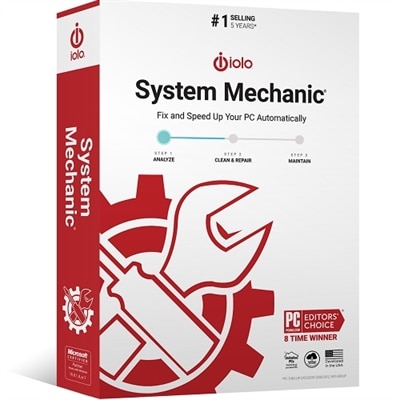
Windows Registry Cleaner Software
Windows registry cleaner software helps keep your computer running smoothly by addressing issues within the Windows registry. Over time, unused files and outdated entries can accumulate, potentially slowing down system performance. With the right windows registry cleaner software, you can help maintain your PC’s efficiency and support a more reliable computing experience. Explore a range of options designed to suit various needs and preferences, making it simple to find the best solution for optimizing your system.
This product is not available
Check out the following recommendations.




Windows Registry Cleaner Software
Windows Registry Cleaner Software is designed to scan the Windows Registry for entries that may be invalid, obsolete, or left behind after an application, driver, or system component has been removed. The registry is a large database that stores configuration information used by Windows and installed programs, so changes to it should be handled carefully rather than treated like routine file cleanup. On modern versions of Windows, registry cleaning is rarely necessary for a noticeable performance improvement, and removing entries indiscriminately can create new problems, including application errors, missing settings, or system instability. For that reason, products in this category are best viewed as optional maintenance utilities for specific situations, not as essential software for every laptop or desktop. They may appeal to someone who frequently installs and uninstalls applications, maintains several Windows PCs, manages a family computer, or is trying to understand leftover configuration data after a troublesome removal. A person setting up a refurbished computer may also appreciate a utility that helps review old entries and related clutter, although a clean Windows installation is often the more dependable starting point. These tools are generally not traditional gift items, but they can be a practical addition to a software collection for a technically confident user who enjoys keeping a home office organized. Before choosing one, consider whether it supports the exact Windows edition and system architecture in use, whether its license covers one computer or multiple devices, and whether the interface provides clear explanations instead of presenting every detected entry as a serious fault. A trustworthy design should make it easy to create a complete registry backup, establish or use a system restore point, review findings before removal, and undo changes if an application behaves differently afterward. Automatic cleaning may save time, but selective review is usually more appropriate when a computer contains important work, family photos, financial records, or specialized software.
The most useful registry maintenance software tends to combine cautious scanning with practical recovery features. Look for separate scan categories, such as missing shared components, invalid application paths, obsolete startup references, and file association issues, along with a severity rating that distinguishes harmless remnants from entries that may affect system behavior. A full registry backup should be available before any repair, and the backup should be stored where it can be found even if Windows later has trouble starting. Some utilities also offer scheduled scans, startup management, duplicate-file tools, application removal, or privacy cleanup; these extras can be convenient, but they should not distract from the quality of the registry component itself. Read the privacy policy to understand whether scan results, usage information, or system details are sent online, and review the installer carefully for optional browser extensions, trial services, or bundled applications. Software obtained from an unfamiliar download site may be repackaged or outdated, so use a reputable retailer or publisher and keep Windows security protections active. It is also worth checking how the program handles updates, customer support, accessibility, and license renewal. A clear report and a conservative default setting are more valuable than an impressive count of “errors” found during a scan. In everyday troubleshooting, many symptoms blamed on the registry have other causes, including damaged system files, limited storage, outdated drivers, excessive startup applications, malware, or a failing drive. Windows includes official maintenance options that can address some of these issues more directly, including storage cleanup for temporary and update-related files and System File Checker for repairing protected system files. A PC owner comparing broader repair utilities can also explore PC Repair Software to consider tools that go beyond registry scanning. Keeping the operating system updated, uninstalling software through normal Windows settings, maintaining free drive space, and preserving reliable backups often contribute more to a smooth experience than repeatedly cleaning registry entries.
When comparing products listed under Windows Registry Cleaner Software, match the feature set to the person and the computer rather than choosing the utility with the longest list of claimed repairs. A home user with one Windows laptop may prefer a straightforward interface, guided backups, and a scan-only mode that makes it difficult to remove changes accidentally. Someone supporting several desktops may value centralized licensing, repeatable reports, quiet operation, and the ability to create a restore point before maintenance. More experienced users may look for custom exclusion lists, command-line controls, detailed logs, and the option to restore individual changes instead of rolling back every repair. Compatibility matters for computers used with older printers, creative applications, accounting tools, games, or workplace software, because a registry entry that looks unused may still be referenced by a less common program. Before running a scan, close open applications, save important work, and make sure a recent backup exists; after any cleanup, restart the computer and test the programs that matter most. If a system is already showing blue screens, repeated crashes, startup failures, or signs of infection, registry cleaning should not be the first response. A qualified repair professional or an official Windows recovery option may be safer, particularly when the cause is unknown. It is also sensible to avoid utilities that promise dramatic speed increases, identify thousands of urgent errors on a healthy computer, or pressure users into immediate payment to remove ordinary remnants. The best choice is a restrained, transparent tool that explains what it changes and gives the user a dependable way back. For many people, registry software will remain an occasional troubleshooting option rather than a routine task; for others, it can provide a convenient way to inspect leftovers after software changes when used with care. That balanced approach helps protect the stability of a Windows PC while supporting thoughtful maintenance across personal laptops, family desktops, and home workstations.
FAQs:
When choosing Windows registry cleaner software, consider features such as automatic registry backup, detailed scan reports, user-friendly interface, customizable scan options, and regular updates for compatibility with the latest Windows versions. Some tools also offer additional system optimization features for a more comprehensive PC maintenance experience.
Yes, registry cleaner software is compatible with both laptops and desktops running supported versions of Windows. The process and benefits are similar regardless of device type, making these tools a versatile choice for maintaining different types of computers.
The frequency of using registry cleaner software depends on your computer usage habits. If you frequently install and uninstall programs or make system changes, occasional use may help keep your registry organized. However, for most users, periodic scans—such as during seasonal maintenance or after major software changes—are sufficient.
Registry cleaner software can be a thoughtful gift for students, remote workers, or anyone who values keeping their PC running smoothly. It's also useful for tech enthusiasts who enjoy optimizing their devices or for someone setting up a new computer to ensure a clean start.
Yes, registry cleaner software is often complemented by disk cleanup utilities, antivirus programs, and system optimizers. Using these tools together can help maintain overall system performance by removing unnecessary files, protecting against malware, and keeping your computer running efficiently.