$425.00
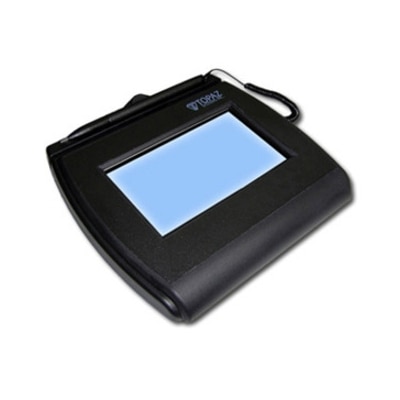
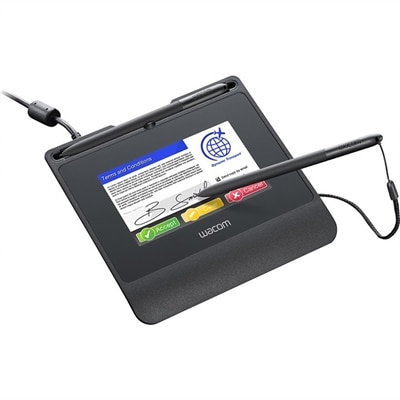
A robust signature pad featuring a high-resolution color display, hardened cover glass, versatile connectivity, and encryption.
Security for online transactions is essential for protecting your personal and financial information in today’s digital world. Whether you’re shopping, banking, or managing sensitive data, having the right tools in place helps safeguard your activities from potential threats. Explore a wide range of solutions designed to enhance your peace of mind and keep your online interactions secure every step of the way.
A robust signature pad featuring a high-resolution color display, hardened cover glass, versatile connectivity, and encryption.
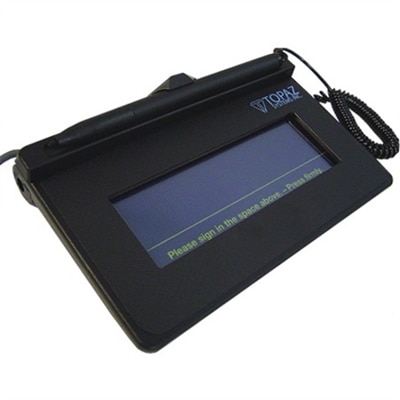
An interactive LCD signature pad with tempered glass, large signing area, and electronic ink visible beneath pen.
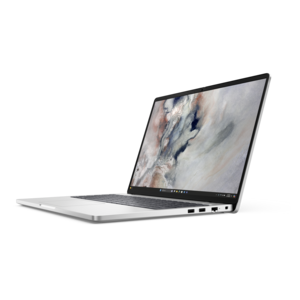
A durable modular laptop featuring a 16:10 display, numeric keypad, robust security, and built-in AI options.
Security for online transactions begins with the devices and accessories used to access financial accounts, shopping sites, payment apps and other services that handle sensitive information. A dependable laptop or desktop can provide a stable foundation for online purchasing, account management and digital payments, while a clear, comfortable monitor can make it easier to review checkout details, confirm account alerts and spot unfamiliar activity in a transaction history. Accessories such as webcams, headsets and input devices can also support safer habits when people work, shop or manage finances from home, especially when a shared household space becomes a busy workplace during the cooler months. Look for technology that supports current operating-system updates, automatic security patches, secure browser features and reliable performance, since protection is strongest when the device remains maintained over time. A current operating system can help defend against newly discovered vulnerabilities, while a browser with visible security indicators can help distinguish an encrypted connection from an unsafe one. Encryption through SSL/TLS scrambles information as it travels between a device and a website, helping protect payment details, account credentials and personal information from being read in transit. These features work best alongside practical choices: use a private, trusted network for purchases whenever possible, avoid entering payment information on open public Wi-Fi, and use a virtual private network when a public connection is unavoidable. For a broader look at technology designed around protection and dependable access, explore Secure IT Systems.
When comparing products for security for online transactions, consider who will use the device, where it will be used and how much personal information it will handle. A family laptop used for shopping, banking and schoolwork may benefit from separate user accounts, strong parental controls and enough storage for security software and routine updates. A desktop in a home office may be a better fit for someone who reviews invoices, manages subscriptions or keeps several financial windows open at once, while a portable computer can suit travelers who need to check accounts away from home. A monitor with a comfortable size and sharp text can reduce the temptation to rush through a checkout screen on a small display, making it easier to verify the website address, merchant name, shipping information and final total before submitting payment. When choosing accessories, prioritize dependable construction, easy setup and compatibility with the computer and operating system. These details matter for a relative moving into a first apartment, a college student managing expenses, a remote worker purchasing supplies or anyone who wants a more organized home setup. Practical technology can also make a thoughtful gift when it supports everyday routines rather than adding clutter: a comfortable monitor for a home office, a privacy-focused accessory for shared spaces or a reliable laptop for managing household tasks can become part of a safer, more deliberate digital routine. Consider features such as a built-in privacy shutter on a webcam, biometric sign-in support, a fingerprint reader or compatibility with multifactor authentication. Multifactor authentication, often called MFA, asks for at least two separate proofs of identity, such as a password and a one-time code, before allowing access. Even if a password is exposed, that additional step can make unauthorized entry more difficult.
Secure transactions also depend on the payment service and merchant, not only on the equipment used to access them. Reputable payment providers commonly use encryption, tokenization and additional identity checks to limit exposure of payment data. Tokenization replaces a card number with a randomly generated digital token, so the original number does not need to be repeatedly shared or stored during every purchase. Some checkouts use 3D Secure, also known as 3DS2, which may ask the card issuer to verify the shopper before a payment is approved. Businesses that accept card payments should choose providers and services that follow Payment Card Industry Data Security Standards, commonly referred to as PCI DSS, and shoppers should favor familiar websites with clear privacy policies, secure checkout pages and consistent contact information. Strong, unique passwords are another essential layer; a password manager can create and store different credentials for each account, reducing the risk that one exposed password will unlock several services. Turn on account alerts for purchases, transfers and sign-ins, then review transaction histories regularly rather than waiting for a statement. A quick glance at an alert while preparing dinner or checking email can reveal an unfamiliar charge sooner, giving the account holder time to contact the financial institution, change credentials and report suspected fraud. Keep devices locked when unattended, install updates from trusted sources, and be cautious with unexpected links, attachments and urgent payment requests. No single feature guarantees safety, but thoughtfully chosen computers, displays and accessories can make secure habits easier to follow, clearer to see and more consistent across everyday online transactions.
Add the products you would like to compare, and quickly determine which is best for your needs.