$42.99
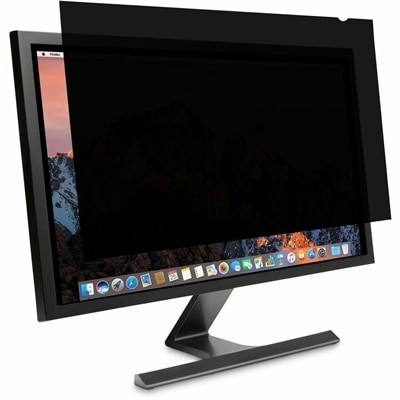
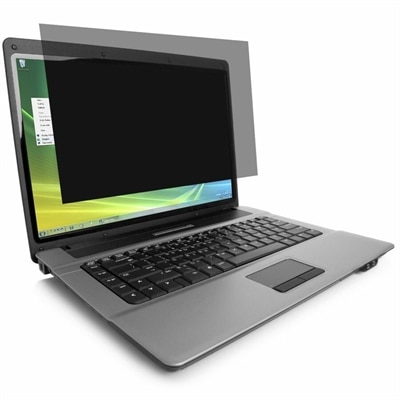
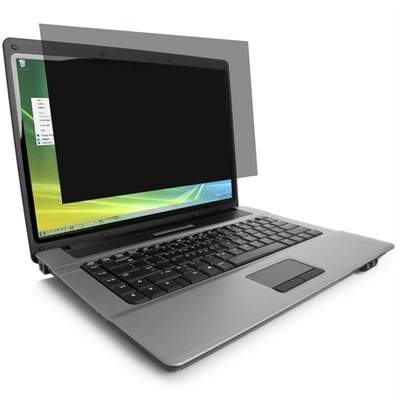
A reversible privacy screen limiting side viewing, reducing glare, and filtering 30% of blue light.
In today's digital age, safeguarding your personal and professional information has never been more crucial. Sensitive data protection is at the forefront of ensuring that your confidential data remains secure from potential threats. Whether you're a business professional handling sensitive client information or an individual looking to protect personal files, investing in reliable solutions can provide peace of mind. Explore a range of cutting-edge options designed to enhance your security measures and keep your sensitive data protected against unauthorized access and cyber threats.
A reversible privacy screen limiting side viewing, reducing glare, and filtering 30% of blue light.
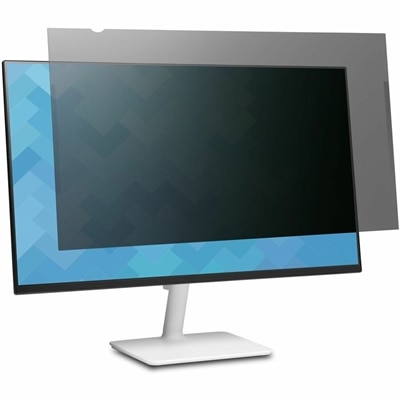
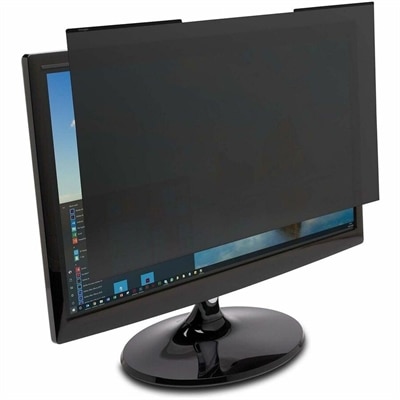
A reversible monitor privacy screen with anti-reflective coating, 30-degree viewing restriction and up to 30% blue-light filtering.
A frameless privacy filter offering edge-to-edge coverage, ±30° viewing, blue-light reduction, anti-glare coating, and reversible finishes.
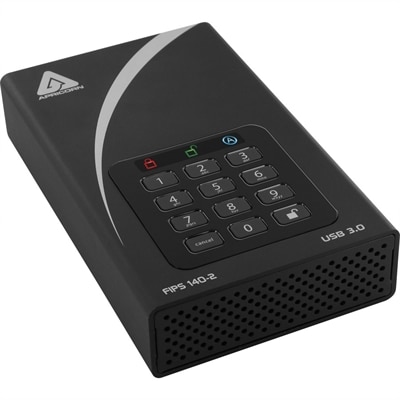
A black external hard drive with software-free AES-XTS 256-bit hardware encryption and USB 3.0 connectivity.
Sensitive data protection means keeping private or valuable information safe from unauthorized access, exposure, alteration, or loss. That information can include Social Security numbers, home addresses, payment details, medical records, account credentials, confidential emails, and business plans. For individuals and organizations alike, protection starts with the computers used to create, read, and share those details every day. A laptop holding household tax documents, a desktop used for client appointments, and a monitor displaying employee records all present different privacy concerns. Security software, compatible device features, and physical privacy accessories can address different parts of that exposure, rather than relying on a single safeguard to cover everything. Software may help identify sensitive information, restrict access, detect suspicious activity, or support recovery, depending on its capabilities. Device features can strengthen sign-in security, while screen privacy accessories can reduce casual viewing from nearby seats. These categories serve remote professionals, small-business owners, students handling research information, and households managing financial and medical paperwork. Their value becomes especially clear in ordinary settings: a shared home office, an apartment where several people use one computer, or an airport waiting area where a confidential document is visible over someone’s shoulder. The right fit depends on the information involved, the people authorized to use it, and the consequences if it becomes exposed or inaccessible. Personal records call for practical controls that are easy to maintain, while confidential workplace information may require centrally managed settings and documented policies. Products associated with sensitive data protection are therefore best understood as complementary layers. Some protect access to a device, some protect the contents of files, and others help reduce accidental disclosure during everyday work. Clear descriptions of each product’s function matter more than broad security language, because preventing an unauthorized sign-in is different from preventing an authorized user from sending a private attachment to the wrong recipient.
Data protection software can offer several distinct capabilities, and the differences help explain its intended use. Discovery tools look for potentially sensitive information, while classification features apply categories or labels that help determine how that information should be handled. A document containing patient details may require tighter restrictions than a public presentation, even when both are opened on the same laptop. Access controls limit who can view or change information, ideally granting only the permissions needed for a particular task. Multifactor authentication adds another form of verification to a sign-in, such as a password combined with a supported security key; its effectiveness and setup depend on the account and device involved. Encryption protects information by making it unreadable without the appropriate key. Encryption at rest covers files held on a device, while encryption in transit protects information as it moves between destinations. Neither replaces sensible permissions, and an unlocked computer can still expose readable documents to someone nearby. Depending on the application, data loss prevention features may flag or restrict attempts to share protected information through certain channels. Backup and recovery capabilities address a different concern: restoring usable copies after accidental deletion, device failure, or some types of malicious activity. Recovery depends on how copies are protected and whether restoration has been tested, not simply on whether a backup feature appears in a description. The Advanced Data Protection Software page offers a related category for considering software-based protection alongside compatible computer security features. Meaningful comparison points include supported operating systems, the number of covered devices or users, administrative controls, and compatibility with existing applications. A household sharing a desktop may benefit from straightforward account separation and clear notifications, while a business managing several laptops may need consistent settings across employees. Performance also matters: protection that fits comfortably into video meetings, document editing, and everyday sign-ins is easier to sustain than a setup that repeatedly interrupts legitimate work.
Physical fit, everyday handling, and long-term support also shape how well sensitive data protection products suit a workspace. For a screen privacy filter, diagonal size alone does not establish compatibility; aspect ratio, visible display dimensions, attachment method, and touchscreen requirements can all affect the fit. A filter designed to narrow side-angle visibility may also change perceived brightness or clarity, making viewing angle and working conditions important considerations. Someone reviewing confidential spreadsheets in a bright shared office has different needs from a person using a desktop monitor in a private room. Filter materials, surface finishes, and mounting designs can influence scratch resistance, glare, and how easily the accessory can be removed. Frequent travel adds repeated handling, so a removable accessory needs a suitable place to rest when it is not attached. Manufacturer care directions matter because unsuitable cleaners or abrasive cloths can damage a screen coating or privacy surface. Physical locks provide another limited but useful layer when paired with compatible devices and appropriate anchor points: they can deter opportunistic removal, but they do not encrypt files or control account access. For software, durability is better measured through ongoing operating-system compatibility, security updates, clear support terms, and manageable recovery procedures than through physical construction. Automatic screen locking, separate user accounts, and supported authentication options can complement these products without making any single feature a complete solution. A freelance professional moving between client locations may prioritize portable screen privacy and secure sign-in, while an office administrator may place greater emphasis on permissions, consistent updates, and recovery after an accidental deletion. Replacing an aging computer, setting up a home office, or taking responsibility for confidential client records are natural occasions to reassess these needs. No accessory or application by itself guarantees privacy or regulatory compliance. A well-matched combination supports the actual work being done, limits unnecessary exposure, and keeps authorized access practical, whether the task is reviewing a family medical statement or preparing a confidential business document.
Add the products you would like to compare, and quickly determine which is best for your needs.