$833.83
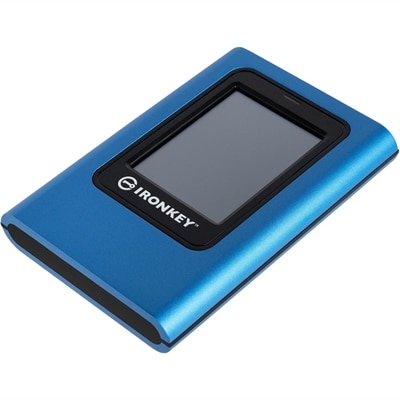
A hardware-encrypted portable SSD with touchscreen, XTS-AES 256-bit protection, FIPS 197 certification, and dual-password access.
In today's digital landscape, safeguarding sensitive information is paramount for enterprises striving to maintain trust and compliance. Data protection for enterprises encompasses a suite of robust solutions designed to secure critical data against unauthorized access, breaches, and potential threats. By implementing comprehensive data protection strategies, businesses can ensure the integrity and confidentiality of their valuable information assets. Explore our range of advanced tools and technologies that empower organizations to fortify their defenses and uphold the highest standards of data security in an ever-evolving cyber environment.
A hardware-encrypted portable SSD with touchscreen, XTS-AES 256-bit protection, FIPS 197 certification, and dual-password access.
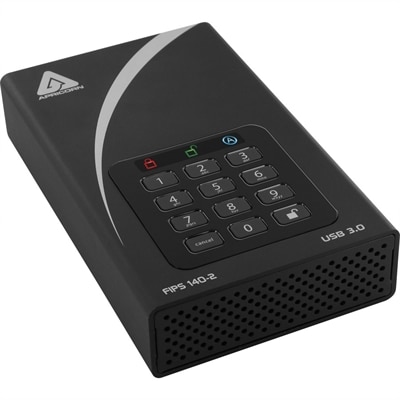
A black external hard drive with software-free AES-XTS 256-bit hardware encryption and USB 3.0 connectivity.
Enterprise data protection is the coordinated practice of keeping an organization’s information secure, accurate, available, and properly managed across everyday work. It applies to financial records, customer details, employee files, intellectual property, health information, communications, and the documents teams create while serving clients. The right product mix can help businesses protect information on employee laptops and desktops, support secure workspaces, and give authorized users dependable access without making routine tasks unnecessarily difficult. When evaluating options, consider where work takes place, how many people need access, what types of information they handle, and how the organization responds when a device is lost, a file is damaged, or an account is compromised. A business laptop with modern security features can help support protected sign-in and encrypted activity for employees who move between offices, homes, and client locations. A desktop may suit users who work from a dedicated desk and need a consistent setup for accounting, design, analysis, or administration. Monitors and accessories also play a role in a thoughtful security environment: privacy-focused displays can help reduce visual exposure in shared spaces, while comfortable keyboards, mice, docking accessories, and organized workstations can encourage employees to follow secure routines rather than work around them. These products are often selected by IT teams, business owners, department leaders, and procurement professionals building or refreshing an organization’s endpoint environment. They may also be appropriate for a new employee’s carefully configured workspace or for a growing team that needs consistent equipment and dependable controls.
A strong protection strategy addresses three practical goals: confidentiality, integrity, and availability. Confidentiality helps prevent unauthorized people from viewing sensitive files, while integrity helps ensure information remains accurate and free from corruption or unwanted changes. Availability allows authorized workers to reach the information and applications they need during normal operations and unexpected disruption. Access control is central to all three goals. Organizations should apply least-privilege principles so each person receives only the permissions required for their role, then strengthen account security with multi-factor authentication, strong passwords, and timely removal of access when responsibilities change. Encryption helps protect information at rest on a device and in transit between approved services, users, and business locations. Automatic screen locking, biometric sign-in, secure boot features, and hardware-based protections can add useful layers around the employee endpoint without interrupting the workday. Routine system updates matter just as much. Operating system patches, application updates, firmware maintenance, and current security tools help close known weaknesses before they become an easy path into the business. A simple practice I have seen make a meaningful difference is scheduling updates alongside regular equipment checkups: when an organization reviews device condition, battery health, display settings, and accessory needs, it can also confirm that protections are active and that employees know how to report suspicious activity. For additional planning around confidential information, Sensitive Data Protection can serve as a useful point of reference when comparing priorities and workflows.
Data protection also depends on preparation for mistakes, outages, and deliberate attacks. Secure, redundant data backups can help an organization recover from accidental deletion, hardware failure, malware, or an interruption to normal operations. Backups should be protected from unauthorized access, tested regularly, and designed around realistic recovery goals: determine which information must be restored first, how quickly critical teams need it, and who is responsible for approving recovery steps. A written response plan can reduce confusion when every minute feels important. It may include escalation contacts, device isolation procedures, identity verification, communication guidelines, and a record of lessons learned after an incident. Compliance should be considered alongside technology rather than added at the end. Depending on the organization’s industry and location, privacy obligations may include requirements associated with GDPR, HIPAA, contractual commitments, or guidance from government agencies such as the Federal Trade Commission. Teams should identify what personal information they collect, where it is used, who may access it, how long it is retained, and how it is securely removed when no longer needed. Clear policies, regular training, documented approvals, and periodic access reviews help turn those expectations into daily habits. For a practical selection process, compare device security features, manageability, update support, compatibility with existing authentication tools, warranty coverage, accessibility needs, and the experience employees will have during setup. Protection works best when it is layered, consistently maintained, and easy for people to follow: a secure device, a well-managed account, current software, tested recovery procedures, and an informed workforce all contribute to a more resilient enterprise.
Add the products you would like to compare, and quickly determine which is best for your needs.