$84.99
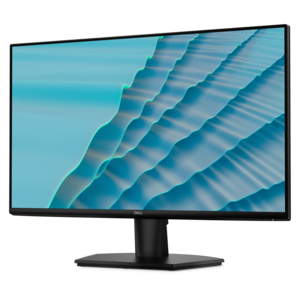
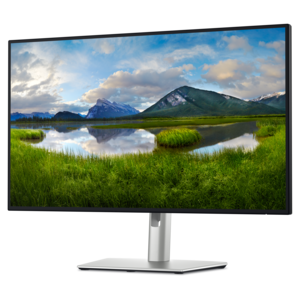
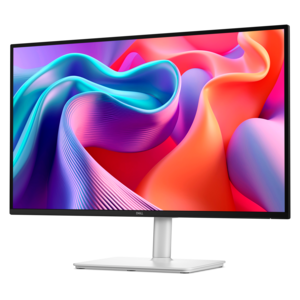
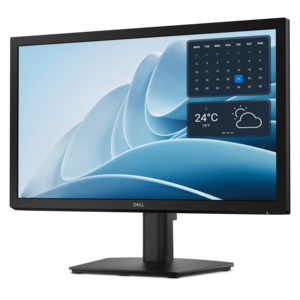
A productivity monitor offering 100Hz refresh and eye comfort solutions that reduce blue light emissions.
Discover the perfect blend of style and performance with our collection of sleek monitors. Designed to enhance your visual experience, these monitors offer a modern aesthetic that complements any workspace or gaming setup. Whether you're upgrading your home office, enhancing your entertainment system, or looking for the ultimate gaming display, our range of sleek monitors provides the ideal solution for every need. Explore our selection to find the monitor that fits seamlessly into your lifestyle, combining cutting-edge technology with elegant design.
A productivity monitor offering 100Hz refresh and eye comfort solutions that reduce blue light emissions.
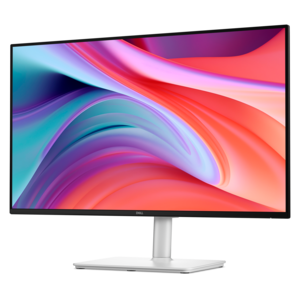
A 27-inch monitor with TÜV-certified eye comfort, 144Hz refresh rate, low blue light, and compact design.
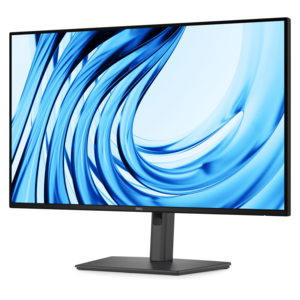
A Full HD monitor with 144Hz refresh rate, built-in speakers, and TÜV 4-star eye comfort certification.
A Full HD productivity monitor with extensive connectivity, high refresh rate, and TÜV-certified four-star eye comfort.
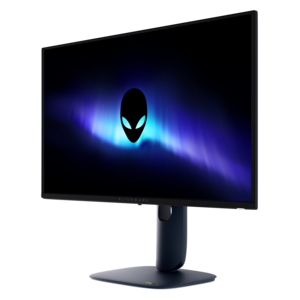
A flat QD-OLED gaming monitor delivering spectacular visuals and an ultra-smooth 280Hz refresh rate.
A 4K monitor with IPS Black, 3000:1 contrast, 120Hz refresh, ambient light sensing, and eye comfort.
Sleek monitors combine slim screen profiles, narrow bezels, and understated stands to give a desk a clean, modern appearance without making the display feel visually heavy. The bezel is the border surrounding the active screen; thinner borders draw attention toward the picture and reduce the visible gap between adjacent displays in a two-monitor setup. A slim panel looks less bulky from the side, an appealing detail on an open desk that faces into a room rather than toward a wall. Compact bases can leave more space for a keyboard, notebook, or drawing tablet, although the stand’s actual depth matters more to desk fit than the panel’s thinness alone. These details make sleek computer monitors a natural fit for home offices, shared study spaces, creative studios, and living areas where a workstation remains in view after the workday ends. Matte surfaces, restrained colors, and neatly routed cables help the screen sit comfortably alongside wood furniture, metal shelving, or a simple desktop. Depending on the design, housings may use molded plastic, metal accents, or a combination of materials, while stands may incorporate metal components for support. Finish and construction affect how a monitor feels in daily use: a textured surface may make fingerprints less noticeable, while a stable base helps keep the screen steady during typing. A minimalist appearance does not automatically mean a small display, limited adjustability, or basic performance. Large screens can have slender profiles, and an unobtrusive stand can still offer useful height and tilt adjustments. Sleekness describes the physical design rather than a particular resolution, panel technology, or feature set. For someone furnishing a first apartment, refreshing a remote-work corner, or turning a spare bedroom into a study, that distinction leaves room for both visual simplicity and practical capability. The result can be a workspace that feels thoughtfully arranged, with the screen taking center stage without overpowering the rest of the room.
The everyday experience of a sleek monitor depends as much on its screen characteristics as its silhouette. Screen size is measured diagonally, but overall width, stand footprint, and viewing distance determine how comfortably a display fits a particular desk. A broad screen can make it easier to keep a document beside a reference window, while a smaller display may leave more usable surface on a narrow writing desk. Higher resolution provides more pixels, which can support finer detail and clearer text at a given screen size; operating system scaling helps keep menus and lettering comfortably readable. For long stretches of spreadsheets, research, or writing, readable text and a comfortable screen position often matter more than an especially thin edge. Height adjustment, tilt, swivel, and, on some designs, portrait rotation allow the display to suit different tasks and seating positions. A compatible monitor arm can free up the area beneath the screen, provided the mounting pattern and weight meet the arm’s requirements. Panel technology also shapes the picture. IPS panels are known for wide viewing angles, which can be useful when two people review a presentation together, while other technologies offer different strengths in contrast, motion handling, and dark-scene detail. Color coverage and accuracy deserve attention for photography and design work, although a sleek enclosure alone says nothing about either. Anti-glare screen treatments can help reduce distracting reflections in bright rooms, but placement still matters: a window directly behind the viewer may reflect across the display regardless of its finish. Students moving between lecture notes and assignments, professionals sharing a screen during a video call, and hobbyists sorting vacation photos all benefit from matching these characteristics to their routine. As a graduation or housewarming gift, a monitor can be a useful addition to an established computer setup when its dimensions, connections, and intended role suit the recipient’s space.
A streamlined monitor setup also depends on what happens behind the screen. Power cords, video cables, and peripheral connections can quickly crowd an otherwise uncluttered desk, so cable-routing channels and thoughtfully positioned ports have practical value. HDMI and DisplayPort connections carry video from compatible computers, while some USB-C monitors can receive video, transfer data, and supply power to a connected laptop through one cable. Those functions depend on the capabilities of the monitor, computer, and cable, and power delivery must be sufficient for the laptop’s needs; a USB-C connector by itself does not guarantee every function. Built-in USB hubs can keep frequently used accessories within easy reach, and integrated speakers may reduce the need for separate desktop speakers when basic audio is enough. For a workspace that shifts from afternoon assignments to evening play, refresh rate, response time, and adaptive-sync compatibility become relevant alongside the monitor’s clean lines. A higher refresh rate can make movement look smoother when the connected system can produce enough frames, while response behavior affects clarity during fast motion. Pairing a suitable external display with Sleek Gaming Laptops can create a flexible arrangement with a larger viewing area at the desk and a portable computer for time away from it. Everyday durability comes down to stable construction and careful handling rather than thinness alone. Moving a display by its supported base or designated lifting areas, rather than pressing on the panel, helps protect the screen and housing. Routine care is straightforward: power the monitor off, use a clean microfiber cloth, and follow its cleaning instructions for any approved moisture or cleaning solution. Spraying liquid directly onto the screen or using abrasive materials can damage finishes and coatings. Clear ventilation space and cables with enough slack for stand adjustments help preserve an orderly setup. With those practical details in place, a sleek display can remain an unobtrusive part of the room while supporting everything from focused work to a relaxed evening movie.
Add the products you would like to compare, and quickly determine which is best for your needs.