$1099.99
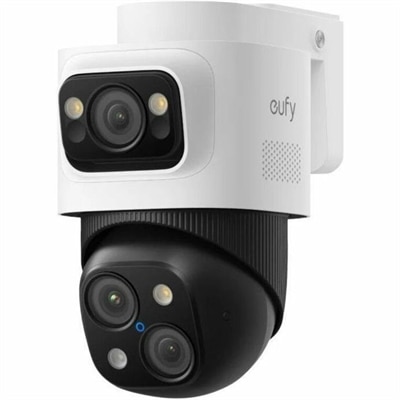
A weatherproof PoE security system with 2TB local recording, AI noise reduction, and expandable 8-to-16-channel monitoring.
Enhancing your small business network security is crucial in today's digital age, where cyber threats are constantly evolving. Protecting sensitive data, ensuring smooth operations, and maintaining customer trust are top priorities for any business owner. Investing in robust network security solutions helps safeguard your enterprise from potential vulnerabilities and cyberattacks. Explore a range of reliable and innovative tools designed to fortify your network infrastructure, providing peace of mind and allowing you to focus on growing your business with confidence.
A weatherproof PoE security system with 2TB local recording, AI noise reduction, and expandable 8-to-16-channel monitoring.
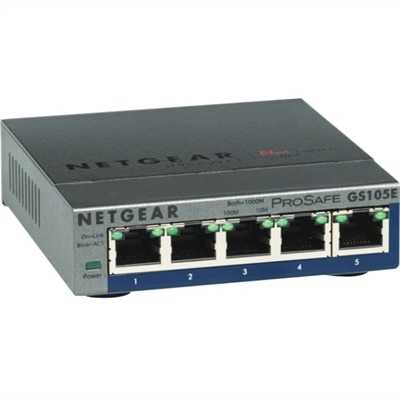
A 5-port Gigabit Ethernet switch featuring VLAN, QoS, IGMP snooping, link aggregation, and traffic monitoring.
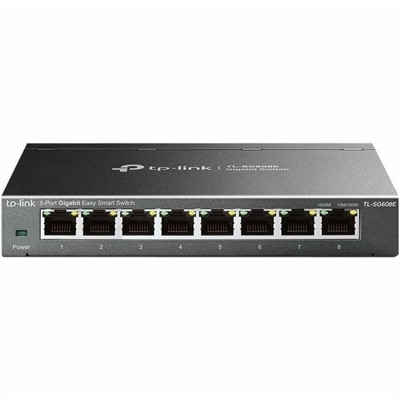
An 8-port Gigabit smart switch featuring durable metal construction, QoS, VLAN, IGMP Snooping, and fanless design.
Small business network security starts with protecting the computers people rely on to get work done. For a small company, those devices hold more than documents: they provide access to customer conversations, employee records, financial accounts, and the everyday details that keep the business moving. A laptop opened at a kitchen table before the morning commute can carry the same responsibilities as a desktop in a busy front office. Security-focused business computers help protect those working environments through a combination of hardware capabilities, operating system protections, and compatibility with security software. No single feature prevents every threat, but a well-chosen device can support a layered approach that includes encryption, strong authentication, timely updates, and controlled access to business information. When browsing products for small business network security, it helps to think about the people behind the screens. An independent consultant may need a portable computer that supports secure access to client files, while a bookkeeping team may prioritize consistent desktop configurations and straightforward account management. A growing practice with employees splitting their time between home and the office may place greater value on devices that can be managed remotely. The right fit depends on how work happens, not simply how many people are on the payroll. A computer that feels quick and dependable during a crowded morning of video calls, shared documents, and account approvals is easier to keep in productive use without workarounds. Performance matters alongside protection because security software, background updates, and routine business applications all need sufficient resources. Broader Business Network Security considerations also include how these individual computers fit into a company’s access policies and support arrangements. The most useful purchase is one that supports the protections the business actually uses, with enough flexibility for those needs to change as new employees, clients, and responsibilities arrive.
Comparing business laptops and desktops means looking beyond processor speed and screen size to the security capabilities of the complete configuration. Hardware-backed protection for encryption keys, support for secure startup, and built-in authentication options can provide a stronger foundation for protecting sensitive information. Availability varies by model, configuration, and operating system edition, so detailed specifications matter more than a broad security description. Device encryption can help protect information on a lost or stolen computer when properly configured, but it does not replace account protection or prevent an authorized user from opening a harmful attachment. Fingerprint readers and compatible facial recognition can make sign-in more convenient, while their suitability for a particular business depends on the authentication system and policies in use. For sensitive accounts, support for phishing-resistant multifactor authentication, such as appropriately implemented passkeys or security keys, is worth considering; not every form of multifactor authentication provides the same protection. Operating system compatibility deserves equal attention. A business may need features for centralized device management, separate employee accounts, or restrictions on software installation, and those capabilities can depend on the edition purchased and any additional subscriptions required. Endpoint protection is another part of the picture: antivirus tools address common malicious software, while endpoint detection and response can provide additional visibility into suspicious activity, depending on the service and configuration. Neither should be assumed to come with every computer. For a small team without a dedicated technology specialist, clear licensing terms and manageable administration can be just as important as a lengthy feature list. Purchase considerations also include the expected support lifecycle, warranty coverage, repair options, and the availability of firmware and operating system updates. A lower initial price may be less compelling if the device cannot run required software comfortably or is approaching the end of supported use. Choosing adequate memory and processing capacity from the outset can leave room for security tools and evolving workloads without making everyday tasks feel sluggish.
The practical side of small business network security becomes especially clear when employees work in different places or share responsibilities throughout the day. Picture a small office just before opening: one person is checking appointments, another is reviewing invoices, and a colleague working remotely is joining a meeting with a client. Each computer needs access to the right information, but not necessarily to everything the company holds. Business devices that support individual accounts and centrally managed permissions can help a company apply that distinction consistently. For mobile employees, portability, battery life, and a durable design belong in the same purchasing conversation as secure sign-in and remote management compatibility. A computer left behind during a rushed journey creates a very different situation when encryption is enabled and an administrator can revoke account access promptly. Some management services also support remote locking or erasure, though those functions require compatible equipment, prior enrollment, and the conditions needed for the command to reach the device. For office-based teams, desktops can offer a consistent workspace and simplify standardizing configurations across similar roles. Neither form factor is automatically more secure; setup, maintenance, and daily use make the difference. Reliable recovery is equally important. Compatibility with a business’s chosen backup service, protected recovery credentials, and a workable restoration process can reduce the disruption caused by accidental deletion, device failure, or malicious activity. File synchronization alone should not be mistaken for an independent backup, since unwanted changes may synchronize too. These considerations are particularly relevant when opening an office, bringing on staff, replacing unsupported computers, or formalizing remote work. Computers are usually operational purchases rather than casual gifts, and matching them to the recipient’s work requirements is essential when equipping a new employee or supporting a business owner. Ultimately, a suitable selection makes secure habits easier to maintain: updates can happen with less disruption, approved applications run smoothly, and employees can get to the resources they need without sharing accounts or bypassing controls. That balance between protection and usability gives a small business a more dependable foundation for its everyday work.
Add the products you would like to compare, and quickly determine which is best for your needs.