$249.99
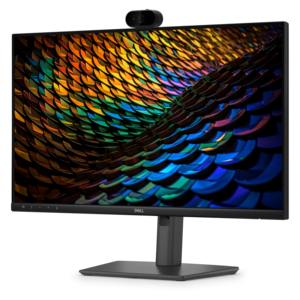
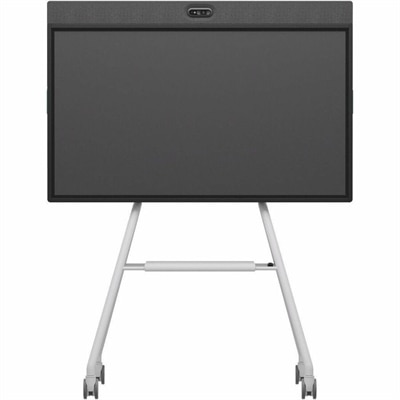
A Full HD conferencing monitor with built-in webcam, speakers, and microphone for seamless everyday collaboration.
Find a small-space video interview setup with laptops, monitors, and accessories designed to support clear video calls and an organized workspace. Browse options for building a compact home office or refreshing your interview setup with the essential technology for remote conversations.
A Full HD conferencing monitor with built-in webcam, speakers, and microphone for seamless everyday collaboration.
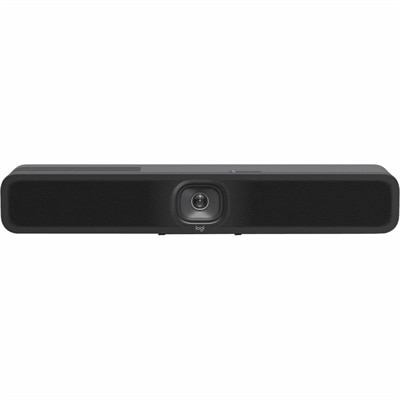
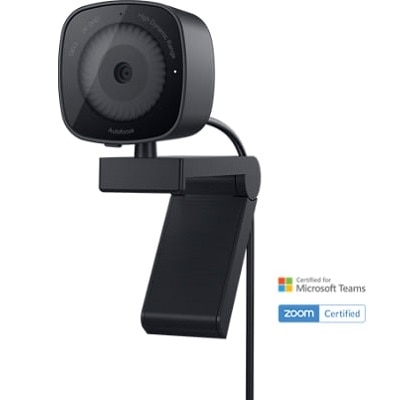
A 1080p conference camera with full-duplex speakerphone audio, autofocus, remote pan-tilt-zoom, and echo cancellation.
A Full HD IPS conferencing monitor with built-in webcam, speakers, microphone, and USB-C hub for collaboration.
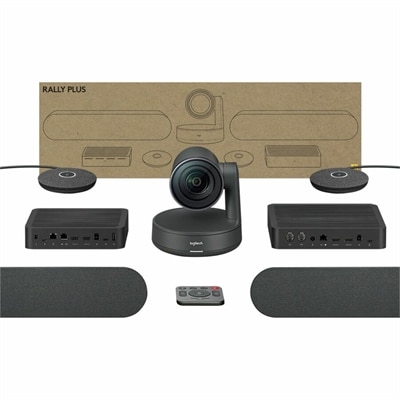
An AI-powered USB conference camera with intelligent audio, video features, flexible mounting, and BYOD compatibility.
A small-space video interview setup can turn a quiet corner, spare room, home office, or compact studio into a polished place for conversations, presentations, recruiting sessions, classroom discussions, and recorded content. The recommended products on this page are selected for people who need dependable performance without filling the room with bulky equipment. A practical setup often includes a computer or laptop, a webcam, a display, lighting, and audio accessories that fit comfortably on or around a desk. These products may be useful for remote professionals, hiring teams, educators, consultants, content creators, students, and anyone who wants to appear clear and confident on camera during the cooler months when more conversations take place indoors. They can also make thoughtful gifts for someone beginning a remote career, building a home workspace, or preparing for virtual interviews. When choosing equipment, consider the room first. A narrow office with a desk against one wall may call for compact accessories, an adjustable display, and lighting that can be positioned without blocking shelves, doors, or walkways. A laptop can keep the workspace flexible, while a desktop may suit a dedicated station used for frequent interviews and recording. A monitor with a height-adjustable stand or flexible mounting option can help create a comfortable eye line and leave more room for a keyboard, notebook, or microphone. Look for straightforward connections, reliable compatibility, and controls that are easy to reach before a call begins. In a small room, simple operation matters because there is little space to troubleshoot cables or reposition equipment once the session is underway. For additional options designed around remote conversations, explore Webcams for Video Interviews.
Room arrangement has a noticeable effect on the finished image. When possible, place the camera near one corner and aim across the room’s longest diagonal rather than pointing directly at the nearest wall. This creates more apparent depth and gives the frame a less compressed, more natural look. Sit the interview subject as far forward from the background as the room permits, even if that means moving the chair only a small distance from the wall. A stable, stationary chair is usually better than a spinning chair because it keeps the subject centered and limits distracting movement. Position the camera at eye level or slightly above, with the frame cropped just above the head and the eyes near the upper third of the image. A moderate field of view can show enough of the surroundings to provide context without making the room appear distorted; in a particularly tight space, a webcam or camera with flexible framing can be easier to position than equipment that requires considerable distance. Backgrounds tend to look more intentional when they contain a few clean lines, shapes, books, artwork, or other relevant details rather than a crowded collection of objects. Keep tall plants, shelves, and decorative items from appearing to grow out of the subject’s head. A plain wall can work well when paired with soft, even lighting, while a small accent light can give a shelf or architectural feature a gentle separation from the subject. Cable length and routing deserve attention too. Choose accessories that can reach the computer without crossing the subject’s feet or creating a visible tangle behind the desk. Low-profile cables, adhesive clips, and compact stands can preserve valuable floor and tabletop space while keeping the area easier to reset between conversations.
Lighting and sound are especially important in a compact video interview setup because nearby walls can amplify glare, shadows, and echo. Place the main light above the subject and angle it downward roughly 30 to 45 degrees, using a soft source when possible to create smoother skin tones and reduce hard shadows. If the subject wears glasses, a slightly higher light position and a modest change in angle can help limit reflections. Neutral or white walls can act as large bounce surfaces, spreading light through the room instead of producing a bright spot on one side of the face. If a window appears in the frame, match the direction of the artificial light to the window so the illumination feels consistent rather than mixed. During brighter parts of the day, exposure controls or a lens filter may help balance the window with the subject, while curtains or shades can provide a more predictable look as outdoor light changes. Small accent lights can add depth behind the subject, but they should remain subtle enough that attention stays on the conversation. Audio equipment should be selected with the same care as the camera. A compact microphone positioned just outside the frame can capture a fuller, more direct voice than a computer’s built-in microphone, and a portable recorder can provide an additional audio path when a backup is valuable. Keep the microphone close enough to the speaker to reduce room echo, but out of sight and away from keyboards, fans, and hard reflective surfaces. Before an interview, check the camera height, confirm that the subject’s face is evenly lit, listen for background noise, and record a short test. A well-planned small-space video interview setup does not need to look elaborate; it needs to make the speaker easy to see, easy to hear, and comfortable enough to stay focused throughout the conversation.
Add the products you would like to compare, and quickly determine which is best for your needs.