Smart TV Accessories
Enhance your home entertainment experience with smart TV accessories designed to help you get the most out of your viewing setup. From convenient mounting solutions to easy-to-use remotes and connectivity options, these accessories make it simple to customize your space and streamline your daily routine. Explore a wide range of smart TV accessories that can help support your unique preferences and create a seamless environment for movies, gaming, streaming, and more.
This product is not available
Check out the following recommendations.

Smart TV Accessories
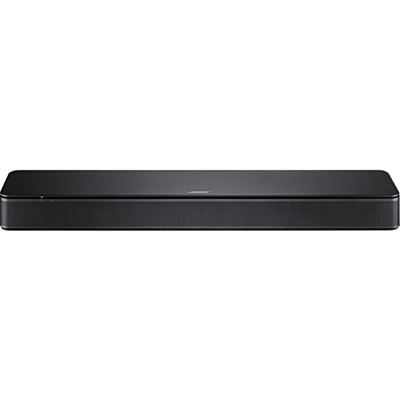
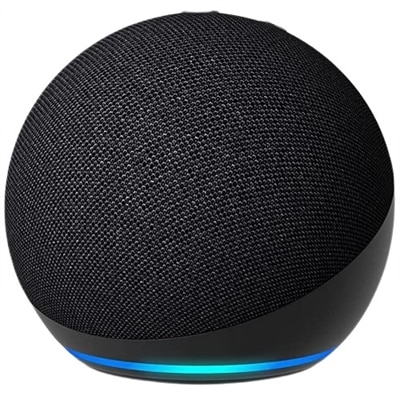
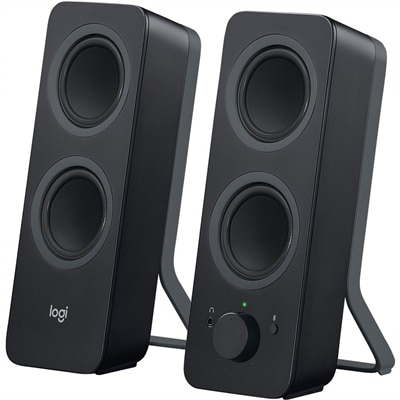
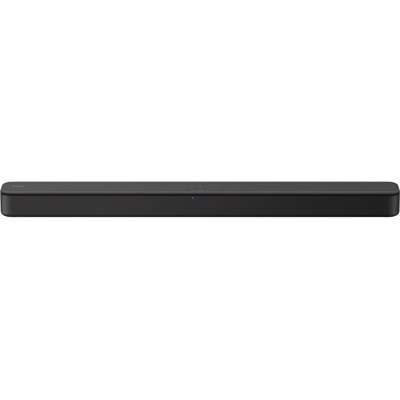
Smart TV accessories bring together clearer sound, easier control, secure placement, and a more organized entertainment space. Their value often shows up in ordinary moments: catching quiet dialogue without turning up the entire soundtrack, searching for a movie without clicking through an onscreen alphabet, or keeping cables out of sight beneath a wall-mounted screen. Audio accessories are especially useful when a slim television’s built-in speakers struggle to fill a room or make voices distinct from background music. A soundbar can add presence and clarity while taking up relatively little space, though its dimensions matter as much as its sound features. A low-profile design should sit below the picture without blocking the television’s remote sensor, and a shelf needs enough depth to support the enclosure and leave room for connections. Separate bass speakers can add weight to movie effects and game audio, but their placement and volume deserve consideration in apartments and shared living spaces, where low frequencies can travel through walls and floors. Headphones offer a more personal listening option for late-night viewing, roommates with different schedules, or anyone who prefers sound closer to the ear. Compatibility depends on the television’s audio outputs and supported wireless connections; not every smart TV can pair directly with every wireless headset. Audio delay also matters, since noticeable lag can make speech seem disconnected from movement on the screen. For longer sessions, padded earcups, manageable weight, and an adjustable headband can make a meaningful difference in comfort. The most useful audio setup fits both the room and the routine, whether that means a compact arrangement for a bedroom, more expansive sound for a shared movie night, or private listening while someone nearby reads. Controls that are easy to reach and settings that remain straightforward help keep everyday entertainment enjoyable rather than adding another layer of complexity.
Control and connection accessories make the interaction between a smart TV and its connected equipment feel more natural. A universal remote can reduce the number of handsets on a coffee table, provided it supports the television and the other devices it needs to operate. Support for basic power and volume commands does not necessarily include every app shortcut, voice function, or advanced setting, so compatibility extends beyond matching a connection type. Button spacing, readable labels, and backlighting can be helpful in a dim room, while a comfortable shape matters when a remote gets passed around throughout the evening. Wireless keyboards offer another approach to text entry, particularly for longer searches and sign-in screens, although support varies by television operating system and individual app. A keyboard that connects successfully may still have limited functionality within certain streaming services. For connected video and audio equipment, HDMI Accessories support the physical links that carry entertainment to the screen. The appropriate cable depends on the resolution, refresh rate, and features supported by the entire setup, not just the television. Higher-bandwidth video formats require compatible ports and cables throughout the connection path, while audio return features such as ARC and eARC require the corresponding supported ports on the television and audio equipment. Cable length is a practical consideration, too: enough reach allows a cabinet to move slightly for cleaning, but unnecessary excess can create a tangle behind the screen. Connectors need clearance so they are not forced sharply against a wall or cabinet panel. An HDMI switch can let multiple source devices share a television input, but its supported video and audio capabilities need to match the intended use. For a living room that alternates between streaming, console gaming, and watching videos from a laptop, these details help determine whether the setup performs as expected. Clear labeling and accessible connections also make it easier to reconnect equipment after rearranging furniture.
Mounts, cable organizers, and ambient lighting shape how comfortably a television fits into the room around it. A TV wall mount needs to match the screen’s mounting-hole pattern, commonly described by its VESA dimensions, as well as its weight and the installation surface. Screen size alone is not enough to establish a safe fit. Steel construction can provide sturdy support, but the mount’s rated capacity, hardware, anchoring method, and correct installation are all essential. Fixed mounts keep a television close to the wall, tilting designs allow modest angle adjustments, and articulating arms offer more flexibility when seating extends across a room. Moving designs also need space for the screen and cables to travel without catching or pulling. In homes with children or pets, secure mounting and appropriately installed anti-tip restraints for compatible freestanding setups deserve particular attention. Cable sleeves, clips, and raceways bring a quieter visual order to the space, grouping loose cords instead of leaving them draped across furniture. Organizers should hold cables without pinching them, and power cords should not be routed inside walls unless they are part of a system specifically rated and approved for that installation. Lighting behind the television can create a gentle transition between a bright screen and a dark wall; subtle, steady illumination is often less distracting than intense light or visible reflections. Fit includes the available space behind the panel, access to power, and whether adhesive components are suitable for the surface. Everyday care is usually simple: remove dust with a soft, dry cloth, keep ventilation openings clear, and follow the manufacturer’s cleaning instructions for fabric, plastic, metal, and adhesive finishes. Strain relief at cable ends, securely fitted connectors, and replaceable ear cushions can all contribute to longer useful life. For a housewarming gift, a student’s first apartment, or a shared family room, accessories tend to be most thoughtful when they solve a familiar inconvenience and suit the recipient’s existing television, room layout, and habits.
FAQs:
Common smart TV accessories include streaming devices, soundbars, universal remotes, wall mounts, HDMI cables, wireless keyboards, and gaming controllers. These accessories can enhance your viewing experience and make it easier to interact with your smart TV.
A soundbar can significantly enhance the audio quality of your smart TV by providing clearer dialogue, deeper bass, and a more immersive sound experience compared to built-in TV speakers.
A universal remote allows you to control multiple devices such as your smart TV, streaming box, sound system, and Blu-ray player with a single remote, reducing clutter and simplifying your entertainment setup.
Using a wireless keyboard with your smart TV makes it easier to search for content, browse the web, and enter passwords or text compared to using the on-screen keyboard and remote control.
High-quality HDMI cables ensure reliable transmission of high-definition video and audio signals between your smart TV and connected devices like gaming consoles or streaming boxes, resulting in better picture and sound quality.