Software For Converting Files To PDF
Effortlessly manage your digital documents with software for converting files to PDF. Whether you’re organizing reports, sharing presentations, or archiving important information, these solutions help streamline your workflow and ensure compatibility across devices. Discover user-friendly options designed to handle a variety of file formats, making it easy to create professional-looking PDFs for work, school, or personal use. Find the right software for converting files to PDF and simplify the way you handle documents every day.
This product is not available
Check out the following recommendations.




Software For Converting Files To PDF
Software for converting files to PDF helps turn everyday documents, images, spreadsheets, presentations and other printable files into a consistent format that is easy to share, view and archive. A PDF can preserve the arrangement of text, graphics, tables and page breaks across different computers, which makes it useful when a file needs to look the same for a colleague, customer, teacher or family member. A conversion tool may be used to create a polished résumé from a word-processing file, prepare an invoice for email, combine scanned paperwork into one organized document or save a presentation in a format that is simple for others to open. These products are available in several forms, including browser-based services, downloadable desktop applications and software suites with PDF conversion built into broader document workflows. Some tools operate through a virtual print function, allowing a person to choose a PDF option from nearly any application that can print. Others open files directly and export them with controls for page size, orientation, image quality, font handling and file compression. When comparing options, consider the types of files you work with most often, the operating system used on your laptop or desktop, and whether you prefer to convert files online or keep the process on your own device. Online tools can be convenient for occasional tasks because they do not require a lengthy installation and may work from a browser on a range of computers. Desktop software can be a better fit for frequent use, limited internet access or documents that contain private financial, medical, legal or business information. Checking the provider’s privacy practices, file-retention policy and security features is an important part of choosing an option for sensitive material.
A strong PDF conversion solution should handle more than a single basic file type. Look for support for common text documents, spreadsheets, slide presentations and image formats, along with the ability to preserve tables, hyperlinks, page numbers and embedded graphics. If you regularly receive paper forms or photographed receipts, optical character recognition can make a meaningful difference by turning text within an image into searchable, selectable content. Some applications also provide tools for merging several files into one PDF, splitting a long document into separate sections, rearranging pages, rotating scans and reducing a large file for easier attachment or sharing. Compression settings deserve close attention: a smaller file is convenient for email and online submission, while a higher-quality export may be preferable for detailed charts, product images or print-ready material. Password protection, permission controls and digital signature support may be valuable for documents that should not be edited or viewed by everyone who receives them. Accessibility features are another worthwhile consideration, especially when PDFs will be distributed to a broad audience; options for searchable text, document structure, readable contrast and tagged content can make files easier to use with assistive technology. Clear menus and batch-processing tools can save time for people managing folders of records, coursework or project materials. A home office user might convert a handful of receipts at the end of the day, while a small business owner may need to create consistent proposals, contracts and shipping paperwork. Students can submit assignments in a stable format, remote workers can share forms without worrying about layout changes, and families can preserve travel documents, appliance manuals or important records in a neatly labeled digital folder. Software for converting files to PDF can also complement creative work; those comparing options for image editing, illustration or other visual projects may want to explore Software for Graphic Design alongside their document tools.
The best choice depends on the balance of convenience, control and frequency of use. Someone who converts a file only a few times may appreciate a straightforward browser-based service with a simple upload, conversion and download process. A person who works with documents every day may benefit from a desktop application that supports recurring tasks, presets and conversion without uploading files. Review whether the software requires an account, places limits on file size or number of conversions, adds watermarks, or includes features behind a paid tier. It is also useful to confirm that the resulting PDFs can be opened on the devices used by the intended recipients, including laptops, desktops and mobile devices. A clean interface, reliable support and regular compatibility updates can matter as much as a long feature list, particularly when the software will be used by several people with different levels of technical experience. For a gift, document-conversion software can be a practical choice for a student setting up a study space, a relative organizing household records or a new remote worker preparing a home office during the cooler months. Pairing the software with a dependable laptop, a clear monitor or useful accessories can create a more comfortable workspace without requiring specialized equipment. Before making a purchase, identify the formats that need to be converted, estimate how often the tool will be used and decide whether cloud convenience or local processing is more important. With those details in mind, it becomes easier to select software that creates readable, professional PDFs while fitting naturally into everyday routines.
FAQs:
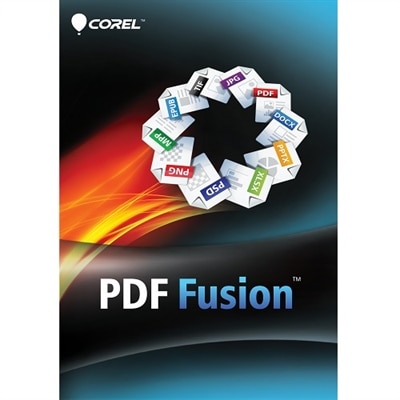
Most file conversion software supports a wide range of file types, including Word documents, Excel spreadsheets, PowerPoint presentations, image files like JPEG and PNG, and even scanned documents. Some advanced tools also allow conversion of web pages, emails, and other less common file formats into PDF.
OCR technology enables software to recognize and extract text from scanned images or photos of documents, making the resulting PDF searchable and editable. This is particularly useful for digitizing paperwork, archiving old records, or converting printed materials into accessible digital formats.
Many PDF conversion solutions offer compatibility with various operating systems, including Windows, macOS, and ChromeOS. Some also provide cloud-based or browser-based access, allowing you to convert files on desktops, laptops, tablets, or smartphones for greater flexibility.
Popular security features include password protection, encryption (such as 256-bit AES), and permissions settings that control printing, copying, or editing of the PDF. These features help safeguard sensitive information and ensure only authorized users can access or modify the document.
Yes, many PDF conversion tools offer batch conversion capabilities, allowing you to select and convert several files simultaneously. This feature is especially useful for managing large projects or organizing archives efficiently.