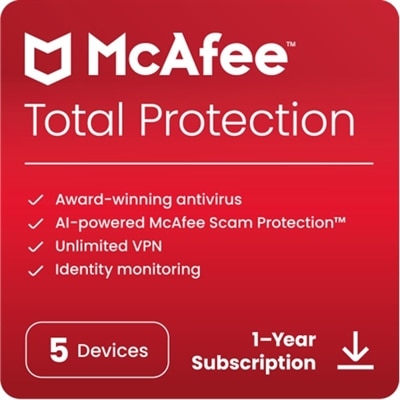
$59.99
A sustainable, lightweight protective case offering custom-fit coverage and exceptional usability for detachable laptops.
In today's digital age, safeguarding your devices against cyber threats is more crucial than ever. Software protection serves as a vital shield for your computer, smartphone, and other electronic devices, ensuring that your personal data remains secure and your systems run smoothly. Whether you're looking to defend against viruses, malware, or unauthorized access, investing in reliable software protection can provide peace of mind and enhance the longevity of your technology. Explore our wide range of options tailored to meet diverse security needs and keep your digital world safe from harm.
A sustainable, lightweight protective case offering custom-fit coverage and exceptional usability for detachable laptops.
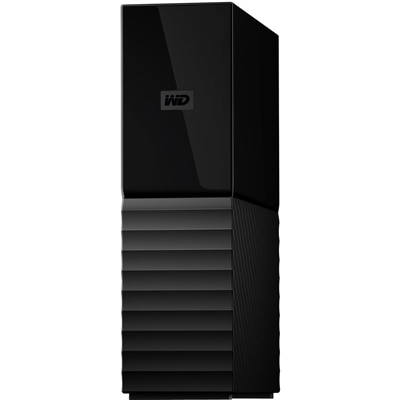
An 8TB USB 3.0 desktop hard drive with 256-bit AES encryption, password protection and automatic backups.
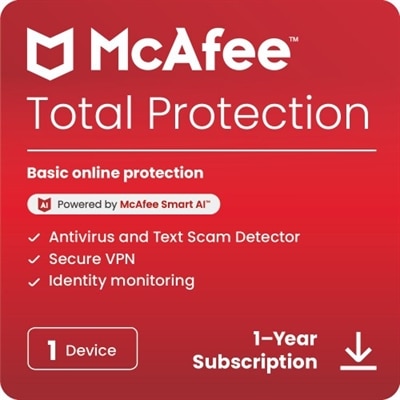
Software protection helps safeguard the computers, files and personal information that support everyday life. For home users, students, remote professionals and small-business teams, it commonly refers to antivirus and anti-malware tools that scan files, applications, downloads and websites for harmful code. These tools can help identify viruses, trojans, spyware, unwanted programs and other threats before they interfere with a laptop or desktop. Many security applications provide real-time monitoring, which means they continue checking activity in the background instead of waiting for a scheduled scan. This can be especially useful when downloading documents, installing new applications, browsing unfamiliar websites or connecting an external accessory. Look for protection that includes automatic updates, since new threats emerge continually and effective security depends on current threat definitions and detection methods. A clear dashboard, simple notifications and flexible scan options can also make a difference, particularly for someone who wants dependable coverage without spending time adjusting technical settings. Families may appreciate tools that support multiple devices and offer features for managing protection across shared computers, while students and people working from home may value safeguards that help protect schoolwork, financial records, creative projects and workplace files. Software protection can also be a thoughtful gift for someone setting up a new computer, moving into a first apartment or replacing an older device. The most useful choice is typically one that matches the number and types of devices in the household, works with the operating system in use and provides a subscription period that fits the recipient’s needs.
A complete approach to software protection can include several layers rather than a single feature. A firewall monitors network traffic and can help block suspicious incoming connections or prevent untrusted applications from communicating outward. Web and email protections may warn about unsafe links, deceptive websites, suspicious attachments and attempts to collect login credentials. Ransomware shielding is designed to help prevent unauthorized applications from encrypting, deleting or modifying important files, which may include photographs, tax documents, school assignments and business records. Password tools, identity monitoring and privacy features can add further support by encouraging stronger credentials, alerting users to possible account exposure and limiting unnecessary tracking. When comparing options, check whether these features are included in the core software or require an additional plan. It is also helpful to review the installation requirements, device limits, renewal terms, customer support and impact on system performance. Protection should work quietly in the background without making ordinary tasks feel slow or complicated. People who use older laptops or desktops may want a lightweight option, while households with several computers may benefit from centralized controls and one place to review alerts. Accessibility is another practical consideration: readable menus, understandable explanations and flexible notification settings can make security easier for every member of the household. For broader assistance choosing coverage for computers and connected devices, explore Security Software Solutions.
The phrase software protection can also describe technologies used by developers to protect applications from unauthorized copying, tampering and reverse engineering. In that context, license keys and online activation verify that a person or organization has permission to use a program. Digital rights management can limit how and where software is installed or executed, while hardware fingerprinting may associate a license with approved device characteristics. Code obfuscation makes an application harder to inspect, and anti-debugging measures can hinder attempts to analyze or alter its operation. These capabilities are most relevant to software creators, publishers and businesses distributing proprietary applications rather than to someone simply securing a personal computer. For consumers, the key distinction is whether the protection is intended to defend the software itself or to defend the device and data running that software. Before choosing an option, consider the information that would be hardest to replace, the number of laptops and desktops that need coverage, the habits of each user and the kinds of files or websites accessed regularly. Keep operating systems and applications updated, use unique passwords, back up important files and treat unexpected links or attachments with care; these everyday practices work alongside security software to reduce risk. During the warmer and cooler parts of the year alike, computers often hold a growing collection of travel photos, schoolwork, receipts and personal projects, making consistent protection a practical part of maintaining a reliable digital routine.
Add the products you would like to compare, and quickly determine which is best for your needs.