Solutions For Slow Internet
Struggling with sluggish connections can be frustrating, especially when you need reliable internet for work, streaming, or gaming. Solutions for slow internet are designed to help you enjoy smoother browsing, faster downloads, and more consistent performance across all your devices. Explore a range of options that can address common connectivity issues and support a seamless online experience throughout your home or office.
This product is not available
Check out the following recommendations.




Solutions For Slow Internet
Slow internet can make ordinary tasks feel unnecessarily difficult: a video call pauses while someone is speaking, a webpage hangs with a blank screen, or a large file appears to move one small step at a time. The first step is to determine whether the slowdown affects one computer or every connected device in the home. Run a reputable speed test from the device experiencing trouble, then compare the result with the service level provided by your internet provider. Test at different times if the issue comes and goes, since congestion can be more noticeable when several people are streaming, gaming, attending online meetings or downloading updates at once. If every device feels sluggish, power down the equipment supplied for your internet service, unplug it for about 60 seconds, and reconnect it so the connection can establish a fresh session. Check that power and connection cords are firmly seated and free from visible damage. If a direct connection to the service equipment remains slow after a restart, contact your internet provider and ask whether there is an outage, line issue or account-level limitation. When only one computer is affected, the cause may be its age, limited memory, a nearly full drive, outdated software, too many open browser tabs or applications running quietly in the background. Closing unused programs, pausing large downloads and installing available operating system updates can help reveal whether the problem is the internet connection or the computer itself.
The position and workload of a computer can also change how fast online activities feel. A device used far from the home’s internet equipment may receive a weaker wireless signal, especially through thick walls, floors, cabinets or large appliances. Moving the computer closer, reducing obstructions and testing in the same room as the connection source can help isolate the cause. Many homes support both 2.4 GHz and 5 GHz wireless bands; the 2.4 GHz band can travel farther, while the 5 GHz band is often faster at shorter distances when supported by the home setup. Disconnect phones, televisions, game systems and smart devices that are not in use, particularly when they are downloading updates or backing up photos. On a computer, review startup applications and background sync tools that may consume bandwidth without being obvious. A modern laptop or desktop with a responsive processor, sufficient memory and a fast solid-state drive cannot increase the speed supplied by an internet provider, but it can reduce the delays caused by the computer itself. That distinction matters when a browser takes a long time to open, files take ages to load from local storage or a video call stutters while other applications are running. Explore Computer Speed Upgrades when replacing an older system or improving an existing setup, and consider the way the computer will be used: everyday browsing, schoolwork, remote work, creative applications, streaming or several demanding tasks at once. Choosing enough memory and storage capacity for those routines helps the system stay comfortable as files, applications and browser tabs accumulate.
A better workspace can make slow internet easier to manage as well. A clear monitor can provide room for a speed test, a video meeting and a work document without constant window switching, while a dependable keyboard, mouse or other computer accessory can make everyday tasks feel more natural during long periods online. For remote employees, families sharing a home connection and students working through assignments, a capable computer can help keep productivity moving even when the connection briefly falters. Someone setting up a first home office may appreciate a complete, comfortable arrangement with a computer and display suited to the available space; a student may benefit from a portable system for moving between a desk, classroom and quiet corner during the cooler months; and a relative who struggles with an aging computer may find an upgraded setup a thoughtful practical gift. Before purchasing, consider screen size, portability, battery expectations, memory, storage, available ports and the applications the recipient uses most often. Accessories that support a wired connection can be useful when a stable line is preferred for meetings, large downloads or online play, while wireless accessories can keep a compact desk tidy. Keep expectations realistic: hardware upgrades improve responsiveness and reliability on the computer, but they do not replace service from an internet provider or correct a problem affecting the whole household. By separating connection issues from computer performance, checking cables and signal conditions, reducing unnecessary background activity and selecting equipment that matches real daily demands, shoppers can choose practical solutions for slow internet and create a smoother experience for work, study, entertainment and staying in touch.
FAQs:
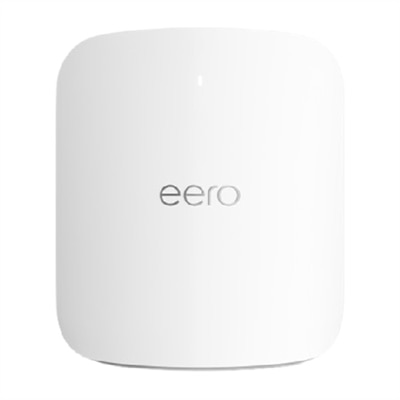
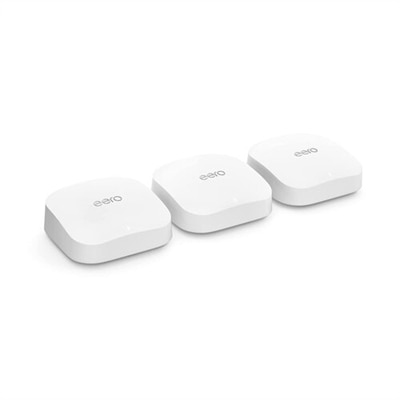
Accessories such as WiFi extenders, mesh WiFi systems, and boosters for WiFi can help expand your wireless coverage, reduce dead zones, and provide a more stable connection throughout your living space.
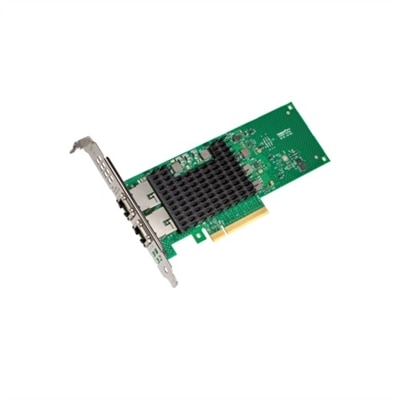
To set up a wired Ethernet connection, connect an Ethernet cable from your router or modem directly to your device’s Ethernet port. This can provide a more stable and faster internet connection compared to wireless, especially for activities like gaming or video conferencing.
Anyone experiencing slow or inconsistent internet speeds, especially in larger homes or environments with multiple connected devices, can benefit from upgrading their networking equipment. Remote workers, students, and gamers often see the greatest improvements.
Simple steps include placing your router in a central, open location, limiting the number of connected devices, keeping your firmware up to date, and using accessories like a netgear WiFi extender to boost your signal.
You can find helpful resources and tips on optimizing your computer’s performance by visiting our Computer Speed Optimization page.