$809.00
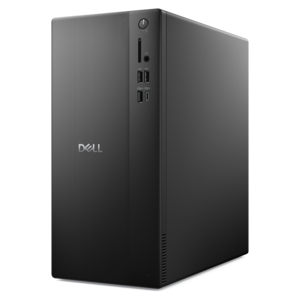
A business-ready tower desktop delivering reliable everyday performance with essential security features for productive workflows.
Discover a wide selection of spreadsheet software for Windows designed to help you organize data, streamline tasks, and boost productivity. Whether you're managing budgets, analyzing information, or collaborating with colleagues, these solutions offer the flexibility and performance you need for both personal and professional use. Explore options that are compatible with your Windows device and find the right fit to support your workflow and data management needs.
A business-ready tower desktop delivering reliable everyday performance with essential security features for productive workflows.
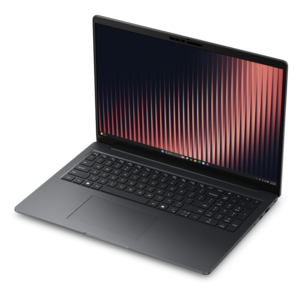
A versatile 2-in-1 laptop with AI experiences, all-day battery life, and seamless multitasking.
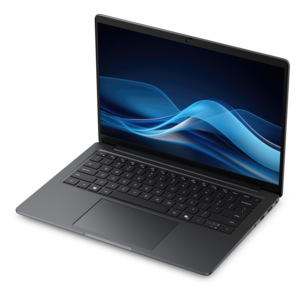
A thin, lightweight business laptop powered by AMD Ryzen processors with commercial-grade security and manageability.
A productivity-focused Copilot+ PC powered by a capable AMD CPU, GPU and NPU combination.
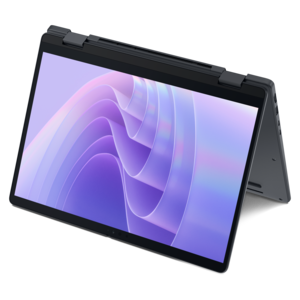
A remarkably thin 2-in-1 laptop combining versatile portability with performance powered by advanced Core Ultra processors.
A thin, lightweight Copilot+ PC combining powerful Intel CPU, GPU, and NPU performance for productive multitasking.
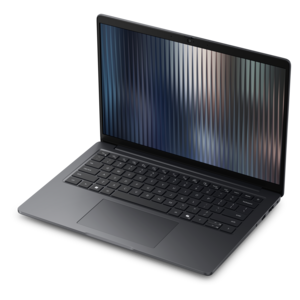
A durable, lightweight business laptop offering reliable everyday productivity with commercial-grade security and manageability.
A thin, lightweight Copilot+ PC combining powerful AMD CPU, GPU, and NPU performance for enhanced productivity.
Spreadsheet software for Windows gives students, professionals, households, and small organizations a practical way to organize information, perform calculations, and turn everyday numbers into useful insight. The products listed on this page may include full desktop applications, browser-based tools, and free or open-source options, each with a different approach to access, collaboration, and advanced features. A desktop spreadsheet application can be a strong choice for people who work with large files, need dependable offline access, or use specialized tools such as pivot tables, formulas, charts, data filtering, and macros. Browser-based software may be better suited to households, classrooms, and distributed teams that need to open a file from different Windows PCs and collaborate without passing revised attachments back and forth. Free options can help students, first-time users, and budget-conscious households get started with familiar spreadsheet tasks, while paid software may offer a broader collection of templates, professional analysis tools, file compatibility, technical support, or integration with other productivity applications. When comparing products, consider the type of work involved, how often files will be shared, whether internet access is reliable, and whether the software can open and save common spreadsheet formats without changing formulas, charts, or layout. It is also worth checking the licensing model: some applications are purchased once, some are available through a recurring subscription, and others are free for personal use but may have different terms for schools, businesses, or commercial projects.
A well-chosen Windows spreadsheet application can support much more than a monthly budget. A college student might use it to track assignment deadlines, compare research notes, calculate grades, or create a clean chart for a class presentation. A home user can keep a running household budget, plan a move room by room, organize recipes, estimate travel costs, or maintain a simple record of home improvement projects. In a small business, spreadsheet software can help monitor invoices, inventory, appointments, expenses, project milestones, and customer information. More advanced users may need lookup functions, conditional formatting, data validation, pivot tables, forecasting tools, or the ability to create repeatable workflows with macros. Chart options are important when a sheet needs to communicate a trend at a glance, such as rising utility costs or progress toward a savings goal. Collaboration features also deserve close attention. Real-time editing, comments, version history, permission controls, and cloud file storage can make shared work easier, while local file access may be preferred for sensitive information or locations with limited connectivity. For anyone who moves between a Windows desktop, laptop, or compatible mobile device, a consistent interface and reliable synchronization can reduce the small frustrations that add up over a busy day. A comfortable keyboard and a clear monitor can further improve the experience, especially when working with wide worksheets, multiple windows, or detailed financial tables; shoppers comparing computing accessories may also explore Presentation Software For Windows when spreadsheet findings need to become polished slides.
Spreadsheet software can also be a thoughtful practical gift for someone beginning a new job, heading to college, managing a household, or building a side project. The best fit depends less on the number of features listed on the package and more on how naturally the software supports the recipient’s routine. Someone who prefers straightforward personal planning may appreciate simple templates, an uncluttered layout, and easy export options. A team member who regularly exchanges files may place greater value on compatibility with widely used formats and dependable collaboration tools. A data-focused professional may look for robust calculation functions, chart customization, automation, and support for larger workbooks. Accessibility features, adjustable display settings, keyboard shortcuts, and clear help resources can make a meaningful difference for users who spend long stretches reviewing rows and columns. It is sensible to check the Windows version requirements, available storage, account requirements, privacy settings, and whether an internet connection is needed for activation or ongoing use. File backup is another practical consideration: cloud storage, automatic recovery, and version history can help protect a carefully built workbook after an accidental edit or device issue, while local backups give users another way to keep important records available. During the warmer and cooler parts of the year alike, a spreadsheet can quietly support changing routines—from planning travel and school schedules to preparing a household budget or organizing year-end records. The products gathered here are intended to help Windows users find a suitable balance of flexibility, ease of use, collaboration, and cost for the way they work with information.
Add the products you would like to compare, and quickly determine which is best for your needs.