Presentation Software For Windows
Enhance your productivity and captivate your audience with presentation software for Windows. Whether you're preparing for a business meeting, classroom lecture, or creative project, you'll find a range of options designed to help you organize your ideas and deliver impactful presentations. Explore user-friendly solutions that are compatible with Windows devices to streamline your workflow and bring your concepts to life with ease. Find the right presentation software for Windows to support your goals and elevate every presentation experience.
This product is not available
Check out the following recommendations.




Presentation Software For Windows
Presentation software for Windows helps turn ideas, information and recommendations into a clear visual story. Whether the finished presentation is shown on a classroom display, shared in a video meeting or presented from a laptop in a conference room, the right application can make it easier to organize thoughts and keep an audience engaged. Most presentation applications provide a familiar slide-based workspace with tools for adding text, photographs, charts, diagrams, audio, video, transitions and animation. Some also offer templates and design assistance that help coordinate fonts, colors and spacing, while more advanced tools can support speaker notes, rehearsal features, captions and presenter views. A straightforward slide layout may be ideal for a project update or training session, while a more fluid, zooming canvas can help explain relationships between ideas or create a visual tour of a complex subject. Open, flexible tools may appeal to users who prefer working with web technologies or customizing every detail, and browser-based options can make it easier for several people to edit the same presentation from different locations. Explore the selection of Presentation Applications to compare software suited to different workflows, experience levels and presentation styles. When choosing presentation software for Windows, start with the way you expect to work rather than the number of features listed on the package. A student preparing a research project may need simple layouts, image placement and dependable export options, while a consultant or small-business owner may benefit from charts, branded themes, reusable templates and tools for presenting remotely. Someone creating lessons, workshops or community events may place greater value on embedded video, interactive links and accessibility settings. For family use, an intuitive interface can make it easier to create a photo slideshow, explain a travel itinerary or share a creative project without a long learning curve.
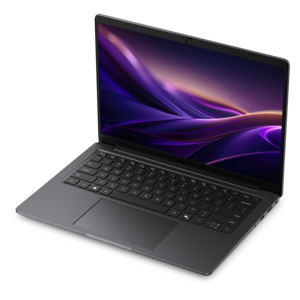
Compatibility is one of the most important considerations. Check that the software supports the Windows version on the computer where presentations will be created and displayed, along with the file formats used by coworkers, instructors, clients or event organizers. If a presentation moves between a desktop and a laptop, look for reliable synchronization or a simple export process so the layout, fonts, images and media remain consistent. Cloud-connected applications can be useful when several people need to review or edit a deck together, add comments or restore an earlier version. They may also make it easier to continue working from a different location, provided an internet connection is available. Offline capability remains valuable for travel, classrooms, offices with restricted networks or any moment when a presentation must run without depending on a live connection. Some applications combine both approaches, allowing files to be edited locally and synchronized later. It is also worth checking whether the software supports presentation formats such as PDF, image files or video, particularly when a deck needs to be submitted, printed or viewed on a device that does not have the original application installed. Consider how media is handled as well: high-resolution photographs and video can make a presentation memorable, but they can also increase file size and affect performance. A Windows laptop with a bright display, a comfortable keyboard and enough processing capability can make designing and rehearsing a presentation more pleasant, while a larger monitor may help users arrange timelines, notes and design panels without constant scrolling. Accessories such as a reliable mouse, headset or external webcam can also support remote rehearsals and virtual presentations.
Presentation software is often selected by people with very different levels of experience, so ease of use and room to grow should both be part of the decision. Beginners may appreciate guided templates, drag-and-drop editing, automatic alignment and clear menus that make the first presentation feel manageable. Experienced users may look for master slides, custom layouts, animation controls, data visualization, scripting or integration with other productivity tools. Built-in design assistance can suggest spacing, color combinations and slide arrangements, while AI-assisted features may help refine wording, summarize notes or generate an initial structure that the presenter can review and personalize. These tools are most useful when they support judgment rather than replace it; a presentation still benefits from accurate information, a natural speaking style and a clear beginning, middle and conclusion. Accessibility features deserve equal attention. Captions, readable font controls, high-contrast themes, alternative text for images and keyboard navigation can help more people follow along, whether the presentation is delivered in a quiet office or a lively classroom. Before choosing an application, review its licensing model, included storage, collaboration limits, update policy and support options. A one-time purchase may suit someone who prefers predictable ownership, while a subscription or free web-based option may be better for users who want ongoing updates and shared access. For a thoughtful gift, presentation software can pair well with a Windows laptop or monitor for a college student, creative hobbyist, educator or new professional building a portfolio. During the cooler months, when more work and learning take place indoors, these tools can support everything from a polished business pitch to a family photo story, giving users a practical way to communicate ideas with confidence.
FAQs:
When selecting presentation software for Windows, consider features such as ease of use, template variety, customization options, collaboration tools, multimedia integration, and offline accessibility. Advanced animation, design tools, and compatibility with other productivity software can also enhance your experience.
Presentation software for Windows is ideal for a wide range of users, including students, educators, business professionals, marketers, and nonprofit organizers. Anyone who needs to communicate ideas visually—whether in meetings, classrooms, or events—can benefit from these tools.
Many modern presentation software options for Windows offer real-time collaboration features. These allow multiple users to edit and comment on presentations simultaneously, making teamwork seamless whether you're working remotely or in the same location.
Yes, most presentation software for Windows supports the integration of multimedia elements such as images, videos, audio clips, and charts. These features help make presentations more engaging and can be easily added to slides to enhance your message.
Many presentation software programs include accessibility features such as screen reader compatibility, alt text for images, keyboard shortcuts, and high-contrast themes. These features ensure that presentations are inclusive and can be accessed by a wider audience.