$119.99
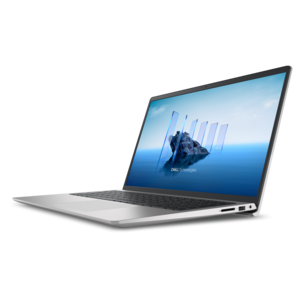
A crisp FHD monitor with smooth 144Hz visuals, built-in speakers, and TÜV 4-star eye comfort certification.
Business presentation tools are essential for delivering impactful and engaging presentations in any professional setting. From enhancing visual communication to streamlining collaboration, these innovative solutions empower teams to share ideas clearly and efficiently. Explore a wide range of business presentation tools designed to support productivity and help you make a lasting impression during meetings, pitches, or conferences. Find the right technology to elevate your next presentation and drive success for your organization.
A crisp FHD monitor with smooth 144Hz visuals, built-in speakers, and TÜV 4-star eye comfort certification.
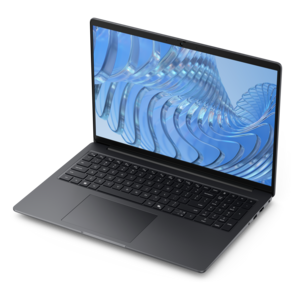
A durable productivity laptop featuring an expansive 16:10 display and convenient numeric keypad.
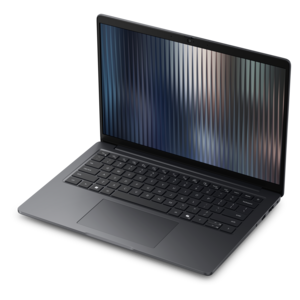
A thin, durable professional laptop designed to support productive performance and impactful results.
A durable, lightweight business laptop offering reliable everyday productivity with commercial-grade security and manageability.
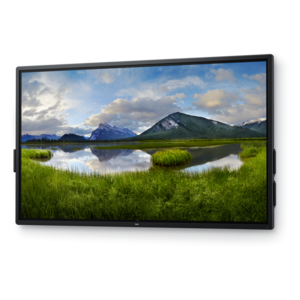
A 4K touchscreen monitor featuring 20-point InGlass Touch, palm rejection, and up to 90W USB-C power.
Business presentation tools bring together the equipment and applications that help people plan, create, present and share ideas with confidence. They may support a sales proposal in a client’s office, a training session in a conference room, a financial review with a distributed team or a classroom-style workshop led from a home office. A dependable laptop or desktop provides the foundation for building slide decks, editing documents, reviewing spreadsheets and running video meetings, while a clear, spacious monitor makes it easier to compare notes, arrange visuals and catch small details before they appear on a large screen. Presentation applications can range from familiar slide editors with extensive layout controls to browser-based workspaces built for live collaboration, design-focused tools with drag-and-drop templates and newer services that use artificial intelligence to turn notes, prompts or source documents into an initial presentation structure. The right choice depends on how much control the presenter wants over every element, how many people need to work in the same file and whether the final presentation will be delivered in person, online or in a combination of both. Explore Presentation Applications to compare the types of software that can help turn rough ideas into an organized visual story. These tools are useful for experienced presenters who already have a trusted workflow, as well as for employees, students, entrepreneurs and new managers who need a practical way to shape information into a clear beginning, middle and conclusion.
When selecting business presentation tools, start with the setting in which they will be used most often. Someone who travels between offices may value a lightweight laptop, a comfortable keyboard and a compact collection of adapters that makes it easier to connect with unfamiliar displays or conference-room equipment. A presenter who works mainly from a dedicated office may prefer a larger screen, a full-size keyboard and a desktop setup that leaves room for reference material, speaker notes and a video call window. Screen quality matters whenever charts, product images or fine text carry the message; a bright display with crisp resolution can help a presenter judge color, spacing and contrast before sharing the deck with an audience. For hybrid meetings, a webcam, microphone or headset can make speech easier to understand and reduce the distractions caused by echoes, background noise or inconsistent volume. A docking solution can simplify a desk by connecting several peripherals through one central point, while a wireless keyboard and mouse can keep a meeting table neat when the presenter is standing or moving through a room. Compatibility deserves equal attention. Check the operating system requirements, connection types, display outputs, collaboration features and file formats supported by the applications used by the team. It is also wise to consider security settings, user permissions and administrative controls when presentations contain pricing, customer information, internal plans or other confidential material. A polished deck is valuable, but a smooth presentation depends just as much on reliable connections, comfortable controls and equipment that feels natural to use.
Business presentation tools can serve individuals, small teams and larger organizations with very different working styles. Sales professionals may use them to combine concise messaging, product visuals and customer-specific data into a persuasive story. Trainers and human resources teams can build repeatable materials for onboarding, policy education and professional development. Project leaders often use presentation software to translate complex schedules, research findings and performance updates into visuals that are easier to discuss. Executives may need a portable setup for briefings across several locations, while creative teams may prioritize color accuracy, responsive performance and a generous workspace for arranging images, charts and notes. Collaborative applications are especially useful when a presentation passes through several hands: one person can shape the outline, another can refine the design, and a third can review language or verify figures without creating a confusing chain of attachments. AI-assisted features may help generate a starting point, summarize source material, suggest layouts or prepare speaker notes, but human review remains essential for accuracy, tone and context. Before purchasing, consider who will use the tools, how often they will travel, whether multiple people need simultaneous access and how much time is available for setup and training. These products can also make thoughtful professional gifts for a new employee, recent graduate, independent consultant or colleague moving into a leadership role, particularly when the selection reflects the recipient’s routine rather than adding unnecessary complexity. During the cooler months, when more meetings, planning sessions and training activities may move indoors, a well-matched presentation setup can make a home office, shared workspace or conference room feel ready for the next idea.
Add the products you would like to compare, and quickly determine which is best for your needs.