Business Process Tools
Unlock the full potential of your organization with a comprehensive range of business process tools designed to streamline operations, enhance productivity, and drive growth. Whether you're looking to optimize workflow management, improve communication, or simplify data analysis, these tools are tailored to meet the diverse needs of modern businesses. Explore innovative solutions that empower teams to collaborate effectively, adapt swiftly to changes, and make informed decisions with confidence. Elevate your business processes and achieve operational excellence with tools that are as dynamic and forward-thinking as your enterprise.
This product is not available
Check out the following recommendations.




Business Process Tools
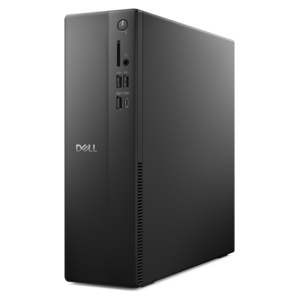
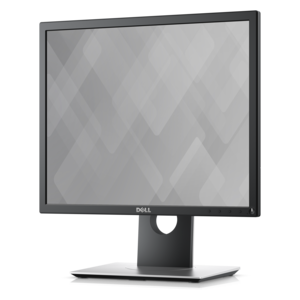
Business process tools help organizations model, organize, automate, and improve the repeatable work that keeps a team moving. In practice, that work may include employee onboarding, customer support, purchasing, approvals, scheduling, document review, project handoffs, or service requests. A well-designed process tool makes each step visible, assigns responsibilities, records progress, and helps people understand what needs attention next. Some tools focus on visual process modeling, using drag-and-drop diagrams to map a workflow from beginning to end. Others provide automation features that route tasks, send reminders, update records, or transfer information between connected applications. Many also include dashboards and reporting features that reveal delays, incomplete tasks, and recurring bottlenecks. Low-code and no-code builders can make these capabilities accessible to people outside a development team, allowing department leaders and operations specialists to adjust a workflow as business needs change. The devices used to access and manage these tools are equally important. A dependable laptop can support work across offices, homes, and shared spaces, while a desktop can provide a consistent workstation for teams that spend much of the day reviewing records, monitoring dashboards, or managing detailed process maps. Monitors with comfortable viewing areas can make it easier to compare documents, keep a workflow open beside email, and follow several stages without constantly switching windows. Accessories such as keyboards, mice, headsets, webcams, docking solutions, and charging equipment can help create a more organized and responsive workspace. Together, these choices support the practical side of process improvement: giving people the screen space, input control, connectivity, and flexibility they need to complete routine work accurately.
When choosing products for business process work, begin with the people and tasks they will support rather than selecting equipment based on specifications alone. A mobile employee who moves between meeting rooms, a home office, and a customer site may value a lightweight laptop, long battery life, a comfortable keyboard, and straightforward connectivity. An analyst or coordinator who spends long hours working with forms, timelines, spreadsheets, or visual workflow diagrams may benefit from a larger display, a second monitor, and accessories that encourage a more comfortable posture. A shared reception, operations, or service desk may need a durable desktop setup that is simple to manage and easy for multiple users to understand. Consider the number of applications that must remain open, the complexity of the information being reviewed, the available workspace, and the way team members communicate. Memory and processing capability can affect how smoothly business applications respond when several browser tabs, video meetings, documents, and reporting windows are active at once. Display size, resolution, adjustability, and viewing comfort matter when work involves detailed tables or frequent side-by-side comparisons. Ports, wireless connectivity, docking support, and compatible accessories can reduce the friction of moving between a primary workstation and a portable setup. For teams, consistency is another useful consideration: using similar configurations can simplify onboarding, make shared instructions easier to follow, and reduce time spent troubleshooting unfamiliar equipment. Organizations exploring broader ways to equip flexible teams can also review Modern Workplace Tools for related workspace considerations. During the cooler months, when more work may take place indoors and teams may rely heavily on home or office workstations, dependable equipment can make everyday process management feel less fragmented.
Business process tools are useful for organizations of many sizes because nearly every team has repeatable work that can be clarified or improved. Small businesses may use them to standardize customer inquiries, invoice approvals, hiring steps, or project intake without adding unnecessary complexity. Growing organizations can use workflow automation to keep requests from getting lost as responsibilities spread across departments. Larger teams may rely on process modeling, permissions, audit trails, performance reporting, and integrations to coordinate work across locations and functions. They can also be useful for individual professionals who need a dependable way to track recurring responsibilities, follow approval sequences, or monitor service commitments. When these tools are given as part of a new-hire setup or workspace refresh, the most thoughtful approach is to match the equipment to the recipient’s daily habits. A frequent traveler may appreciate portability and a compact set of accessories; someone working from a dedicated office may prefer a more expansive display arrangement; a manager who moves between conversations and reports may value a flexible setup that supports meetings as well as focused review. Before purchasing, check operating system and application compatibility, available ports, display connections, wireless standards, security requirements, warranty coverage, and the organization’s support policies. It is also worth considering ergonomics: a screen positioned at a comfortable height, a keyboard and mouse that fit the user, and a clear desk layout can make repetitive work easier to sustain over a full day. The strongest business process setup is not simply the fastest or most feature-rich option. It is a balanced combination of capable equipment, suitable accessories, reliable connectivity, and workflow software that helps people see responsibilities clearly, complete tasks with fewer interruptions, and make steady improvements as the business evolves.
FAQs:
Business process tools help streamline workflows, automate repetitive tasks, and enhance team collaboration. By providing real-time analytics and customizable dashboards, these tools enable teams to identify bottlenecks, improve efficiency, and make informed decisions. They also support seamless integration with other productivity platforms, making it easier to coordinate projects and maintain consistency across departments.
Business process tools are valuable for a wide range of users, including small business owners, project managers, operations teams, and IT professionals. They are also ideal for remote and hybrid teams who need to coordinate tasks and share information efficiently. Additionally, entrepreneurs and new business ventures can use these tools to establish organized workflows from the start.
Many business process tools feature collaborative workspaces, real-time notifications, and task assignment capabilities. These features allow team members to communicate seamlessly, track project progress, and provide feedback instantly. This level of connectivity helps maintain alignment and ensures that everyone is working toward shared goals, regardless of their location.
Yes, most business process tools offer customizable templates, workflow automation, and integration options to fit the unique processes of different organizations. Users can tailor dashboards, automate specific tasks, and connect with other software platforms to create a personalized and efficient workflow solution.
When selecting a business process tool, organizations should evaluate factors such as scalability, ease of use, integration capabilities, data security, and the level of support available. It's important to choose a tool that aligns with current workflows and can adapt to future business needs, ensuring long-term value and productivity.