$2580.00
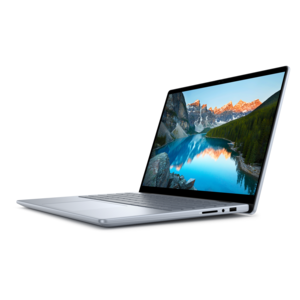
A powerful Copilot+ PC combining Intel CPU, GPU, and NPU performance to enhance productivity.
Unleash your creative potential with top-tier editing software for Windows, designed to elevate your multimedia projects to new heights. Whether you're a budding filmmaker, an aspiring photographer, or a seasoned graphic designer, the right editing tools can transform your vision into reality. Discover a diverse range of intuitive and powerful software options that cater to every level of expertise and project requirement. From video and audio editing to photo retouching and graphic design, find the perfect solution that seamlessly integrates with Windows, enhancing your workflow and sparking innovation. Dive into a world where creativity meets technology and watch as your ideas come to life with precision and flair.
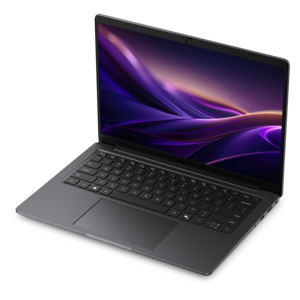
A powerful Copilot+ PC combining Intel CPU, GPU, and NPU performance to enhance productivity.
Editing software for Windows can help turn everyday footage, photographs, recordings, and creative ideas into polished work that is easier to share, present, or preserve. The category includes approachable tools for trimming clips and correcting images, as well as more advanced applications built for layered timelines, detailed color work, motion effects, audio mixing, and high-resolution output. A beginner may want a clean interface with drag-and-drop controls, ready-made transitions, templates, automatic captions, and guided adjustments that make a first project feel manageable. Someone who regularly creates videos for a business, classroom, community group, or online channel may need more control over keyframes, green-screen effects, multiple audio tracks, title design, and export settings. Photo editors often look for tools that can remove distractions, refine lighting, work with layers, and apply consistent adjustments across a collection of images. For users focused on illustrations, layouts, or visual design, Graphics Software For Windows may be a useful related category to explore. Because editing projects vary so widely, the best choice is usually the one that matches the way a person works rather than the application with the longest feature list. A parent assembling family videos, a student preparing a presentation, a hobbyist restoring scanned photographs, and a professional shaping promotional content may all benefit from different levels of complexity. Editing software can also make a thoughtful gift for a creative friend or relative, particularly when it supports a pastime they already enjoy, such as travel photography, cooking videos, music performance, gaming clips, or short films. A simple tool can help a new creator build confidence, while a more capable program can give an experienced user room to develop a distinct visual style.
Before choosing editing software for Windows, consider the kind of media being edited, the desired finish, and how often the program will be used. Free options can be a practical starting point for basic trimming, cropping, resizing, simple titles, and short social videos, while paid software may add broader format support, advanced effects, deeper color correction, audio controls, automation, and more flexible project organization. Some applications use a subscription, some are purchased once, and others offer a free version alongside optional upgrades, so it is worth checking exactly what is included before beginning a long project. Export limitations can matter as much as the editing tools themselves: look for the resolutions, file formats, watermark policies, caption options, and sharing settings that fit the intended destination. A person making quick vertical clips may prioritize automatic reframing and caption generation, whereas someone producing a longer video may care more about a precise timeline, proxy workflows, chapter markers, and dependable audio synchronization. For photography, examine support for common camera files, non-destructive adjustments, masking, retouching, batch processing, and organization features. If projects will move between devices, check whether the software supports cloud-based project access or straightforward file transfer, while also reviewing account requirements and privacy settings. It is helpful to try a free version or trial when available and spend time on a small, familiar project: trim a few minutes of footage, correct an image taken in difficult light, add music beneath spoken audio, and export the result. That short test often reveals whether the controls feel natural. I have found that the right interface is the one that lets a person stay focused on the story or image instead of repeatedly hunting through menus; a clear timeline and responsive preview can make the difference between an enjoyable afternoon and a frustrating one.
Windows editing software also benefits from a computer configured for the work. Check the application’s minimum and recommended requirements, then consider the processor, available memory, graphics capability, display quality, and free local space needed for source files, previews, and finished exports. High-resolution video, layered photographs, animation, and effects can place heavier demands on a laptop or desktop than basic trimming or image correction. A capable graphics processor can improve playback and speed up supported effects, while additional memory can help when several applications or large projects are open together. A sharp monitor with accurate color is especially valuable for photographers, designers, and anyone preparing content for print, although a second display can be just as helpful for video editors who want the timeline, preview window, and media library visible at once. Headphones or speakers with clear detail can make dialogue, background music, and unwanted noise easier to judge. Ease of learning should be part of the decision, too. Tutorials, searchable help, keyboard shortcuts, community support, and regularly maintained updates can shorten the path from importing a file to completing a finished project. Beginners may appreciate automatic enhancements and guided tools, while advanced users may prefer customizable workspaces and manual control over every adjustment. It is also wise to confirm compatibility with the Windows version in use, connected cameras or microphones, and the formats produced by phones and other recording devices. During the cooler months, when indoor creative projects often become part of a relaxed weekend routine, editing software can give old vacation clips, school performances, recipes, interviews, and family photographs a renewed sense of purpose. Whether the goal is a polished professional production or a short keepsake shared with a few loved ones, the strongest fit combines suitable editing features with a comfortable workflow and a Windows computer ready to keep pace.
Add the products you would like to compare, and quickly determine which is best for your needs.