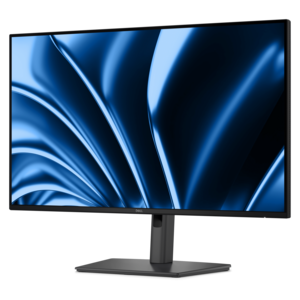
Stands for Displays
Stands for displays offer a practical way to organize and enhance any workspace, whether at home or in the office. Designed to support monitors and screens of various sizes, these stands help create a more comfortable viewing experience while keeping desks tidy. Explore a diverse selection of stands for displays to find the ideal solution that complements your setup and maximizes productivity.
This product is not available
Check out the following recommendations.




Stands For Displays
Stands for displays support electronic screens at a usable height and angle, helping a monitor fit the space and the work happening around it. In a home office, that might mean lifting a screen above a crowded desktop; in a shared workspace, it might mean making the screen easy to reposition between users. The category includes desktop risers that elevate a monitor on its existing base, replacement stands that attach directly to a compatible screen, and adjustable supports designed to hold one or more monitors. These formats serve different purposes, even when they look similar in a workspace. A riser creates a raised platform and may leave room underneath for a keyboard or small accessories, while an attached stand can offer height, tilt, swivel, or rotation adjustments, depending on its construction. Freestanding designs rest on the desk, while some adjustable supports secure to an edge clamp or a mounting hole through the work surface. For anyone coordinating a stand with Display Screens, the important relationship is between the screen’s dimensions, weight, attachment points, and the support’s stated limits. Screen size alone does not establish compatibility: two monitors with the same diagonal measurement can have different weights, mounting arrangements, and overall shapes. A wide or curved screen also needs enough clearance to move without contacting a wall, shelf, or neighboring monitor. Students working between notes and assignments, remote professionals keeping documents beside a video call, and creative users comparing images can all benefit from a more deliberate screen arrangement. Even a single monitor used for household paperwork can feel less crowded when its support leaves a clear place for a keyboard, a notebook, and the everyday objects that tend to gather nearby. The right arrangement is not necessarily the most elaborate one; it is the one that fits the screen, stays steady, and makes ordinary tasks easier to carry out.
Materials and construction influence how a display stand looks, how much room it occupies, and how it behaves during everyday use. Steel and aluminum are common in load-bearing supports, while wood, engineered wood, glass, and molded plastics appear in desktop platforms and other components. The material name is only part of the picture: base dimensions, joint quality, platform thickness, fasteners, and the stated weight capacity all matter. A glass platform should have a documented load rating and be used according to its manufacturer’s directions, just as a metal support should not be assumed to hold any screen simply because it feels substantial. For a desktop riser, the monitor’s entire base needs to sit securely on the usable surface without extending beyond the edges. Nonslip feet can help limit movement, but the desk itself must also be level and capable of supporting the combined load. Attached stands require closer attention to the mounting interface. VESA mounting patterns describe the spacing between attachment holes on compatible screens and supports, but matching that spacing does not replace checking weight limits, screw specifications, and any recessed mounting area. Some monitors use proprietary connections or require an approved adapter. Clamp-mounted supports introduce another set of fit considerations, including desktop thickness, edge shape, and clearance beneath the surface. A shallow drawer, rear support rail, or beveled edge can interfere with a clamp even when the top appears spacious. Glass, hollow-core, or unusually thin desktops may have restrictions that make a different mounting approach necessary. On a compact desk pushed against a wall, the folded depth of an adjustable support can be just as important as its maximum reach. Cable connections also need breathing room, especially when ports face backward or downward. For dual-screen arrangements, each mounting position must accommodate its assigned monitor, and the combined layout should allow both screens to sit comfortably without forcing the keyboard off-center.
Everyday comfort comes from positioning as much as support. A display stand with useful adjustment range can help place the main viewing area near a natural line of sight, reducing the need to crane forward or keep the head turned throughout a task. A common starting point is to position the top of the screen at or slightly below eye level, then refine the height and viewing distance for the user’s vision, posture, and work. People using multifocal lenses may prefer a lower position, and a shared desk benefits from adjustments that are easy to reach and control. Tilt can help align the screen with the viewer, while swivel makes it easier to share a document with someone seated nearby. Rotation is useful for compatible monitors used in portrait orientation, particularly for long documents or code, provided there is enough clearance to turn the screen safely. With two monitors, someone who works mainly on one screen may prefer that display directly ahead and the secondary screen angled beside it; someone who moves evenly between both may prefer a more balanced layout. Stability matters during these small movements. A stand should hold its position during normal typing and adjustment rather than drifting downward or wobbling with every touch of the desk. Neat cable routing helps preserve that movement, but cables need sufficient slack so they do not pull tight when the screen rises or turns. Care is generally straightforward: dust exposed surfaces, use cleaning methods appropriate to the finish, and avoid letting liquid collect around joints or adjustment mechanisms. Wood-based platforms should be protected from lingering moisture, and glass surfaces deserve regular checks for chips or cracks. Periodic inspection of accessible fasteners, feet, and clamps can help identify looseness or wear before it affects support. When a display stand is intended as a practical gift for a student, remote worker, or someone setting up a dedicated workspace, confirmed screen and desk measurements are more useful than guessing from appearance. A well-matched stand becomes a quiet part of the room, keeping the screen steady while leaving attention on the work, conversation, or entertainment in front of it.
FAQs:
Using a stand for your display can help improve ergonomics by allowing you to adjust the height, tilt, and orientation of your monitor. This can reduce neck and eye strain, free up desk space, and create a more organized workspace.
Most stands for displays use standardized mounting patterns such as VESA, making them compatible with a wide range of monitor brands. It's important to check your monitor's specifications to ensure compatibility with the stand's mounting system.
Yes, there are stands specifically designed to support dual or multiple monitors. These multi-monitor stands help you arrange your screens side by side or stacked, which is ideal for multitasking and increasing productivity.
Key features to consider include adjustable height, tilt, swivel, rotation capabilities, cable management options, and sturdy construction. Some stands also offer quick-release mechanisms for easy installation and removal.
Installation typically involves attaching the stand's mounting plate to the back of your monitor using screws and then securing the plate to the stand itself. Always refer to the manufacturer's instructions for specific steps and required tools.