Streaming Gear For Beginners
Dive into the world of content creation with ease using our curated selection of streaming gear for beginners. Whether you're looking to share your gaming adventures, host engaging live sessions, or start a new vlog, having the right equipment is essential to stand out in the digital landscape. Our collection offers everything you need to kickstart your streaming journey, from user-friendly cameras and microphones to reliable lighting and accessories. Explore a range of options designed to help you produce high-quality streams without breaking a sweat, ensuring your content captivates audiences from the very first broadcast.
This product is not available
Check out the following recommendations.




Streaming Gear For Beginners
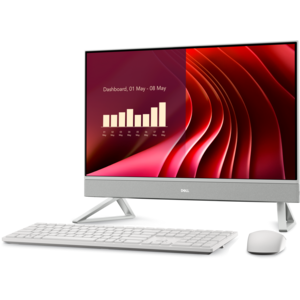
Streaming gear for beginners brings together the essentials for sharing clear video, understandable audio, and a steady live broadcast without making a desk feel like a production studio. A typical beginner setup includes a capable computer, a microphone or headset, a webcam, and soft lighting, along with compatible broadcasting software and a reliable internet connection. The right combination depends on what will happen on screen: a relaxed conversation, a fast-moving game, a digital drawing session, or a demonstration with the camera pointed toward a tabletop. For someone starting with casual chats, straightforward controls and easy connections may matter more than advanced recording features. A person broadcasting gameplay has additional demands, since the computer may need to run the game, capture the action, and encode the stream at the same time. Browsing Computers for Streaming can help put that central purchase in context, with processing power, graphics capabilities, memory, and available ports all worth considering alongside the equipment already on hand. Hardware video encoding can reduce the workload on the main processor, though support depends on the computer and broadcasting software. Memory helps keep a broadcast responsive when chat, browser windows, and other applications are open, while solid-state storage supports quick application launches and provides space for saved recordings. A laptop offers flexibility for a shared room or a setup that gets packed away after each session; a desktop can offer more room for future upgrades, depending on its design. Neither needs to be chosen by specifications alone. Fan noise, physical dimensions, display connections, and the placement of frequently used ports all affect everyday comfort. There is something reassuring about a setup that fits naturally into its surroundings: a screen at a comfortable height, enough space to move a mouse, and cables that do not have to be untangled before every broadcast. Beginner streaming equipment should support that kind of repeatable, low-friction experience, leaving more attention available for the people watching.
Audio is often where a modest streaming setup makes its strongest first impression. Viewers may tolerate an ordinary picture, but a voice buried beneath keyboard clicks or room echo can be difficult to follow. A USB microphone offers a relatively simple connection to a compatible computer, while a headset with an integrated microphone keeps listening and speaking in one piece of equipment. The better fit depends partly on habits: someone who shifts position frequently may appreciate a microphone that moves with them, while someone who stays seated may prefer a separate microphone positioned just outside the camera frame. Pickup pattern, microphone placement, and room acoustics matter as much as the feature list. A directional microphone can help reduce pickup from some directions, but it will not make a busy household disappear. In a spare bedroom with curtains and a rug, a close-positioned microphone may capture a more controlled voice than the same microphone placed across a bare kitchen table. A stable stand or adjustable arm helps maintain that distance, and a compatible pop filter can soften bursts of air from certain speech sounds. Convenient mute controls and headphone monitoring are useful details, especially when an unexpected interruption arrives midstream. For video, a webcam with dependable focus and exposure can be more useful than a higher-resolution option that struggles in the available light. Full HD video is a practical starting point for many beginner broadcasts, although the resolution and frame rate viewers receive also depend on software settings, platform limits, and connection quality. Lighting deserves equal attention. A soft, adjustable light positioned near face level can make expressions easier to see, while brightness controls help accommodate an afternoon window or an evening session. Glasses, glossy screens, and pale walls can reflect light in distracting ways, making adjustable placement particularly valuable. Buyers comparing cameras and lights should also consider mounting options, cable reach, and how much desk space each accessory needs. A compact arrangement that stays securely in place is often more pleasant to use than a collection of impressive features that requires constant adjustment.
The most useful beginner streaming accessories tend to solve small, recurring problems rather than add complexity. A comfortable headset makes it easier to hear game audio or guests without feeding speaker sound back into the microphone. A monitor with enough usable screen space can keep broadcasting controls and chat visible, and a second display may be helpful for people who want to separate their content from their audience conversation. That extra screen is a convenience, not a requirement for getting started. For console gameplay or video from an external camera, a compatible capture device may be necessary to bring the signal into the streaming computer; it is generally not needed simply to broadcast software running on that same computer. Connection details deserve careful comparison, including supported input resolution, capture frame rate, operating system compatibility, and whether the required cables are included. Available USB bandwidth and power also matter when several peripherals share a hub or dock. Beyond the desk, a stable internet connection with sufficient upload capacity supports consistent broadcasting, and a wired connection can reduce the variability sometimes associated with wireless use. Streaming gear makes a thoughtful gift for an adult gamer ready to share favorite sessions, an artist building an audience around a creative practice, or a hobbyist who enjoys explaining a process in real time. Compatibility is especially important for gifts: knowing the recipient’s computer connections, available space, and existing equipment helps avoid duplicate purchases or accessories they cannot readily use. Bundled equipment can simplify shopping, but its value depends on whether each component fits the intended setup. Comparing included mounts, adjustment options, warranty coverage, and return terms offers a fuller picture than counting pieces in a box. The most satisfying starting point is often a focused collection with room to grow: clear sound, usable lighting, a dependable picture, and a computer that can handle the intended broadcast. With those foundations in place, an ordinary desk can become a welcoming space for conversation, play, and shared interests, without requiring every accessory at once.
FAQs:
A beginner-friendly live streaming setup typically includes a reliable desktop or laptop, a high-definition webcam, a quality USB microphone, and proper lighting. Accessories like adjustable mounts, pop filters, and green screens can further enhance your stream's quality and professionalism.
Beginner streaming gear is ideal for students, hobbyists, remote workers, educators, and anyone looking to share their interests or connect with others online. These products also make excellent gifts for aspiring content creators or friends interested in exploring live streaming.
Webcam compatibility is crucial for a smooth streaming experience. Choosing options with dell webcam live streaming compatibility ensures that your camera integrates easily with popular streaming platforms and software, reducing setup time and technical hurdles.
Proper lighting significantly improves the visual quality of your stream by reducing shadows and enhancing clarity. Ring lights and adjustable key lights are popular choices for beginners, as they are easy to use and can instantly brighten any streaming space.
Absolutely. Many beginners start with basic gear and gradually add new components as their needs evolve. Upgrading to more advanced microphones, cameras, or accessories is a common way to enhance production value and personalize your streaming environment.