$2699.99
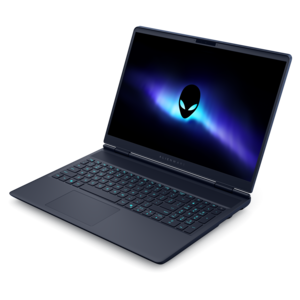
A streamlined gaming laptop delivering powerful performance with NVIDIA GeForce RTX 50 Series graphics.
Computers for streaming are designed to support smooth, high-quality video playback and interactive online experiences. Whether you enjoy live broadcasts, gaming sessions, or sharing content with friends and followers, the right computer can make all the difference in your setup. Explore a selection of reliable options that help elevate your streaming activities, making it easier to stay connected and entertained. Find computers for streaming that align with your needs and enhance every moment you share online.
A streamlined gaming laptop delivering powerful performance with NVIDIA GeForce RTX 50 Series graphics.
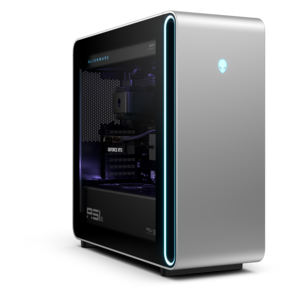
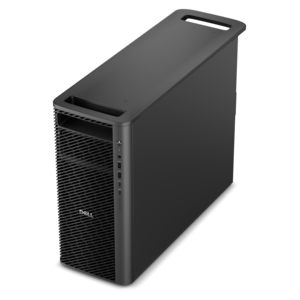
A powerful desktop featuring advanced graphics and expansive upgradeability for creative workloads, gaming, and demanding tasks.
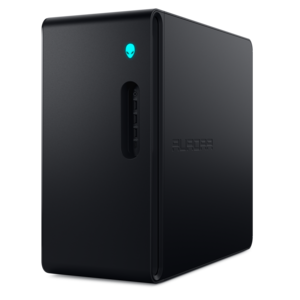
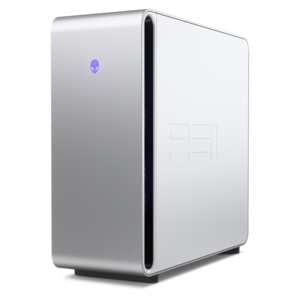
A powerful gaming desktop featuring an advanced design for a legendary gaming experience.
Computers for streaming support everything from watching live sports and movies to broadcasting gameplay, hosting a creative workshop, or sharing a presentation with a remote audience. Those activities place different demands on a system. Watching a stream generally requires a compatible browser or app, dependable internet access, and a display that suits the viewing space. Producing a live broadcast adds video encoding, audio processing, and often several applications running at once. For gaming and broadcasting on the same computer, a modern multicore processor, a compatible hardware video encoder, and 16GB of RAM provide a practical starting point; 32GB offers more room for demanding games, animated overlays, browser tabs, and recording software. An eight-core processor can be useful for heavier multitasking, although core count alone does not determine performance. Processor generation, cooling, and the software involved also matter. A supported hardware encoder can handle video compression separately from much of the main processing workload, leaving more resources for the game or creative application being shared. Some integrated graphics include capable encoders, so a dedicated graphics card is not essential for every broadcast. A dedicated card becomes more relevant when the computer also needs to render graphically demanding games or support intensive visual work. The right balance depends on what appears on screen: a seated conversation with a webcam is a different workload from fast-moving gameplay with multiple camera angles. Resolution and frame rate affect that balance, too. Broadcasting at 1080p and 60 frames per second typically requires more encoding capacity and upload bandwidth than broadcasting at 720p and 30 frames per second. A computer with some performance headroom can better accommodate a chat window, music playback, and scene transitions without forcing every application to compete for the same resources. No specification alone guarantees an uninterrupted stream, but matching the system to the intended workload helps establish a dependable foundation for regular use.
The supporting features of a streaming computer shape the experience just as much as its processor. A solid-state drive helps applications launch quickly and makes recorded footage more responsive to access and edit. A 1TB drive is a useful starting capacity for a computer holding games, broadcasting software, and local recordings, though the right size depends on the library and recording settings. Long sessions captured at high bitrates can consume substantial space, especially when separate files are kept for editing afterward. Memory and drive capacity serve different purposes: RAM supports active applications, while the drive retains software and files after the computer shuts down. For someone who broadcasts an evening game session and edits highlights the next morning, both deserve attention. Connections matter when a simple setup grows to include a webcam, microphone, headphones, and a second display. The number, type, and supported speed of USB ports determine which accessories can connect directly; a connector’s shape does not establish all of its capabilities. Display outputs also need to support the intended monitor resolution and refresh rate. Two screens can make a broadcast easier to manage, with gameplay or presentation material on one and chat, audio levels, and recording controls on the other. A console broadcast may require a compatible capture device to bring its video and audio into the computer, while a camera may need additional hardware depending on its output. Clear microphone pickup and comfortable headphones help with long conversations, and placing a microphone away from cooling vents can reduce unwanted fan sound. Internet performance remains a separate consideration from computer performance. A wired internet connection can improve consistency where practical, while a strong wireless connection may suit a flexible room layout. Sustained upload speed, connection stability, and the broadcasting platform’s settings all influence what viewers receive. Extra computing power cannot compensate for an unreliable connection, and a higher broadcast resolution is useful only when the complete setup can support it consistently.
Desktop and laptop computers for streaming suit different spaces and routines. A desktop often offers more room for cooling, additional internal components, and future upgrades, making it a natural fit for a permanent desk with several peripherals. Upgrade options vary by design, so accessible memory slots, drive bays, and component compatibility are worth considering rather than assuming every tower can expand in the same way. A compact desktop can keep a smaller workspace uncluttered, although its dimensions may limit internal expansion. For creators who move between rooms, travel with a camera, or share a workspace, Laptops For Streaming bring the screen, keyboard, and computing hardware into one portable format. Laptop weight, chassis dimensions, hinge construction, and port placement affect everyday handling, especially when the computer travels alongside a microphone and other accessories. Metal and plastic chassis materials can both be suitable; overall construction and careful handling matter more than material alone. Sustained broadcasting also makes cooling behavior important. A thin computer may be convenient to carry, but its performance under a continuous workload matters more than a brief burst of speed. Many performance-oriented laptops deliver their strongest sustained output while connected to power, and broadcasting can shorten battery runtime considerably. At a desk, enough space for ventilation, comfortable keyboard positioning, and a screen near eye level helps make longer sessions more manageable. Keep vents clear, use a firm surface rather than a blanket or cushion, and follow the manufacturer’s cleaning instructions. A padded sleeve can help protect a portable computer during everyday travel, while tidy cable routing reduces strain on connectors in a fixed setup. Routine software updates, tested audio settings, and backups of important recordings support reliable use over time. These computers can serve hobbyist broadcasters, instructors demonstrating a skill, musicians sharing a performance, or households that want one system for entertainment and everyday tasks. As a gift for a graduate or an aspiring creator, a streaming computer is most useful when its capabilities match the recipient’s software, existing accessories, and preferred workspace. The strongest fit is a system that handles the intended broadcast comfortably while remaining practical for everything that happens before and after going live.
Add the products you would like to compare, and quickly determine which is best for your needs.