$1550.99
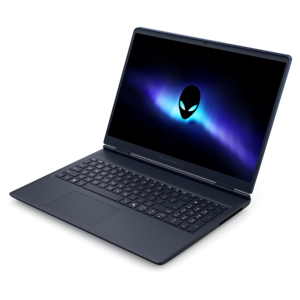
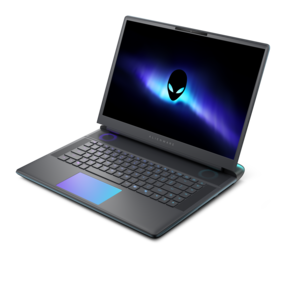
A streamlined gaming laptop with AMD Ryzen 200 Series processors and NVIDIA GeForce RTX graphics.
Gaming laptops for streaming offer the perfect combination of power, speed, and versatility for gamers who want to broadcast their gameplay with ease. Whether you're sharing your latest victory or connecting with an online audience, these laptops are designed to handle both high-performance gaming and smooth streaming. Explore a wide selection of gaming laptops for streaming that deliver immersive visuals and responsive performance, helping you stay ahead in every match while engaging your viewers. Find the ideal device to elevate your gaming and streaming experience today.
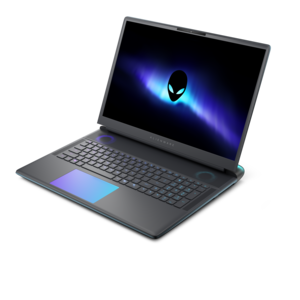
A streamlined gaming laptop with AMD Ryzen 200 Series processors and NVIDIA GeForce RTX graphics.
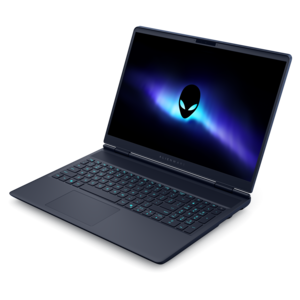
A streamlined gaming laptop delivering essential performance with up to NVIDIA GeForce RTX 50 Series graphics.
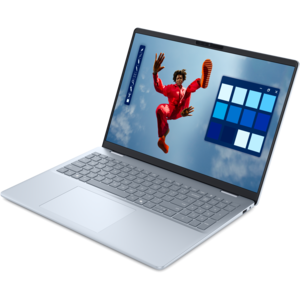
A creator-focused laptop with built-in AI, a spacious display, and Intel Arc graphics for demanding workflows.
A powerful gaming laptop with Intel Core processors and NVIDIA GeForce RTX graphics for immersive gaming.
A streamlined gaming laptop delivering powerful performance with NVIDIA GeForce RTX 50 Series graphics.
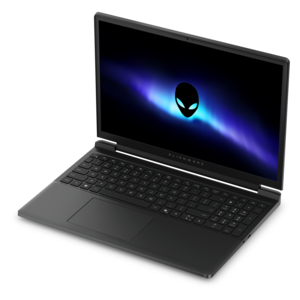
A flagship 16-inch gaming laptop engineered with innovative performance for passionate gamers.
A flagship gaming laptop engineered with innovative performance for passionate gamers.
Gaming laptops for streaming bring gameplay, live broadcasting, and everyday creative work together in a portable computer. The right configuration has enough performance to run a game smoothly while handling a microphone, camera feed, chat window, and broadcast software in the background. For demanding games and regular streaming, a strong starting point is a modern multicore processor, a dedicated graphics processor with hardware video encoding, 32GB of memory, and a 1TB or larger solid-state drive. Those specifications are a practical target rather than a universal minimum: lighter games and simpler broadcasts can work well with 16GB of memory, while elaborate productions may benefit from more. Hardware encoding is especially useful because it moves much of the video-compression work onto specialized circuitry instead of leaving it all to the processor. That helps preserve resources for gameplay, although results still depend on the game, broadcast settings, and the laptop’s power and cooling limits. Compatibility matters, too; the encoder needs to support a video format accepted by your broadcasting software and streaming destination. A laptop that feels fast with only a game open may behave differently once animated overlays, alerts, recording, and a video call join the session. Picture the familiar moment when a match gets busy just as chat starts moving and an on-screen notification appears. Performance headroom helps those overlapping tasks feel less disruptive. For someone broadcasting casual evening sessions, that might mean prioritizing balanced specifications over the most expensive components. For a competitive player or creator broadcasting several times a week, sustained performance and consistent frame delivery can justify a more capable configuration. Gaming laptops for live streaming are particularly useful for people who want one machine for playing, broadcasting, editing clips, and taking their work away from the desk. They also suit shared spaces, where a permanent desktop setup may be less practical than a computer that packs away after the stream ends.
Choosing between gaming laptops for streaming involves more than comparing processor names or graphics specifications. Two laptops with similar components can perform differently because their cooling systems and power limits differ. Reviews and specifications that address sustained workloads are more revealing than a brief burst of peak performance, especially when a broadcast lasts several hours. Effective cooling helps maintain speed, but fan noise deserves attention when a microphone sits beside the keyboard. A thicker chassis may provide more room for cooling, while a slimmer model can be easier to carry; neither shape alone guarantees better results. Screen size creates another everyday tradeoff. A 15- or 16-inch display can balance portability with useful workspace, while a 17- or 18-inch screen offers more room for gameplay and controls at the expense of bag space and weight. A high-refresh-rate display makes motion look smoother when the game can deliver matching frame rates, but the audience does not automatically receive that same refresh rate. Playing at a high frame rate while broadcasting at 60 frames per second is a common arrangement. Likewise, a high-resolution laptop screen does not require an equally high-resolution broadcast. A 1080p stream can be a sensible balance of image detail, encoding demands, and upload requirements. Memory and built-in drive capacity also affect how comfortable the system feels over time. A 1TB SSD provides a useful starting point for games and applications, while 2TB gives more breathing room for a large game library and local recordings. Actual recording space depends heavily on bitrate and session length. Buyers who save every broadcast should account for that growth rather than judging capacity by game installations alone. Check whether memory and the internal drive can be upgraded, since accessibility and supported capacities vary. For anyone weighing a portable setup against other form factors, Computers for Streaming provides a broader starting point for comparing computers suited to broadcasting.
The details around the keyboard and screen often determine how naturally a streaming laptop fits into a routine. Enough compatible ports for a microphone, webcam, mouse, and external display can keep the setup straightforward, without requiring every accessory to share one connection. Check the capabilities of each port rather than relying on its shape: some support display output or charging, while others do not. Anyone planning to broadcast gameplay from a separate console should also account for a compatible capture device and the connection it requires. An external monitor can make chat and broadcast controls easier to manage while the game fills the laptop display, although a single-screen setup remains workable for simpler sessions. A built-in webcam and microphone are convenient for getting started; creators who spend more time on camera may prefer separate accessories for framing flexibility and clearer voice pickup. In a small bedroom or shared apartment, microphone placement and fan noise can matter as much as camera resolution. A stable internet connection with consistent upload capacity is equally important, because powerful hardware cannot compensate for an unreliable connection. Broadcast bitrate should leave room for normal fluctuations and other household activity. Portability also needs a realistic definition. Gaming and streaming generally work best with the laptop connected to its appropriate power adapter, and battery operation often reduces available performance. The combined weight of the laptop, charger, and accessories is worth considering for anyone carrying the setup between home, campus, or a studio. As a gift, a gaming laptop for streaming can suit an adult gamer starting a channel, a college student balancing coursework with creative projects, or an established creator who needs a more portable system. The most useful choice reflects the recipient’s games, existing accessories, and preferred screen size rather than simply chasing the highest specifications. Leave room in the budget for the pieces that make a broadcast comfortable, whether that is a clear-sounding microphone or a second display. A well-matched laptop supports the whole evening: playing with friends, keeping up with viewers, saving a memorable clip, and closing the lid when everything is finished.
Add the products you would like to compare, and quickly determine which is best for your needs.