$234.99
A Full HD conferencing monitor with built-in webcam, speakers, and microphone for seamless everyday collaboration.
Streaming webcams are essential tools for anyone looking to enhance their online presence, whether it’s for live gaming, virtual meetings, or content creation. With a wide variety of options available, finding the right streaming webcam can help deliver smooth, high-quality video and audio for any setup. Explore the latest selection of streaming webcams designed to meet the needs of professionals, students, and creators alike and take your live broadcasts and video calls to the next level.
A Full HD conferencing monitor with built-in webcam, speakers, and microphone for seamless everyday collaboration.
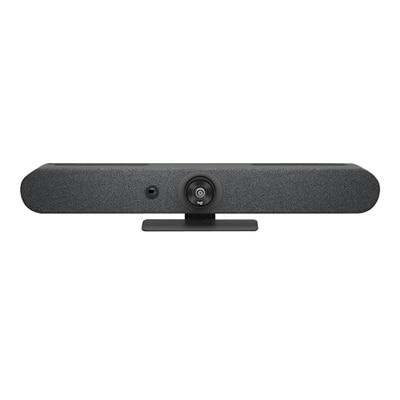
A 1080p conference camera with full-duplex speakerphone audio, autofocus, remote pan-tilt-zoom, and echo cancellation.
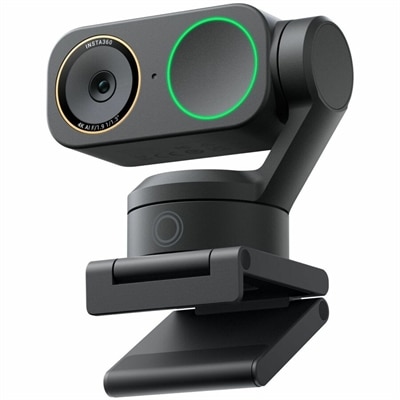
A graphite black 4K webcam with 60fps HDR, AI tracking, natural bokeh, and noise-canceling dual-microphone audio.
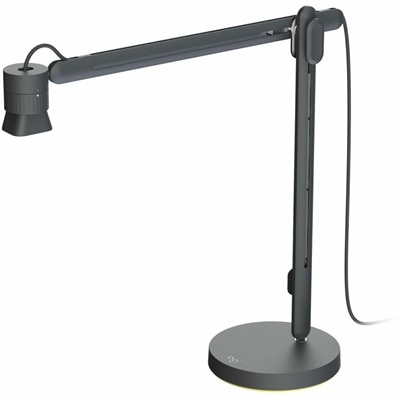
An articulating overhead camera arm with base mount, 1080p60 video, USB connectivity, and versatile pivoting controls.
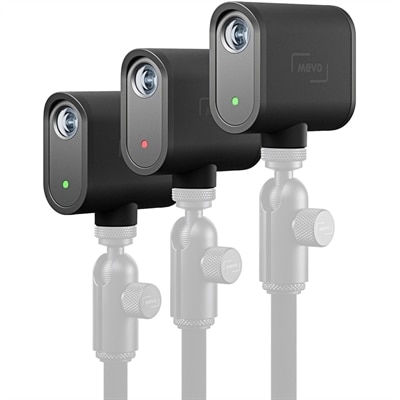
A three-camera black webcam kit delivering 1080p streaming, 12-megapixel capture, USB-C connectivity, and smartphone control.
Streaming webcams make it easier to share clear, engaging video from a desk, home office, studio corner or gaming setup. Whether you are broadcasting gameplay, hosting a live class, recording demonstrations, joining a community event or staying connected with friends and family, the right webcam can make the image feel more natural and professional than a built-in laptop camera. When comparing options, start with resolution and frame rate. Full HD 1080p can provide a sharp, dependable picture for everyday streaming, while 4K webcams capture finer detail and can preserve image quality when you crop or reframe the video. Frame rate also shapes the viewing experience: 30 frames per second is well suited to conversation, presentations and most broadcasts, while 60 frames per second can make quick hand movements, gaming footage and energetic demonstrations look smoother. A 2K webcam offers a useful middle ground for shoppers who want more detail than standard HD without always moving to a higher-resolution setup. Explore 2K Webcams to compare options in that resolution range. Keep the intended use in mind as you browse this selection. A streamer who remains seated in front of a monitor may value a wide field of view, accurate color and a simple tilt adjustment, while someone who teaches crafts, plays an instrument or moves between a desk and whiteboard may benefit from automatic framing or subject tracking. These features can help keep you centered without repeatedly stopping to adjust the camera, although a fixed camera can be a better choice when you prefer a consistent composition and a quieter, more controlled setup.
Lighting has a major effect on webcam performance, often more than shoppers expect. A high-resolution camera can still produce a dull, grainy image when the room is dim or a bright window sits behind you. Look for models with strong low-light processing, HDR support or exposure controls that help balance a bright background with your face. In a practical home setup, placing a lamp or soft light in front of you can bring out natural skin tones and reduce harsh shadows; positioning the camera near eye level can also make conversations feel more direct. A wide-angle lens is helpful when you want to include a second person, a drawing surface or a little of the room, but a narrower view may keep attention on you and reduce distracting background details. Autofocus is useful for presenters who hold notes, products or handwritten work up to the camera, while a reliable fixed focus can feel more stable for a seated broadcast. Audio deserves equal attention. Many streaming webcams include built-in microphones with noise reduction or stereo pickup, which can be convenient for casual sessions and video calls. For a more polished broadcast, you may pair the webcam with a separate microphone or headset and choose a camera that lets you select the preferred audio source through your computer. Check connection type, operating system support and compatibility with the streaming or meeting software you use. Plug-and-play USB connectivity can simplify setup, while adjustable mounting options help the camera sit securely on a monitor, laptop display, tripod or shelf. Privacy shutters and indicator lights add peace of mind when the webcam remains connected between broadcasts, especially in a shared home or work area.
A streaming webcam can be a practical addition for content creators, remote instructors, gamers, musicians, artists, small-business owners and anyone who wants a more expressive way to communicate online. It may also be a thoughtful gift for a student attending virtual courses, a family member who enjoys hosting online gatherings or a friend building a new creative hobby around tutorials, reviews or live performances. Before choosing, consider the room where the webcam will be used, the available lighting, how far you sit from the screen and whether you usually stay in one position. A creator who streams from a compact desk may prefer a small camera with a simple clip and automatic light adjustment, while a presenter with a larger workspace may appreciate tracking, a wider view and flexible mounting. Image controls such as white balance, brightness, contrast and field-of-view adjustment can help you create a consistent look across different rooms and cooler, darker conditions. If you record frequently, a camera that remembers settings or works smoothly with your preferred software can save time during repeated sessions. Think about the entire viewing frame as well: a tidy background, comfortable distance from the camera and clear separation between your face and the wall behind you can make even a modest setup look inviting. A webcam does not need to be complicated to be effective. Matching resolution, frame rate, lens coverage, autofocus, microphone features, privacy controls and mounting flexibility to your routine can help you find a dependable option for broadcasts that feel clear, comfortable and easy to join.
Add the products you would like to compare, and quickly determine which is best for your needs.