$39.99
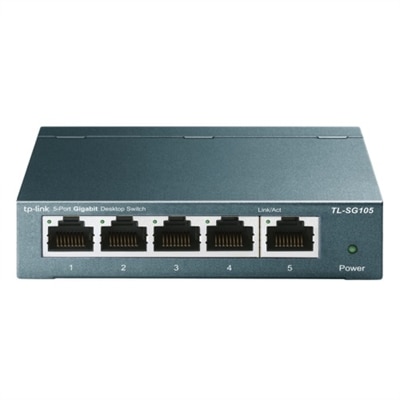
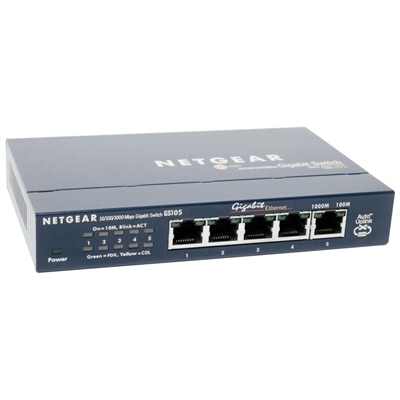
A compact, fanless five-port Gigabit Ethernet switch with a durable metal chassis for quiet, reliable networking.
Discover the perfect balance of performance and flexibility with our diverse range of switch configurations, designed to meet the dynamic needs of your network infrastructure. Whether you're setting up a home office, expanding a corporate network, or enhancing data center capabilities, selecting the right configuration is crucial for optimizing connectivity and efficiency. Our selection offers a variety of options tailored to support seamless integration and adaptability in any environment, ensuring that you can find the ideal solution to power your digital ecosystem. Dive into our collection and explore how different switch configurations can elevate your networking experience to new heights.
A compact, fanless five-port Gigabit Ethernet switch with a durable metal chassis for quiet, reliable networking.
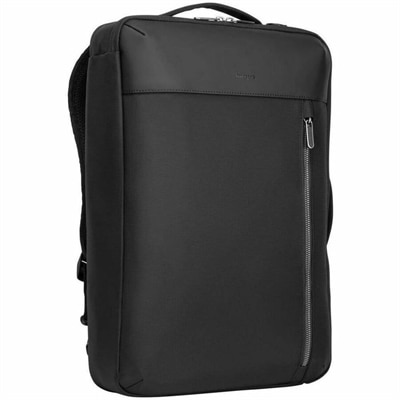
A versatile black convertible backpack with laptop protection, multiple carrying options, padded comfort, and organized storage.
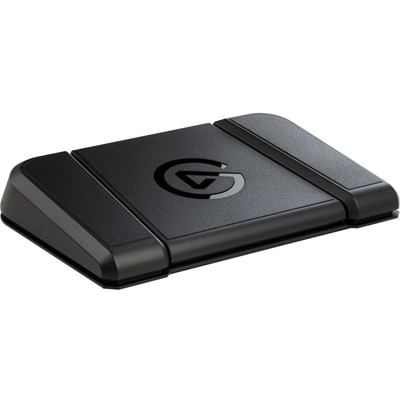
A sturdy, customizable foot pedal providing hands-free control for streaming apps and tools.
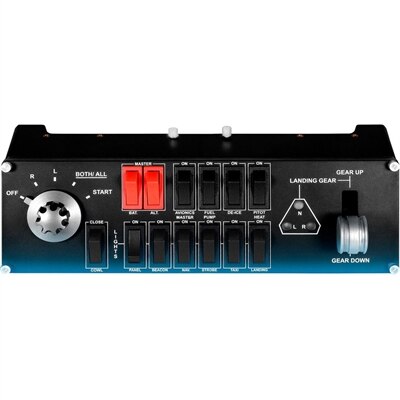
A compact modular flight simulation controller for managing landing gear, lights, engine power, and aircraft functions.
Switch configurations bring together the practical choices that determine how connected devices communicate, how traffic is organized, and how access is managed. The products gathered on this page are intended for settings where a reliable, orderly connection matters, from a home office with several computers and peripherals to a growing workspace with multiple users and shared equipment. When comparing options, start with the number of devices you expect to connect and leave room for expansion. A compact configuration may suit a desk, media area, classroom, or small office, while a larger setup can provide additional ports for workstations, monitors, printers, cameras, phones, and other compatible equipment. Port speed is another important consideration. Faster connections can help move large files, support high-resolution media, and reduce bottlenecks when several devices are active at once. It is also useful to consider whether the configuration supports the management features your environment requires, including traffic segmentation, access controls, monitoring, and remote administration. A well-matched setup should fit naturally into the space, offer straightforward cable management, and provide status indicators that make it easier to understand what is connected at a glance. For a closer look at available options, browse Computer Switches and compare port counts, connection standards, management capabilities, and physical design before choosing a configuration.
Configuration work typically begins by connecting to the device through a console cable and opening a terminal emulator on a computer, often using the standard 9600 baud setting when supported by the equipment. From there, an administrator may enter the command-line interface, move from privileged EXEC mode into global configuration mode, and assign a distinctive hostname that makes the device easy to identify. A management IP address can help with administration, while an enable secret and console line protection add a basic layer of access control. For remote administration, a local user account, domain name, and SSH setup may be configured before generating RSA keys, allowing authorized users to manage the device through an encrypted connection rather than relying only on a direct console link. VLAN configuration can separate groups of devices according to their purpose, such as staff workstations, guest equipment, voice devices, or smart peripherals. Individual ports may then be assigned as access ports and associated with the appropriate VLAN, while trunking can carry multiple VLANs between compatible devices when a more structured layout is needed. Some environments may also require routing between segments, quality-of-service settings for time-sensitive traffic, or monitoring tools that help identify unusual activity and performance issues. These features are most useful when they align with the actual needs of the space; a home user may value simple setup and dependable connectivity, while a small business or technical workspace may prioritize granular control, authentication, logging, and room to grow. During the cooler months, a tidy configuration can make an indoor workspace feel noticeably calmer: cables follow deliberate paths, shared equipment remains accessible, and each connected device has a clear place in the overall arrangement. Whether the configuration supports everyday productivity, remote learning, creative work, or a small team’s shared resources, thoughtful planning can make maintenance easier and help the setup remain useful as new devices are added.
Add the products you would like to compare, and quickly determine which is best for your needs.