Tablet Handles

Tablet handles offer a convenient solution for enhancing mobility and ease of use, making it simpler to carry your device wherever you go. Designed to provide added comfort and security, tablet handles are ideal for professionals, students, and anyone who needs their tablet on the move. Explore a variety of options to find the perfect tablet handle that fits your lifestyle and helps you get the most out of your device.

Filters

$24.99

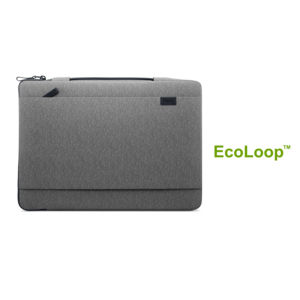
A lightweight laptop sleeve made with recycled materials, featuring a retractable handle for convenient protection.
$24.99
$74.99

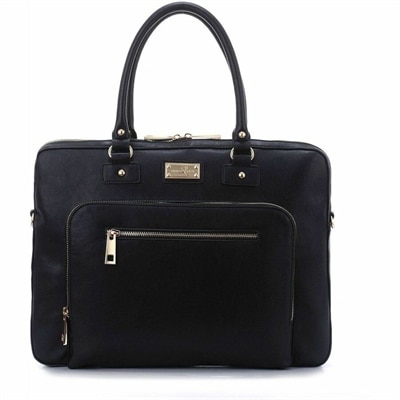
A black padded carrying case with dual device compartments, adjustable shoulder strap, handles, and zippered pockets.

$74.99

Tablet Handles

Tablet handles are grips, straps, or carrying attachments that make a tablet easier to hold and reposition during everyday use. Rather than gripping the narrow edges of a screen, the user holds a handle or slips a hand beneath a strap on the back of the device. That added point of contact can make a difference when reading on the couch, following a recipe at the kitchen counter, or moving between rooms during a video call. Different handle styles suit different movements: a soft hand strap keeps the palm close to the tablet, a rigid grip gives the fingers something more substantial to wrap around, and a carrying handle provides a convenient way to transport a compatible device over short distances. Some designs combine a grip with a folding stand, while rotating versions let the tablet move between portrait and landscape orientation without requiring the same change in hand position. These features serve distinct purposes, so a carrying handle is not necessarily intended for extended one-handed screen use, and a hand strap does not automatically function as a stand. For someone reading a digital book on a smaller tablet, a slim, lightweight strap may feel less intrusive than a larger handle. A person reviewing drawings while standing may appreciate a more substantial grip with room for the fingers to settle comfortably. Teachers moving around a classroom, travelers checking an itinerary, and employees collecting signatures can also benefit from having a dedicated place to hold the device. Comfort depends on more than the handle alone: tablet weight, case thickness, hand size, and the angle of the screen all affect how the complete setup feels. Even a well-fitted grip cannot remove the weight of the tablet, but it can offer an alternative to pinching its edges throughout a reading session or work task. The most useful design fits naturally into the way the tablet is already being carried, viewed, and used.

Fit begins with the attachment method and the dimensions of the tablet, including any case that stays on it. Corner-mounted straps stretch or fasten around the device, adhesive-backed grips attach to a suitable rear surface, and case-integrated handles depend on a specific case design. Other handles use mounting points made for compatible equipment. A stated screen-size range is only part of compatibility; two tablets with similar displays can have different widths, thicknesses, camera positions, and rear contours. Corner attachments need room to sit securely without pressing buttons or covering the display, while a rear-mounted grip needs enough clearance around cameras, speakers, charging connections, and any accessories used alongside it. Adhesive attachments are especially dependent on surface material and preparation. Textured, flexible, curved, or coated surfaces may not provide the same bond as a smooth surface approved by the attachment manufacturer, and removability varies by adhesive and finish. Materials also influence the feel and upkeep of a handle. Woven nylon can provide a flexible carrying loop, elastic can accommodate different hand positions, and silicone or padded contact surfaces can soften the feel against the fingers. Molded plastic keeps many designs relatively light, while metal components may provide a firmer structure at hinges or mounting points. No material alone determines durability; stitching, fasteners, hinge construction, and the quality of the attachment all contribute. On a rotating grip, controlled movement matters as much as the range of rotation, particularly when tapping near the edge of the screen. Adjustable straps need enough range to hold the hand comfortably without creating pressure across the knuckles, and use with gloves requires additional space. Stand functionality brings another consideration: the tablet’s weight and orientation must remain within the design’s intended support limits. A grip that props up a smaller device on a level desk may behave differently with a heavier tablet, a thick protective case, or repeated touches near the top of the display. Compact folding designs are convenient for a bag, provided they close without placing unwanted pressure on the screen or nearby belongings.

Everyday surroundings help determine which tablet handle features remain useful over time. At home, a smooth, low-profile grip can be comfortable for shared reading or browsing without adding much bulk to a device that regularly moves from a side table to a lap. In a classroom or workplace, an adjustable strap may accommodate several users, while a clearly defined carrying grip can make transitions between desks easier. People who spend part of the day standing may value a hand position that leaves the other hand free to tap, write, or point, although tasks requiring both hands call for a separate, stable support. A handle is not a substitute for a protective case, a secure vehicle mount, or equipment specifically intended to prevent drops. Likewise, a desk clamp or adjustable arm supports a different style of use than a handheld grip, even when both help position a tablet. Accessories within Tablet PC Input Devices can complement the way a tablet is held, particularly when a stylus or another compatible input accessory is part of the routine. Placement matters when these accessories share the back or edges of the device, since a handle should not obstruct a stylus attachment area or interfere with normal charging. Care is generally straightforward but depends on the materials and construction. Cleaning should follow the handle and tablet manufacturers’ directions, with attention to fabric drying time, residue around attachment points, and moisture near openings. Elastic that has stretched, fraying stitching, loose hardware, or a lifting adhesive edge can change how securely a handle holds. Regular inspection is especially relevant for a tablet carried frequently between locations. As a practical gift, a handle is most thoughtful when the recipient’s tablet model, case, and preferred way of holding it are known. A comfortable match can become a small but useful part of familiar routines, from holding sheet music beside a practice chair to reviewing notes before a presentation.

FAQs:

Add the products you would like to compare, and quickly determine which is best for your needs.

Add the products you would like to compare, and quickly determine which is best for your needs.