$3299.00
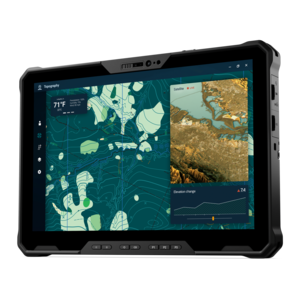
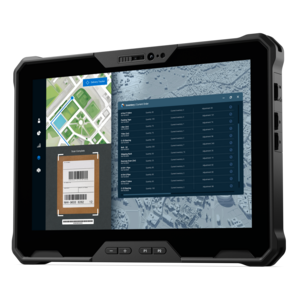
A lightweight rugged tablet with improved battery life, Copilot+ PC, and Intel Core Ultra 200V processors.
Experience the best of both worlds with tablets featuring Windows 11, designed to offer seamless integration between work and play. These versatile devices combine the portability of a tablet with the powerful capabilities of a full-fledged computer, making them perfect for productivity on the go. Whether you’re multitasking between apps, enjoying your favorite entertainment, or staying connected with colleagues and friends, tablets with Windows 11 provide an intuitive and efficient user experience. Explore our selection to find the ideal tablet that fits your lifestyle and enhances your digital journey.
A lightweight rugged tablet with improved battery life, Copilot+ PC, and Intel Core Ultra 200V processors.
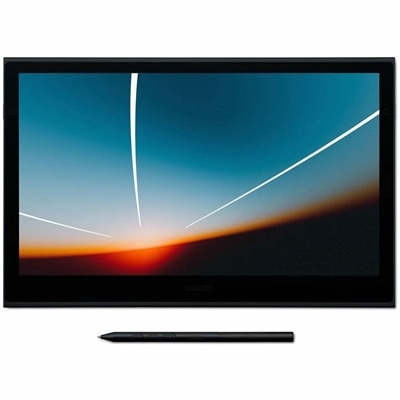
A lightweight 13.3-inch OLED pen display with Pantone validation, versatile pen compatibility, and single-cable USB-C connectivity.
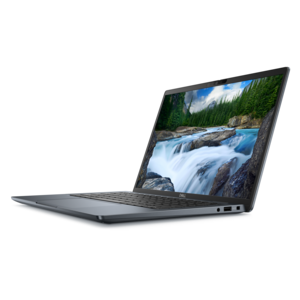
An AI-powered tablet with optional keyboard, active pen, advanced thermals, HDR cameras, and Intel Core Ultra.
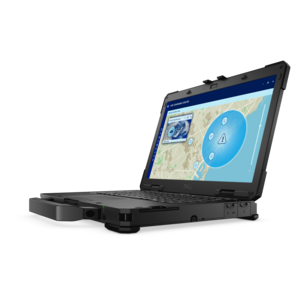
A fully rugged tablet with Copilot+ features, designed for all-day productivity and extended battery life.
Tablets with Windows 11 combine the easy handling of a touchscreen device with the familiar desktop environment used for work, school, communication and entertainment. Unlike mobile-only tablets, these PCs can run many of the same Windows applications found on a laptop or desktop, making them useful for browsing, email, video calls, document creation, streaming, research and light creative work. Touch-friendly controls make it easy to scroll through a recipe in the kitchen, review notes while moving between meetings or annotate a document from a comfortable chair, while a detachable keyboard can provide a more traditional setup when it is time to write, organize spreadsheets or respond to a long series of messages. Windows 11 also supports features designed to make a touch PC easier to use, including larger touch targets, a streamlined taskbar, window snapping and Snap Layouts for arranging several applications side by side. A compatible active pen can add another layer of flexibility for handwriting, sketching, signing forms, highlighting PDFs and marking up presentations. For someone who moves frequently between rooms, classrooms, client locations or a home office, a Windows 11 tablet can reduce the need to carry separate devices. It can also be a thoughtful gift for a student, remote worker, traveler or family member who wants a versatile computer that takes up little space on a desk or in a bag.
When comparing tablets with Windows 11, begin with the tasks that matter most and then consider the hardware needed to support them. A modern processor with multiple cores can help applications open smoothly and keep everyday multitasking responsive, while additional memory is useful for keeping a browser, video call, notes and productivity software open at the same time. Storage capacity deserves attention as well: smaller capacities may suit web browsing and cloud-based work, but people who save photos, downloaded media, design files or large projects locally may appreciate more room. Display size affects both portability and comfort. A compact screen can be convenient for commuting and reading in tight spaces, while a larger high-resolution display may make spreadsheets, illustrations and split-screen work easier to see. Look for a bright panel with comfortable viewing angles if the tablet will be used near windows or carried outdoors, and consider whether a higher refresh rate would make scrolling and pen movement feel more fluid. Battery life is another practical consideration, particularly for classes, travel days and work sessions away from an outlet. Weight matters when the device will be held for extended reading or note-taking, while a sturdy kickstand or adjustable cover can make it easier to find a comfortable viewing angle. Check the included and optional accessories carefully: a keyboard cover can change how the tablet functions at a desk, and a pressure-sensitive pen may be important for artists, designers, students and anyone who prefers handwritten notes. Port selection, wireless connectivity, a headphone option, camera quality and biometric sign-in can also shape the daily experience. People who regularly work away from Wi-Fi may want to consider cellular connectivity where available, while those who mainly use the tablet at home may prefer to focus on screen quality, comfort and battery performance. For shoppers comparing a touchscreen PC with a conventional portable computer, Windows 11 Laptops for Business Productivity can provide additional context about choosing hardware for demanding work routines.
The best Windows 11 tablet depends on the balance between mobility, performance and the way the device will be used. A student may value a light design, long battery life, pen support and enough power for research, online classes, presentations and handwritten study materials. A professional may prioritize a comfortable keyboard, reliable video conferencing, secure sign-in, strong multitasking performance and a display that makes documents easy to review during travel. For a creative user, color quality, screen resolution, pen responsiveness and generous storage may matter more than having the smallest possible form factor. A family may look for straightforward setup, durable accessories, a clear camera and enough flexibility for homework, streaming, recipes and shared household tasks. Tablets with Windows 11 can also work well for people who appreciate an uncluttered workspace: a kickstand can turn a kitchen counter or coffee table into a temporary workstation, and the keyboard can be detached when the device is used for reading, drawing or watching content. During warmer days and cooler months alike, portable design can make it easier to move from a home office to a patio, library, classroom or living room without interrupting a project. Before choosing, confirm that the tablet supports the applications and peripherals you rely on, review the keyboard and pen configuration, and consider the cost of adding protective covers or a charger for a second location. With the right combination of processing power, memory, storage, display quality, battery capacity and accessories, a Windows 11 tablet can serve as a compact everyday PC rather than a device limited to occasional browsing.
Add the products you would like to compare, and quickly determine which is best for your needs.