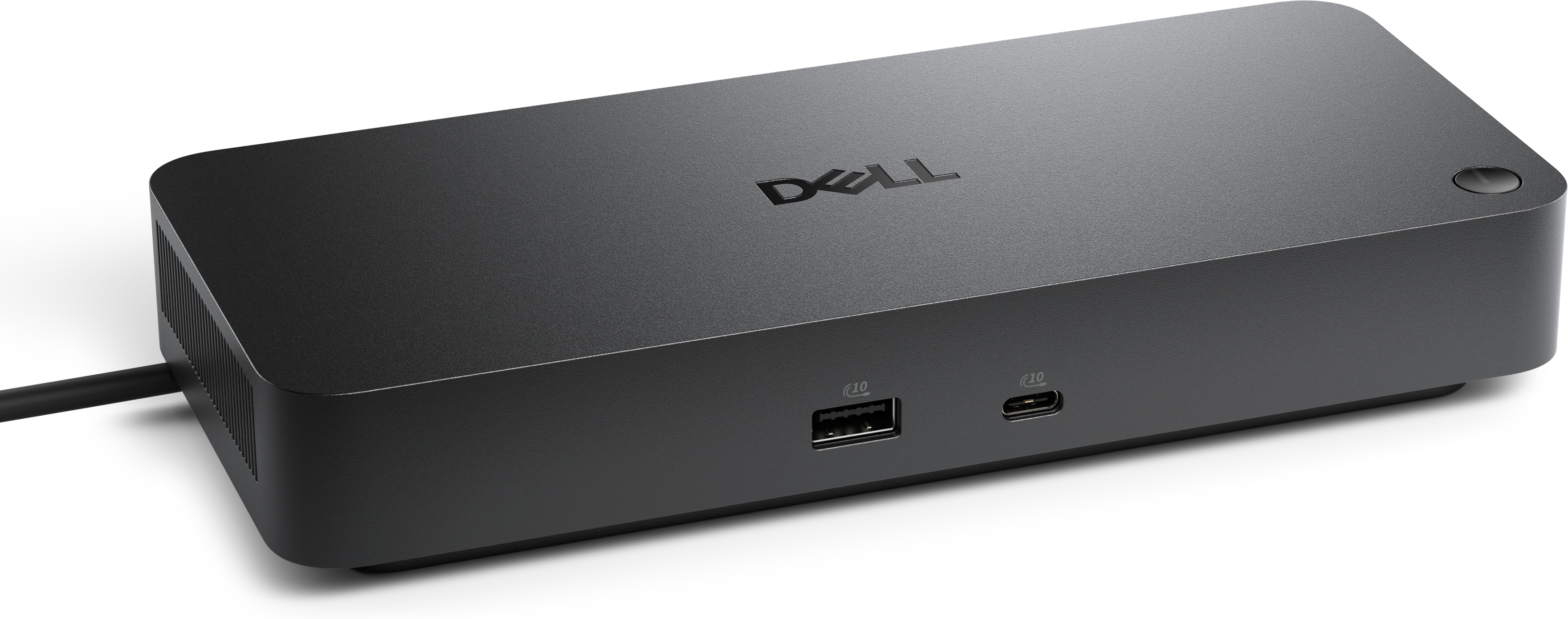
Thunderbolt 3 Adapters
Thunderbolt 3 adapters provide a versatile solution for connecting a wide range of devices to your laptop or desktop. Whether you’re looking to expand your display options, transfer data efficiently, or streamline your workspace, these adapters help maximize the capabilities of your setup. Explore thunderbolt 3 adapters designed to support seamless connectivity and enhance productivity in both professional and personal environments.
This product is not available
Check out the following recommendations.




Thunderbolt 3 Adapters
Thunderbolt 3 adapters help extend the usefulness of a computer equipped with a Thunderbolt 3 or compatible USB-C port. Built around the compact USB-C connector, Thunderbolt 3 can support high-speed accessories, external displays, audio equipment, wired internet connections and other peripherals, while an adapter can bridge the gap between that modern port and a connector found on an older or specialized device. This makes Thunderbolt 3 adapters a practical choice for refreshing a desk without replacing every accessory at once. Someone moving to a newer laptop may still rely on a trusted monitor with an HDMI or DisplayPort input, an older Thunderbolt accessory with a different connector, or a wired Ethernet connection for a more consistent internet experience. The right adapter can make those connections possible while keeping a workspace tidy and reducing the need to carry several computers for different tasks. Compatibility remains the most important consideration. Thunderbolt 3 and USB-C ports can look nearly identical, but their capabilities vary by computer, and not every USB-C port supports Thunderbolt technology, video output or the same level of power delivery. Before choosing an adapter, check the computer’s technical specifications, identify the port type on the accessory, and confirm the connection standard required at both ends. It is also worth checking whether the adapter supports the desired resolution, refresh rate, audio functionality, charging behavior or transfer speed. These details matter when a display is used for detailed design work, when a presentation needs smooth video playback, or when an audio setup must remain responsive during recording. Shoppers browsing Thunderbolt Accessories can compare connection options with the rest of their setup in mind, rather than treating an adapter as a one-size-fits-all accessory.
A Thunderbolt 3 to HDMI adapter is often useful for connecting a laptop to a television, classroom projector or monitor that accepts HDMI. It can be a convenient addition to a home office where a laptop doubles as a media center, or to a mobile workstation that moves between a desk and a meeting room. A Thunderbolt 3 to DisplayPort adapter may suit monitors designed for computer work, particularly when a user wants to take advantage of a higher resolution or refresh rate supported by the display and computer. Some adapters support two DisplayPort connections, allowing compatible systems to drive multiple monitors from one Thunderbolt 3 port, although the computer, operating system and display configuration must all support that arrangement. For anyone with older Thunderbolt 1 or Thunderbolt 2 accessories, a Thunderbolt 3 to Thunderbolt 2 adapter can provide a path to continued use, but compatibility should be confirmed carefully. An older accessory may require a particular cable, power arrangement or software support, and an adapter may not add functions that the computer or accessory does not already provide. Users working with music production equipment, photography accessories or specialized professional peripherals should verify device support before purchasing, especially when low latency, stable connections or dependable recognition are essential. Adapters that provide wired Ethernet connectivity can also be helpful for a laptop user who spends time in offices, studios, dorm rooms or home workspaces where a direct internet connection is preferred. Wired connections may be useful for large file transfers, video meetings or online play, but performance depends on the computer, adapter, cable and available internet service. The best choice is determined by the exact connection needed: HDMI, DisplayPort, dual-display output, legacy Thunderbolt connectivity or Ethernet. Reviewing those requirements first helps prevent an attractive but unsuitable adapter from ending up in a drawer.
Thunderbolt 3 adapters are especially useful for people who work across locations and want a simple way to connect a laptop to the equipment already waiting at a desk. A consultant can arrive at a client presentation and connect to a projector with less scrambling among cables. A student can use one computer with a residence-hall monitor, a classroom display or a shared study-space screen. A remote worker may connect a laptop to a larger monitor, wired internet and other desk accessories at home, then unplug one compact setup before heading out. Creative professionals can benefit from adapters when their workflow includes displays, audio interfaces or older peripherals that remain familiar and reliable. They can also be thoughtful gifts for a graduate, new laptop owner, frequent traveler or family member building a more comfortable home office. Because connector names can be confusing, gift shoppers should know the recipient’s computer model and the accessory they want to connect whenever possible; a small amount of research can be more valuable than choosing an adapter based only on appearance. Cable length, portability, build quality and the number of ports may also shape the decision. A compact single-purpose adapter is easy to keep in a laptop bag, while a broader adapter may be more convenient for a permanent desk. Look for clear specifications, sturdy connectors and support for the intended display resolution or peripheral standard. During the warmer and cooler parts of the year alike, a dependable adapter can make a familiar laptop feel more capable, whether it is powering a focused work session, extending a movie to a larger screen or helping an older accessory remain part of an everyday setup.
FAQs:
Thunderbolt 3 adapters allow you to connect a wide range of devices, including external monitors (HDMI, DisplayPort, or Mini DisplayPort), legacy Thunderbolt or USB devices, Ethernet networks, and additional peripherals such as keyboards, mice, and external storage drives. They help bridge compatibility between modern laptops or desktops and older devices or specialized equipment.
Yes, many Thunderbolt 3 adapters are designed to support multiple displays, including dual 4K monitors or a single 5K monitor, depending on your device’s capabilities and the specific adapter. This is particularly useful for creative professionals, gamers, or anyone who needs an expanded workspace.
To use a Thunderbolt 3 adapter, your computer must have a Thunderbolt 3 port, which shares the same shape as USB-C. You can typically identify this port by the lightning bolt icon next to it. If you’re using a desktop without built-in Thunderbolt 3, you may be able to add support with a compatible PCIe card.
While Thunderbolt 3 and USB-C share the same connector, Thunderbolt 3 adapters support higher data transfer speeds (up to 40Gbps), the ability to connect multiple types of devices, and daisy-chaining of peripherals. A regular USB-C adapter may not offer the same speed or versatility, especially for demanding tasks like high-resolution video editing or fast data transfer.
Yes, Thunderbolt 4 cables are backward compatible with Thunderbolt 3 adapters and devices. Using a Thunderbolt 4 cable can provide added flexibility for future upgrades while maintaining full compatibility and performance with your existing Thunderbolt 3 setup.